28
2.5.3.7 Select Language and unit
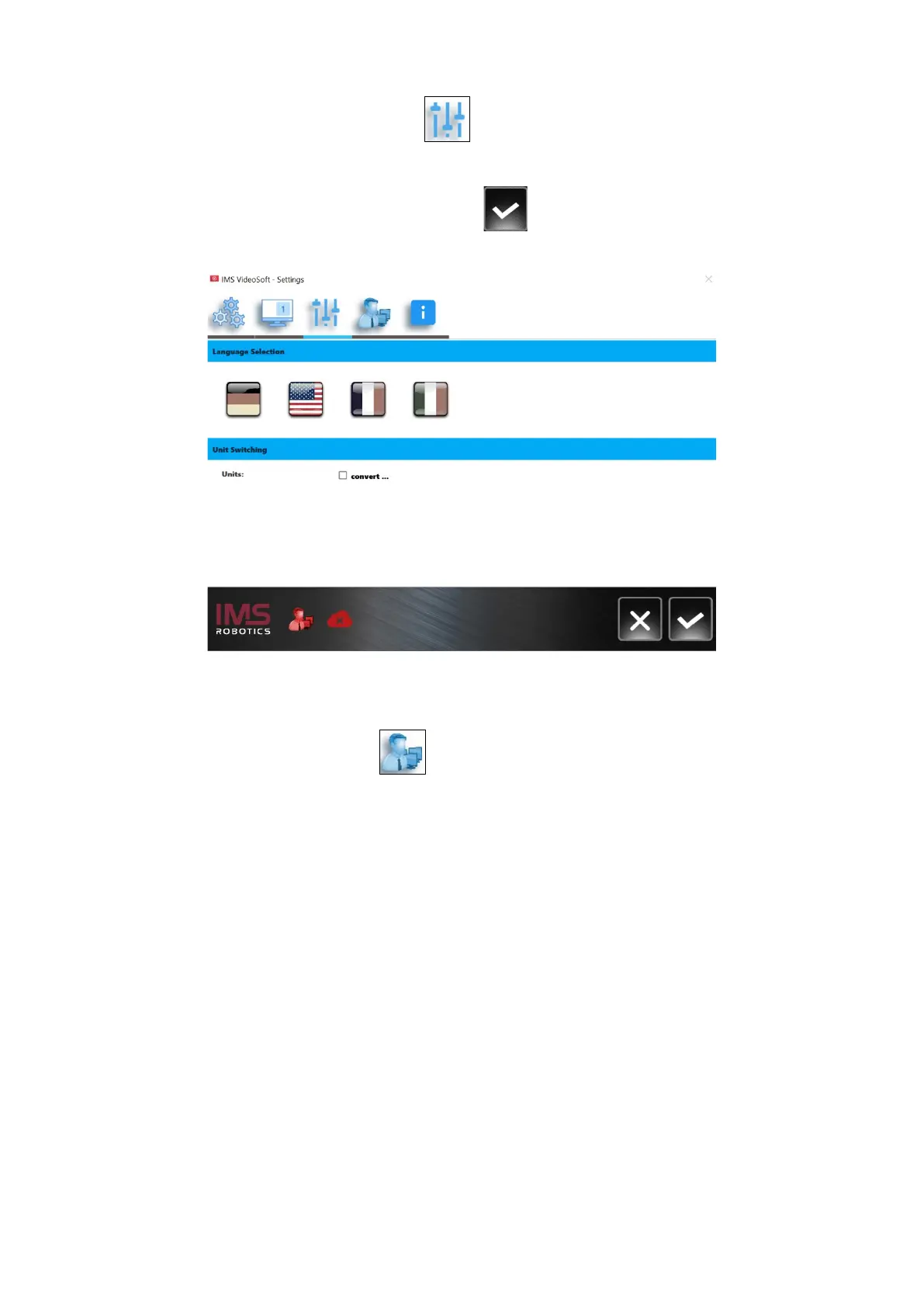
By pressing the “Select language” button , the menu for the language selection opens.
Furthermore, the units of measurement can be changed from metric to imperial here. The
metric system is preset. By ticking the "convert" field, we switch to the imperial system of
measurement. The entry must then be confirmed .
2.5.3.8 Service menu
Click on the "Service menu" button to open the service menu. This is a password-
protected menu and can only be accessed by service technicians of IMS or authorised
service centres.


 To Next Page