40 User Guide - v7
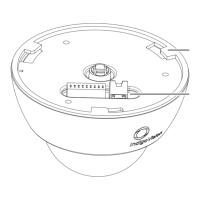
4. Release the locking screw and rotate the Lens Assembly (5) to the required position.
Secure the locking screw when done to fix the tilt and lens orientation.
Take care not to over-rotate the camera lens assembly as this may result in the internal
cables becoming disconnected.
5. Focus the lens.
► For more information, see "Focus Procedure" on page 40
6. Re-fit the Dome Bubble and Lens Shroud.
Ensure the 2-way analog connector is tucked it under the cover to prevent it from obscuring
the field of view of the camera.
7. Re-fit the Bezel to secure the Dome Bubble to the Camera Assembly. To ensure a
watertight seal, tighten the screws to a minimum of 15 Nm (11 lbs/ft) and maximum of
20 Nm (15 lbs/ft).
Focus Procedure
The camera is supplied with a varifocal DC auto iris lens.
The iris must be set to maximum aperture when setting the focus. Use Electronic Shutter
mode to force the iris to maximum aperture.
An analog video cable with a 2-way connector is provided with the camera to help during
camera installation.
1. Set Exposure mode of camera to Electronic Shutter using the Configuration pages.
► For more information, see "Configuration" on page 43
2. Adjust the angle of view. Loosen the T/W adjustment thumbscrew, then rotate the T/W
adjustment accordingly.
Tighten the thumbscrews when you are done.
3. Adjust the focus. Loosen the N/∞ adjustment thumbscrew, then rotate the N/∞
adjustment accordingly.
Tighten the thumbscrews when you are done.
4. Revert the Exposure mode of camera to Auto Iris using the Configuration pages.
► For information about using a 9-22mm lens, see "Using a 9-22mm lens" on page 41
4 Installation Enhanced SDFixed Dome - 9000 Range


 To Next Page