24 User Guide - v7
Ensure that you enter the correct values. Once you change from the defaults, the device is no
longer configurable by the PC with its current network settings.
• Gateway — This is the appropriate default gateway for remote network access and is
only required if the devices are to be accessed from a different subnet.
• DNS Server 1 & 2 — Enter the IP address of a primary (1) and secondary (2)
DNS server if required.
• DNS Domain — Specify the DNS domain the device will use.
• NTP Server Address — Address of NTP time server (if available).
• Ethernet Interface — Enter a link type. The values are as follows:
• 0 - 10Mbps Half-Duplex
• 1 - 10Mbps Full-Duplex
• 2 - 100Mbps Half-Duplex
• 3 - 100Mbps Full-Duplex
• 4 - Auto-negotiate
You may need to change the Ethernet link type default value from Auto-negotiate for
some network devices. If you have problems maintaining a network link, contact your
system administrator to determine the appropriate setting.
This setting must match the setting on the switch port that the device will be connected to.
Otherwise, poor network performance may be experienced.
After you have entered the configuration data, click Submit to apply the changes.
IndigoVision recommends that you make a note of the new IP address and subnet mask, or
label the device with its new details.
Ensure that no two devices share the same IP address (or that of the PC).
5. After you have configured all your devices, return the PC to its original settings, or
change them as appropriate for your network.
You are now ready to take your device off the isolated network and connect it to the main
network.
Using the console port
To configure your device using the console port, you require a standard RS232 null modem
serial cable (not supplied) and the console cable available as part of an orderable accessories
kit.
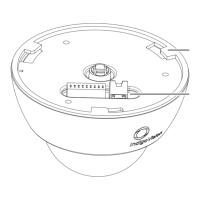
1. Remove the top cover/bubble assembly from the camera assembly.
2. Connect the console cable to the device.
3. Connect the 9-way DSUB end of the serial cable to a PC serial port using a standard
null modem serial cable, as shown in Figure 17: on page 25.
3 Getting Started Enhanced SDFixed Dome - 9000 Range


 To Next Page