58 User Guide - v7
Dynamic Range WDR: 120dB Max, 102dB Typical
Signal to noise ratio >50dB (AGC off)
Gain control Automatic (50dB max) or fixed options via web page
Scan mode Progressive
Mirror mode Selectable via web page
Synchronization Internal
Back light compensation Selectable via web page
White balance mode AWB auto white mode, fixed modes selectable via web page
Iris control DC Auto Iris
Shutter speeds Automatic from 1/60 to 1/100,000 Automatic from 1/50 to 1/100,000
Fixed speeds via web page
Input/output
Console
• EIA-574 RS232 only
• Maximum Baud Rate 115.2 Kbps
• Console Settings 115200, 8bits,1 Stop Bit, No Parity
Console serial port
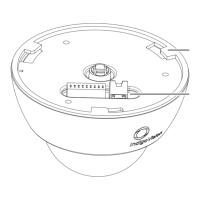
The 9000 SD Fixed Dome has a console port, which can be used for diagnostics and set up
of initial IP settings.
A short console cable is available as part of an orderable accessories kit to provide a
standard 9 pin male DSUB interface to this port.
The 9 pin male DSUB connector can be connected to a PC serial port using a standard null
modem cable (not supplied).
Table 6: Serial cable wiring
Signal Name IO Connector Pin Number 9 Way DSUB Pin Number
Rx data 11 2
Tx data 12 3
Gnd 9 5
Analog video output
Analog composite video output can be accessed by connecting an analog video cable to the
2-Way connector on the sensor assembly. Figure 8: on page 12.
This output can be used for installation purposes to aid setting the sensor position and focus.
Video output signal specification is:
• Video Standard: NTSC or PAL
• Signal Amplitude: 1Vp-p
7 Hardware Specification Enhanced SDFixed Dome - 9000 Range


 To Next Page