If this is the first time working with the iNetVu® Mobile Platform it
is highly recommended that you read the entire manual to
familiarize with the proper procedure for connecting the cables to
the controller and iNetVu® software operation.
Required Materials:
• 1.8m Reflector
• 1800 Mobile Platform Rev. 2.0+
• 9/16” Wrench
• Handheld Controller (Optional)
• 1.8m Reflector Mounting Hardware
Procedure:
Use the following steps to attach a 1.8m Reflector to an iNetVu® 1800 Mobile Platform Rev.
2.0
Please note that the 1.8m Reflector is a heavy load and it is strongly recommended that at least 3 people
are assisting in the installation of the reflector.
1. Remove reflector from crate and any packing materials on the Mobile Platform.
2. Raise the Mobile Platform to approximately 30 using the iNetVu® Mobile Software or
the Handheld Controller. For more information regarding the use of the iNetVu®
Mobile Software and its installation, please refer to the iNetVu® 7000 Series User
Manual.
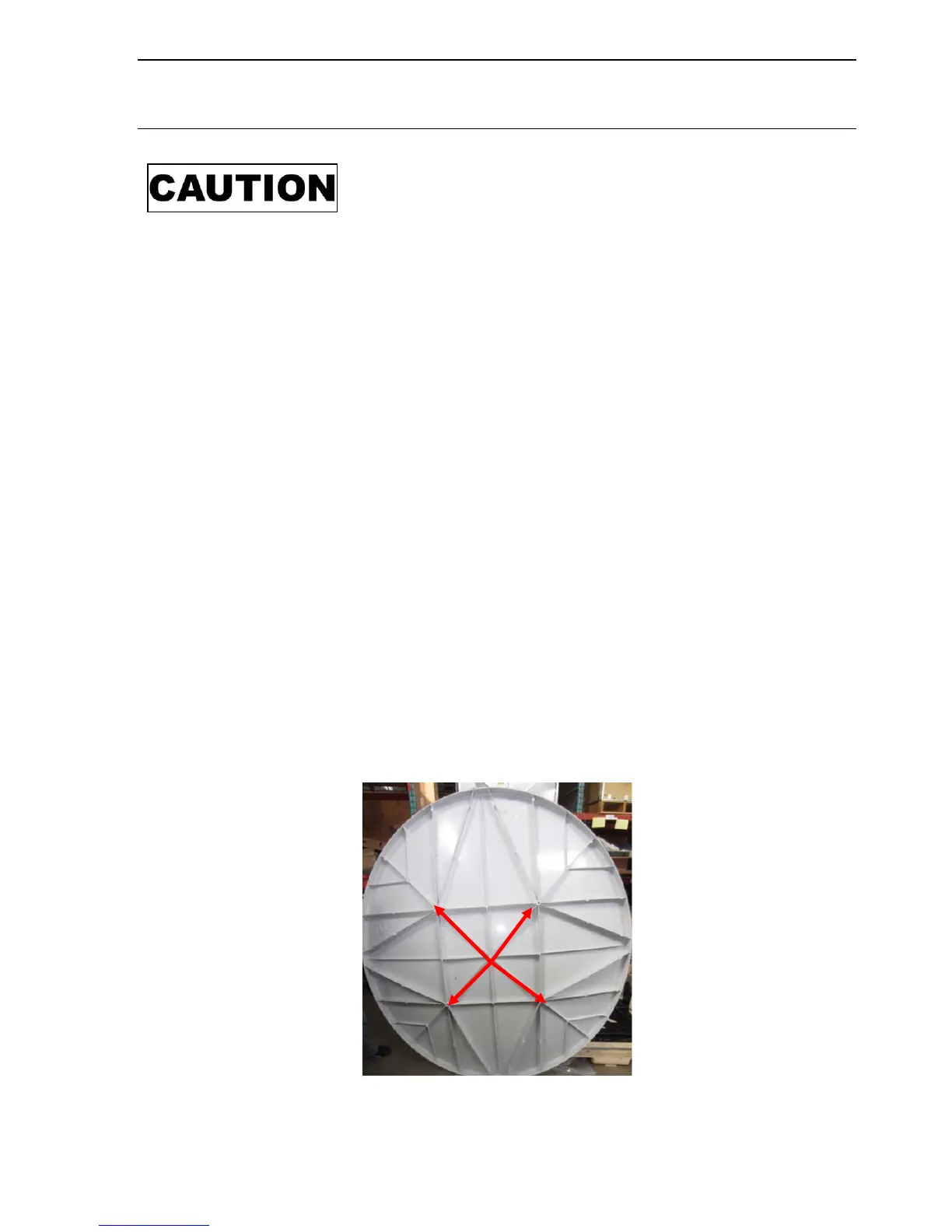
3. With the assistance of two (2) other people, align the reflector with the mounting holes
located on the Elevation Arm. Only the four of the mounting holes at the rear of the
reflector will be used.
4. Screw in four (4) bolts and flat washers through the Elevation Arm, and secure in place
evenly in a cross pattern.



 To Next Page