iNetVu
®
Mobile Installation Manual Page 73 of 93
4.9 Removing the 90 Degree OMT Elbow on iNetVu
®
750 Mobile
Platform
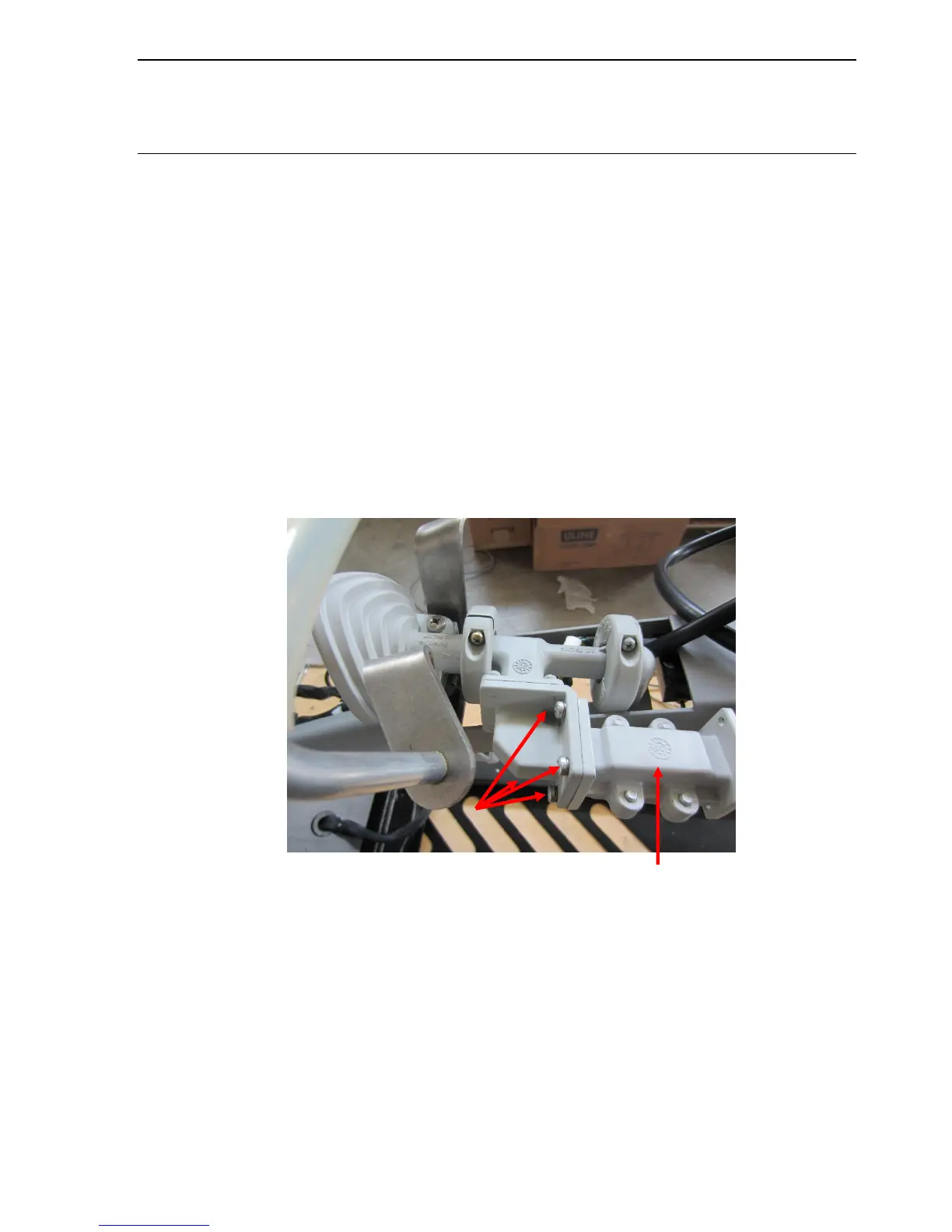
This procedure describes the steps involved in removing the 90 degree elbow from the OMT
when Horizontal Polarization is required on the iNetVu™ 750 Mobile System. This prevents the
LNB from hitting the mount base and possibly breaking or damaging the device.
Required Materials for iNetVu™ 750 Mobile Platform:
• Philips Screw Driver (long handle)
Procedure:
7. Raise the dish and ensure that Azimuth and Polarization are in stowed position.
8. Loosen the four (4) screws located on the OMT filter using the Philips screw driver in
order to get to the 90 degree elbow.



 To Next Page