iNetVu
®
Mobile Installation Manual Page 87 of 93
4.15 C-BAND WR137 to N type Adapter Installation
Products Affected:
• iNetVu Platforms: 1800B, 1800C, 1800E, 1500B, 1500C, 1500E
Description:
This article explains how to install the C-Band WR137 to N-type adapter to replace the flexible
waveguide assembly.
Required Materials:
• Allen Key Set
• Philips Screwdriver set
• WR137 to N type adapter cable
• WR137 to N type adapter with “O” ring (quantity: 2)
• Translucent Silicon Grease (Recommended: MG Chemical MILS-8660C ROHS
Compliant)
Solution(s):
1. Apply a small amount of silicon grease to the Adapters and BUC “O”-rings to act as a
sealer, and a retainer to keep the seals in the grooves during installation of both
flanges with “O” rings.
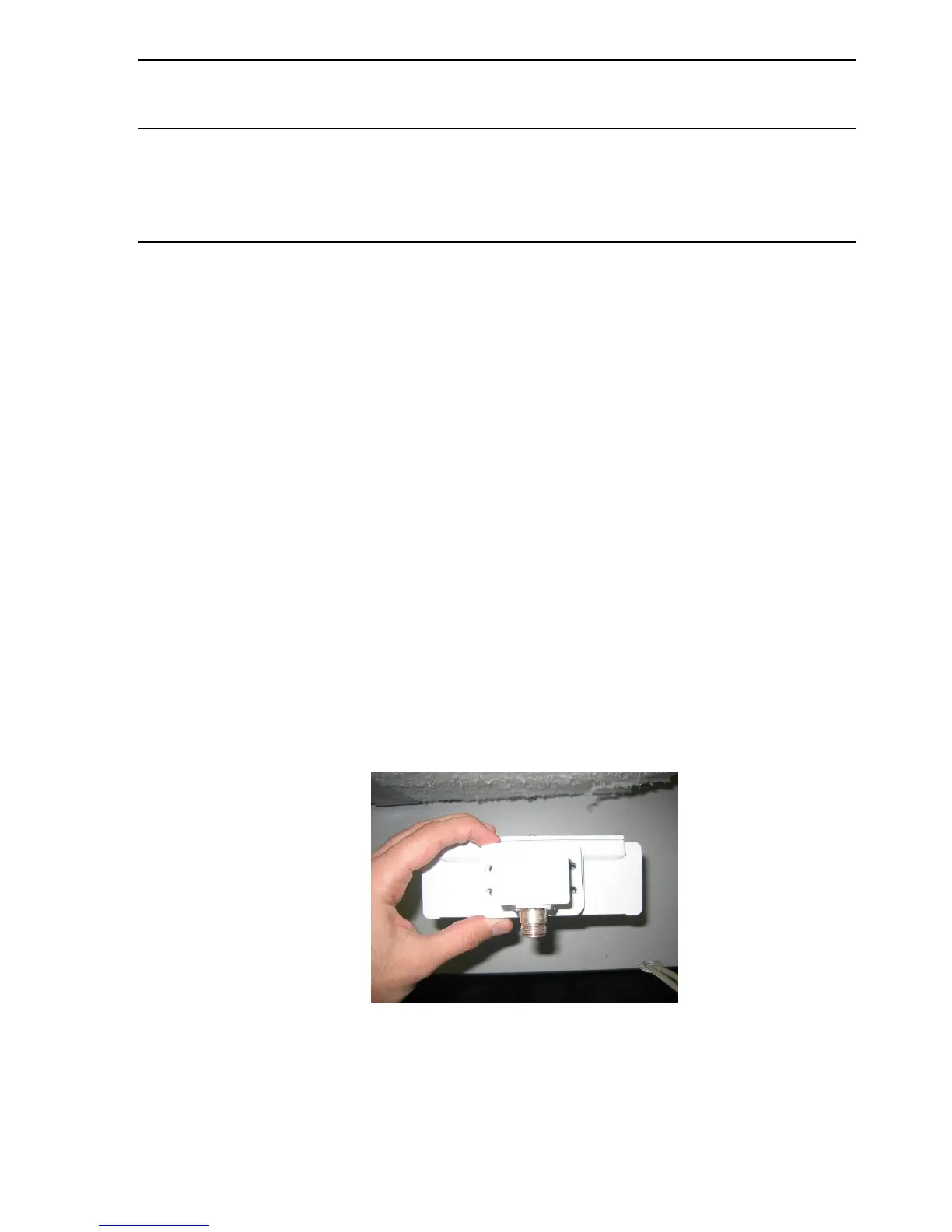
2. Install one C-Band WR137 to N type adapter onto the BUC using the four (4) provided
screws with the N-type Coax end facing down (i.e. the opposite direction of the side of
the BUC that rests against the feedarm) as depicted in the picture below.
Fig. 73: WR137 to N adapter BUC installation



 To Next Page