17
Remote control
BLANK LASER
FREEZE
LASER
INDICATOR
DIGITAL
STANDBY/ON COMPUTER
LENS SHIFT
KEYSTONE
ID 3
ID 4
ID 2
ID 1
VIDEO
AUTO
ASPECT
RESET
MENU
MAGNIFY
ON
OFF
3
4
ENTER
FOCUS
+
-
POSITION
PbyP
ZOOM
+
-
1
2
MY BUTTON
MY SOURCE
SHUTTER
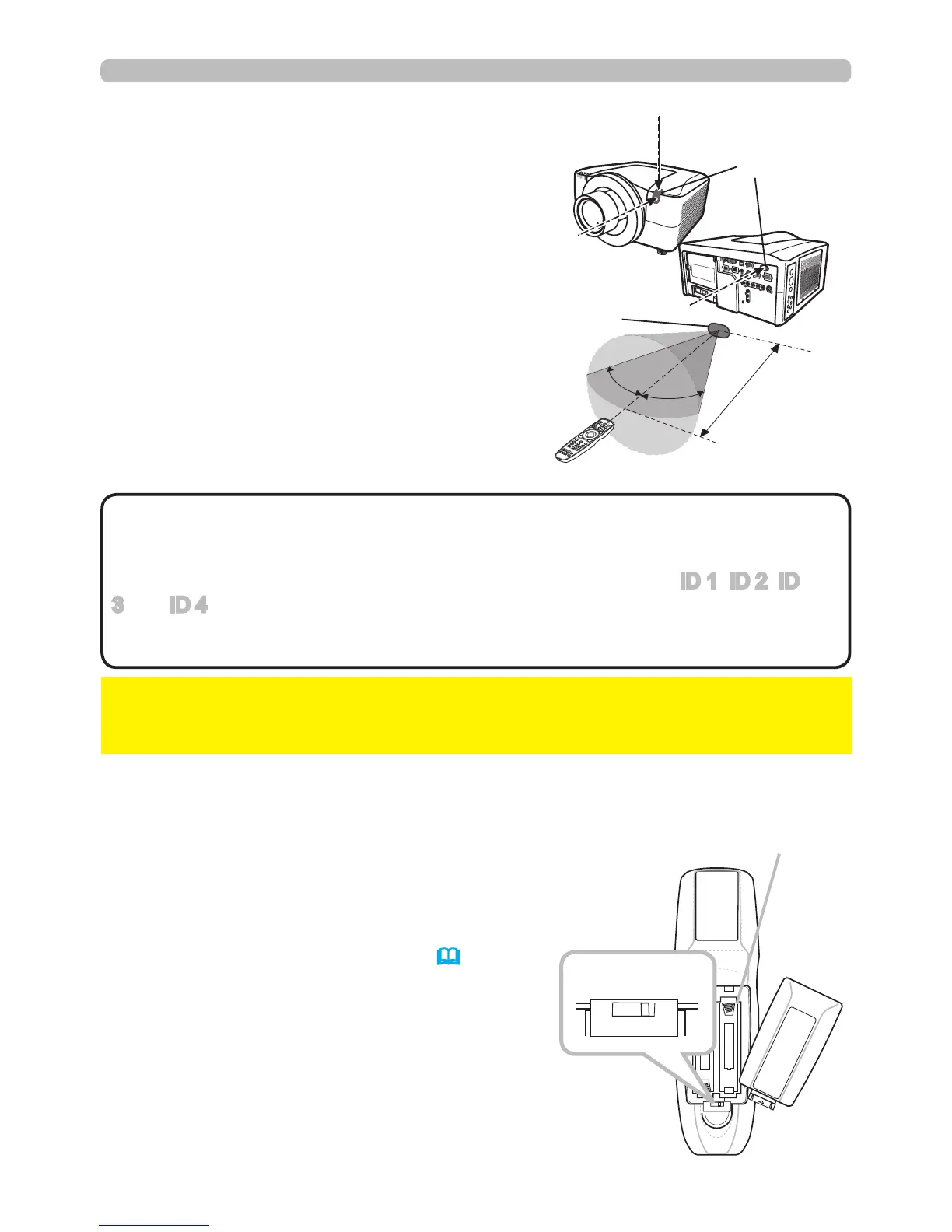
Transmitting condition
The remote control works with the remote
sensors on the projector using infrared light
(Class 1 LED). The remote sensor senses the
remote control signals within the range of (to
right and left) and about 3 meters from the
sensor.
30º
30º
Approx.
3 m
Remote
sensor
Remote
sensors
• You can inactivate one or two of the three sensors using the item
REMOTE RECEIVE in the SERVICE menu under the OPTION menu.
• When you want to use two or more projectors of this type simultaneously and
the same place, use the REMOTE ID function. The buttons of ID 1, ID 2, ID
3 and ID 4 on the remote control can name the projector given the same ID
number as the button by the item REMOTE ID of the SERVICE menu under the
OPTION menu.
NOTE
►Avoid exposing the remote sensor directly to strong light.
►Do not put anything between the remote control and the remote sensor on the
projector, since it may interfere with transmission of the remote control signals.
NOTICE
Changing the frequency of remote control signal
The accessory remote control can be set to mode
1 or mode 2 signal frequencies. If the remote
control does not function properly, try changing
the signal frequency.
Please remember to set the “REMOTE FREQ.”
in SERVICE item of OPTION menu (51) of the
projector to match the remote control mode.
To set the remote control mode, slide the
frequency switch knob inside the battery cover
into the position indicated by the mode number to
choose.
2 1
Back of the
remote control
Inside of
the battery cover
Frequency switch



 To Next Page