20
Operating
1.
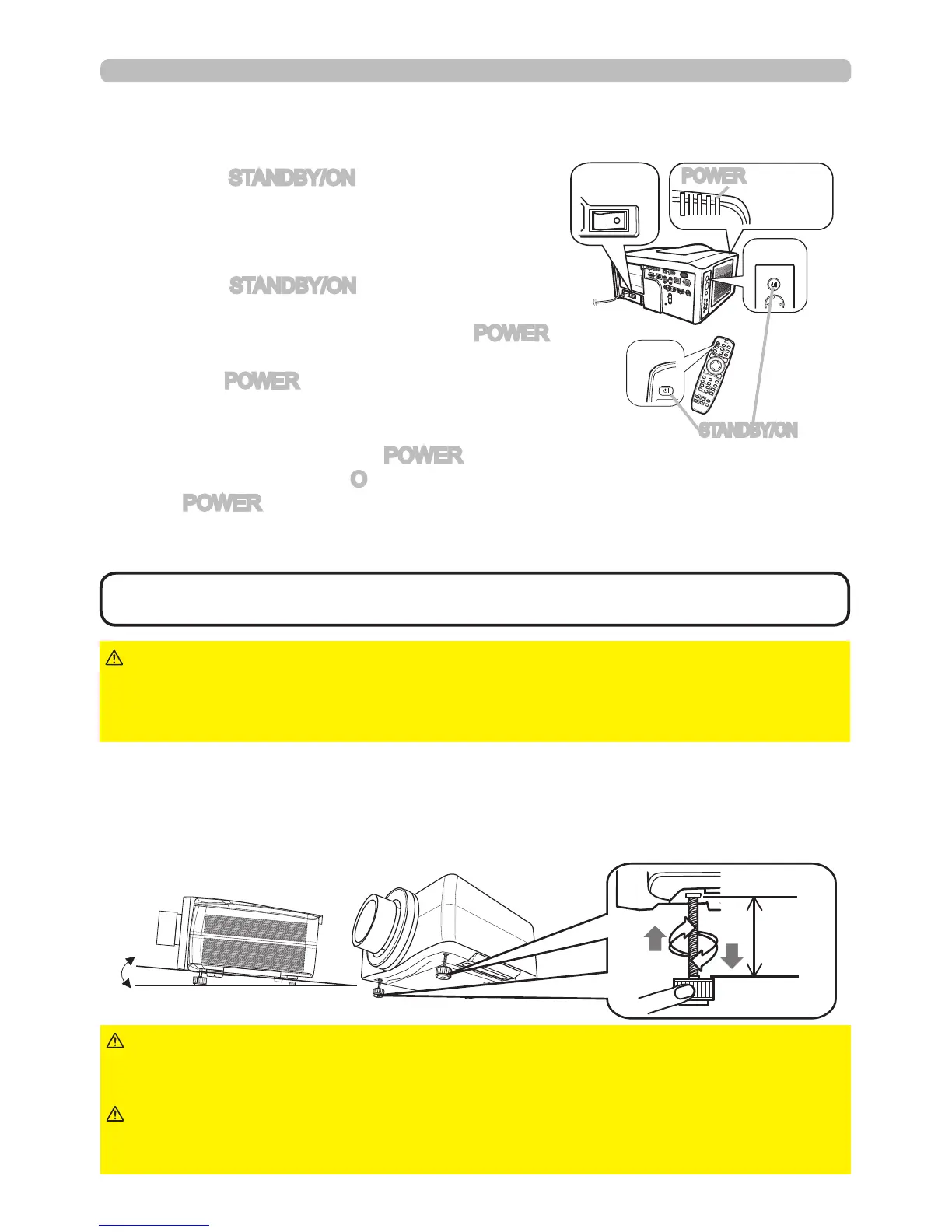
Turning off
2.
Press the STANDBY/ON button again while the
message is shown.
The projector lamp will go off, and the POWER
indicator will begin blinking orange.
Then the POWER indicator will stop blinking and
light solid orange when lamp cooling is complete.
3.
After making sure that the POWER indicator lights solid orange, and press
down the side marled “O” on the power switch.
The POWER indicator will go off.
• Use the reset switch only when the projector cannot be turned off by
normal procedure.
NOTE
►Do not approach the lamp cover and the exhaust vents for a
while after the lamp goes out, since they may be hot and could cause burns.
WARNING
►Turn your device off prior to the projector, except when directed by
the device manuals.
NOTICE
The following walks you through the steps to turn the projector off.
For other devices, follow the device's manual.
Press the STANDBY/ON button on the projector
or the remote control.
The message "Power off?" will appear on the
screen for about 5 seconds.
STANDBY/ON
SHUTTERSECURITYLAMPTEMPPOWER
STANDBY/ON
Using the elevator feet
Lengthening or shortening the length of the elevator feet shifts the projection
position and the projection angle.
Turn the elevator feet each to adjust their length
►Do not place the projector with an inclination of 5 degrees or
more. If the projector is inclined more than this, the projector could malfunction
and shorten the life of the projector.
CAUTION
5°
►Do not lengthen the elevator feet more than 30 mm.
Lengthening the foot beyond this can cause the foot to come off and drop the
projector down possibly resulting in an injury or damaging the projector.
WARNING
max.
30 mm
Power
switch
POWER indicator
STANDBY/ON button



 To Next Page