24
Operating
1.
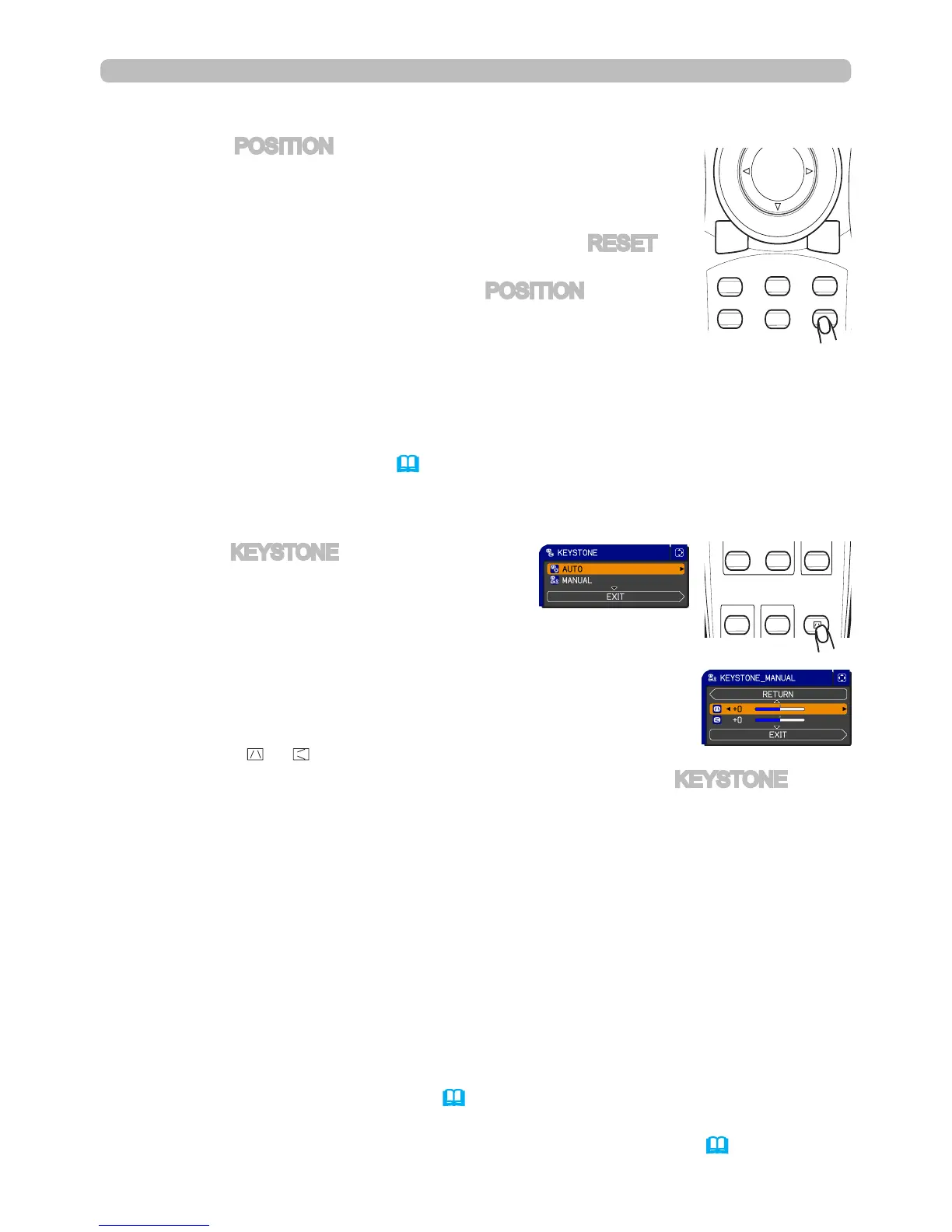
Press the POSITION button on the remote control when no
menu is indicated.
The “POSITION” indication will appear on the screen.
Adjusting the position
2.
Use the
▲/▼/◄/►
cursor buttons to adjust the picture position.
When you want to reset the operation, press the RESET
button on the remote control during the operation.
To complete this operation, press the POSITION button
again. Even if you do not do anything, the dialog will
automatically disappear after a few seconds.
●
When this function is performed on a video signal, S-video signal or component
video signal, some items such as an extra-line may appear at outside of the picture.
●
When this function is performed on a Video, S-Video, or component signal of
480i/60hz or 576i/50hz, the adjustment range depends on the OVER SCAN
settings in the IMAGE menu (34). Adjustments cannot be made when OVER
SCAN is set to 10.
1.
Press the KEYSTONE button on the remote
control. A dialog will appear on the screen
to aid you in correcting the distortion.
Correcting the keystone distortion
2.
Use the ▲/▼ cursor buttons to select AUTO or MANUAL
operation, and press the ► button to perform the following.
● The adjustable range of this function will vary among inputs. For some inputs,
this function may not work well.
● When V:INVERT or H&V:INVERT is selected to the MIRROR item in the SETUP
menu and the projector screen is inclined or angled downward, this function may
not work correctly.
● When the zoom adjustment is set to the TELE (telephoto focus), this function
may be excessive. This function should be used when the zoom adjustment is
set to the full WIDE (wide-angle focus) whenever possible.
● When the projector is placed on the level (about ±3°), this function may not work.
● When the vertical lens shift is not set fully upward (not set fully downward for the
optional lens type LENS-067 only (51)), this function may not work well.
●
When the horizontal lens shift is not set to the center, this function may not work well.
● This function will be unavailable when Transition Detector is on (64).
1) AUTO executes automatic vertical keystone correction.
2) MANUAL displays a dialog for keystone correction.
Use the ▲/▼ cursor buttons to select the direction to
correct ( or ) then use the ◄/► buttons for adjustment.
To close the dialog and complete this operation, press the KEYSTONE button
again. Even if you don’t do anything, the dialog will automatically disappear
after a few seconds.



 To Next Page