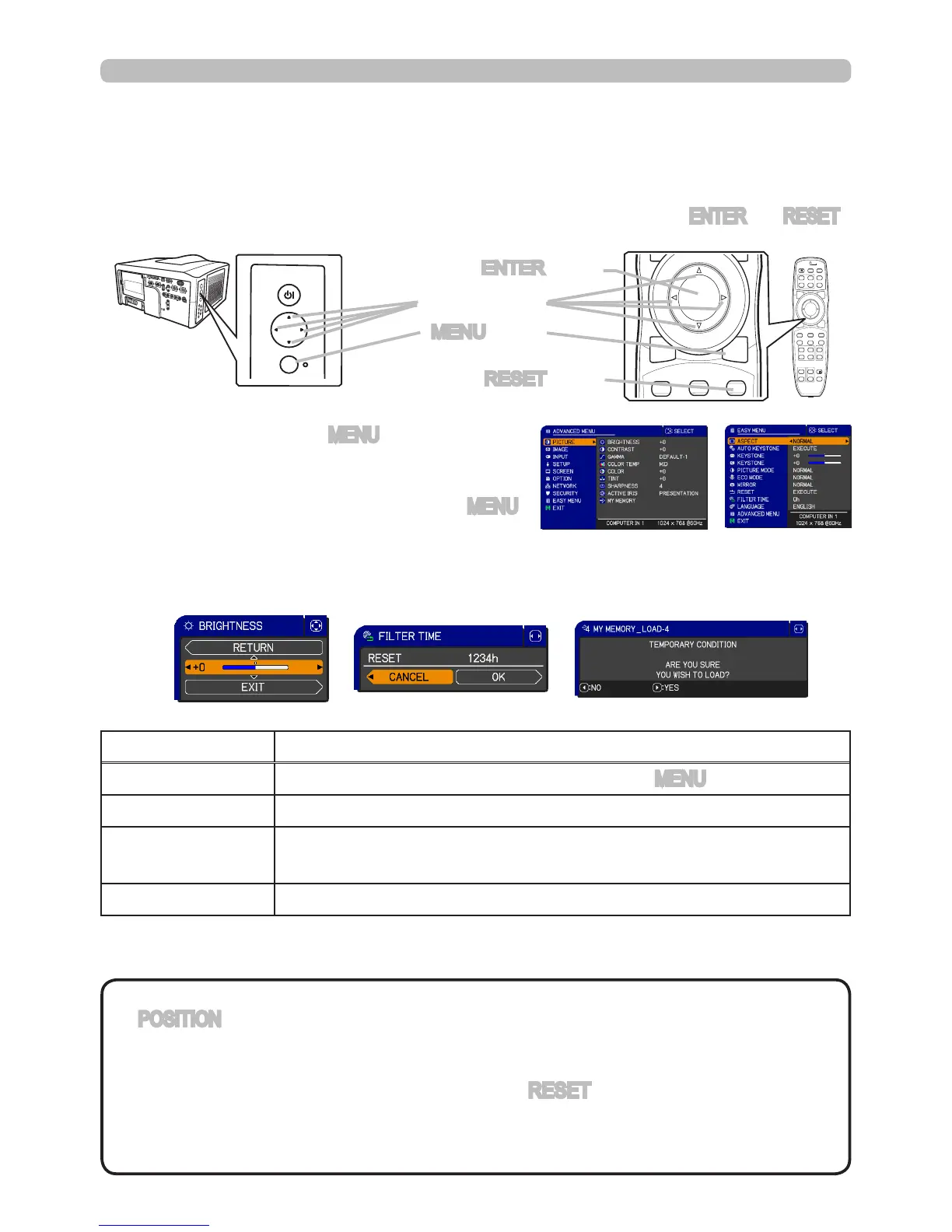
To start the MENU, press the MENU button. The MENU
you last used (EASY or ADVANCED) will appear,
however EASY MENU will appear if the projector was
just powered on. To close the MENU, press the MENU
button again.
If you want to between the EASY and ADVANCED MENU, select the EASY/ADVANCED MENU
on the menu.
Using the menu functions
●
If you want to move the menu position, use the
▲/▼/◄/►
buttons after pressing
the POSITION button.
● Some functions cannot be performed when a certain input port is selected, or
when a certain input signal is displayed.
●
When you want to reset the operation, press the RESET button on the remote control
during the operation. Note that items whose functions are performed simultaneously with
operation (ex. LANGUAGE, H PHASE etc.) cannot be reset.
●
Even if you do not do anything, the dialog will automatically disappear after about 30 seconds.
This projector has the following menus: PICTURE, IMAGE, INPUT, SETUP, SCREEN, OPTION,
NETWORK, SECURITY and EASY MENU. The EASY MENU consists of functions often used, and
the other menus are classied into each purpose and brought together in the ADVANCED MENU.
Each of these menus is operated using the same methods with the ▲/▼/◄/►, ENTER and RESET
buttons. The remote control and projector buttons which share the same name function the same.
Indication in OSD (On Screen Display)
RESET button
ENTER button
MENU button
Cursor buttons
The meanings of the general words on the OSD are as follows.
Start / nish the menu
NOTE
Indication Meaning
EXIT Closes the OSD menu, exactly like pressing the MENU button.
RETURN Teturns the menu to the previous menu.
CANCEL or NO
Cancels the operation in the present menu and returns to the previous
menu.
OK or YES Executes the prepared function or shifts the menu to the next menu.



 To Next Page