3
Introduction
This projector can project various picture signals onto a screen. This projector
requires only a minimal installation space and can produce a large projected image
from a very short distance. In addition, the projector has the following features to
allow for many different installation applications.
ü The HDMI port can support a variety of image equipment which has a
digital interface to get clearer images on a screen.
ü
The super bright lamp and high quality optical system can fulll the demands
of professional uses.
ü
The selectable optional lens units and the super wide range of the lens shift
feature will give you the ability to install the product wherever you want.
ü
The lens shutter can hide the interior of the projector and help your
presentation.
ü
The wealth of I/O ports is believed to support any business application.
ü
This projector's network supports the PJLink
TM
standard.
ü
PJLink
TM
is a unied standard for operating and controlling data projectors.
PJLink
TM
enables central control of projectors manufactured by different
vendors and projectors can be operated by a controller. PJLink
TM
compliant
equipment can be managed and controlled at any time and in any place,
regardless of manufacturer.
For the command of PJLink
TM
, see
User's Manual (Technical)
For specications of PJLink
TM
, see the website of the Japan Business
Machine and Information System Industries Association.
URL: http://pjlink.jbmia.or.jp
ü
The unique Electric Dust Catcher Air lter system is expected to prevent air
dust from getting into the projector and reduces the frequency of maintenance
events.
Projector features
Introduction
Important safety instruction (for moving)
*For details, see the
User's Manual (concise).
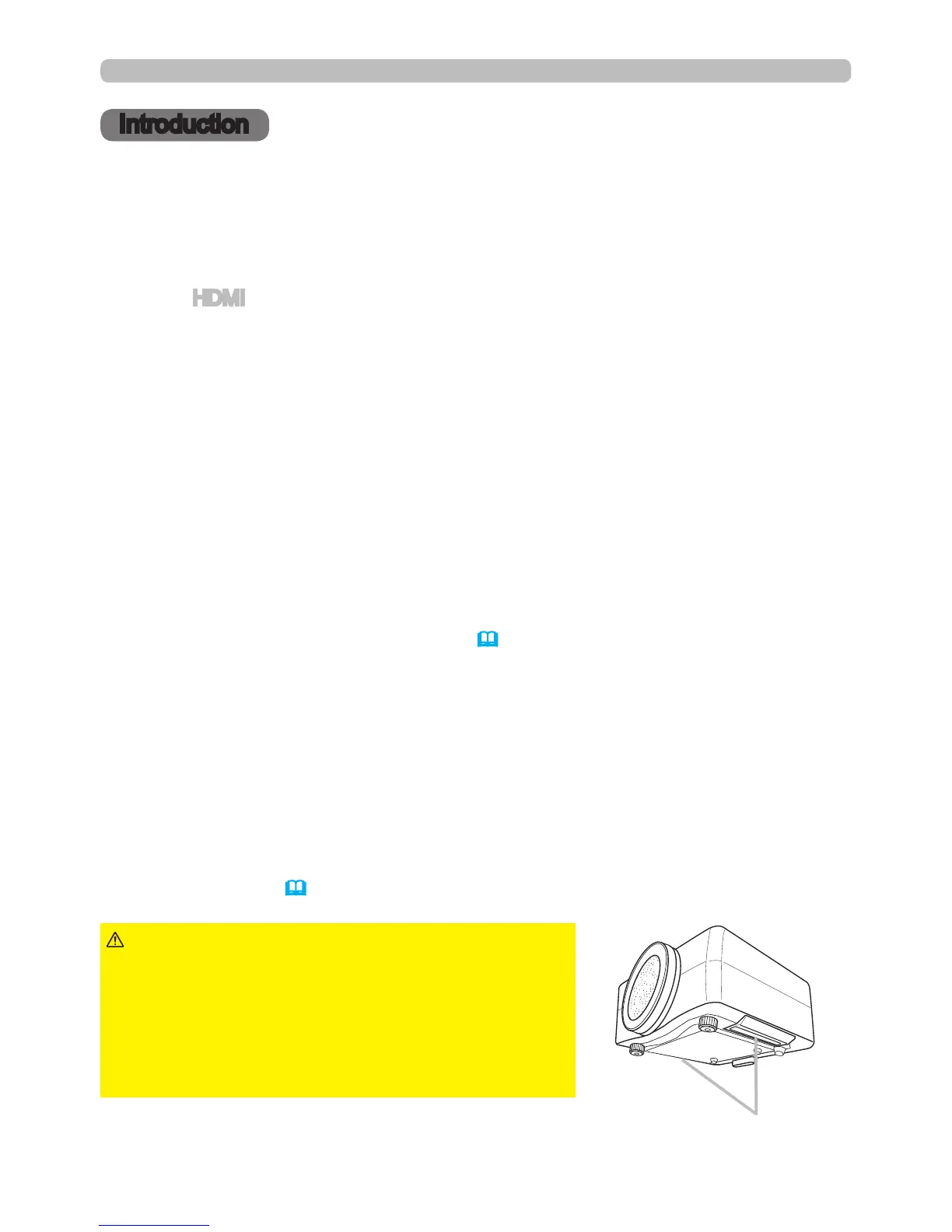
►Always move the projector
with two or more people. Place your hands in the
indented handles on the bottom of the projector
when carrying the projector.
►Remove all the attachments including the power
cord and cables, from the projector when carrying
the projector.
WARNING
Indented handles



 To Next Page