5
Part names
Part names
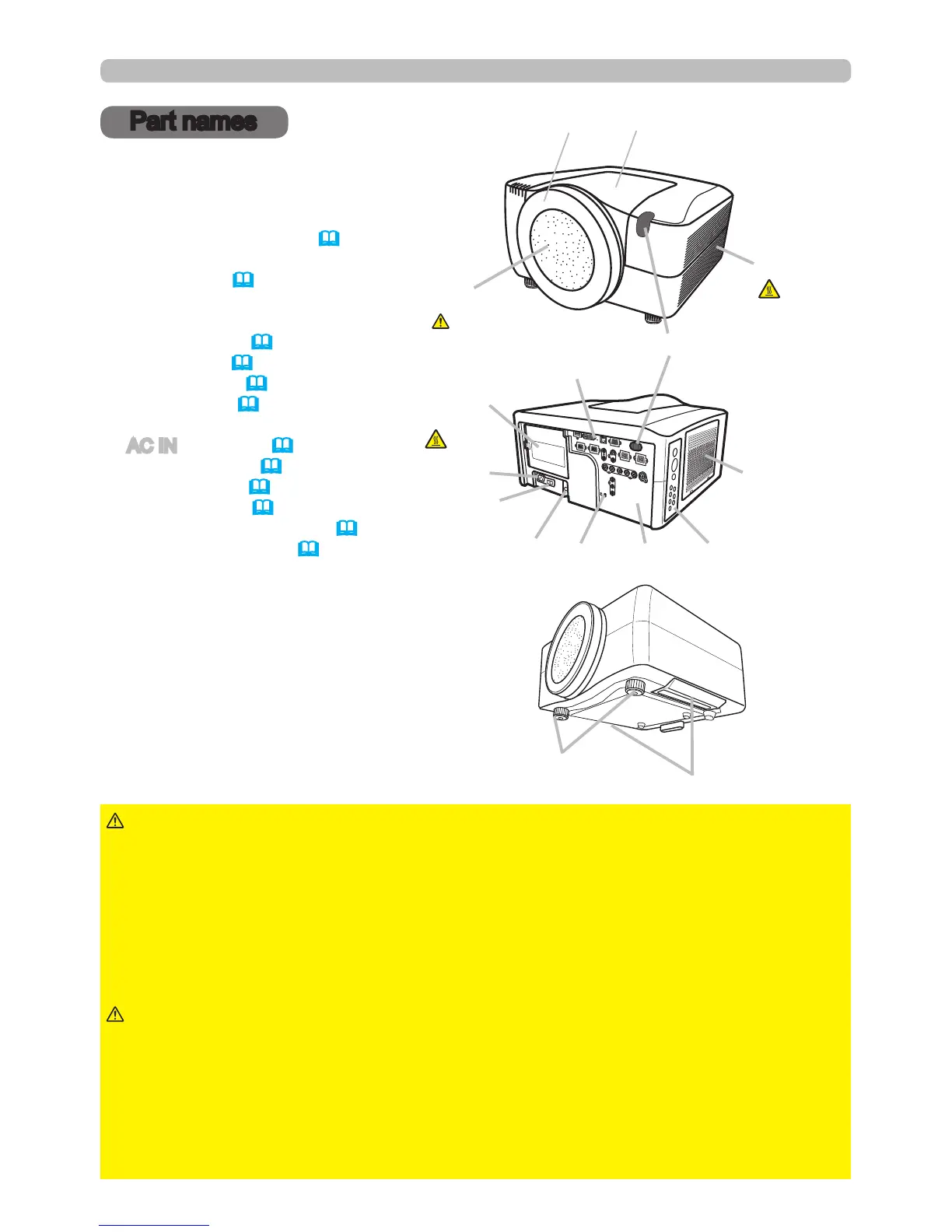
Projector
(1) Dust protector
(2) Remote sensors (x 2) (17)
(3) Exhaust vents
(4) Filter cover (69)
The lter unit and intake vent are
inside.
(5) Control panel (6)
(6) Rear panel (6)
(7) Reset switch (73)
(8) Lamp cover (67)
The lamp unit is inside.
(9) AC IN (AC inlet) (15)
(10) Power switch (19,20)
(11) Security bar (10)
(12) Security slot (10)
(13) Indented handles (x 2) (3)
(14) Elevator feet (x 2) (20)
►HOT! : Do not touch around the lamp cover or the exhaust
vents during use or just after use, since it is hot.
►Do not look into the lens or vents while the lamp is on, since the strong light is
harmful to your eyes.
►Do not hold the projector by the front cover or front ring since the projector
may drop.
►Do not handle the elevator feet without holding the projector, since the
projector may drop down.
WARNING
►Maintain normal ventilation to prevent the projector from
heating up. Do not cover, block or plug up the vents. Do not place anything by
the intake vents which can stick to or be sucked into the vents. Clean the air lter
periodically.
CAUTION
(2)
(3)
(8)
(10)
(9)
(12)
(14)
(4)
HOT!
(7)
(6)
(5)
(13)
(11)
(1)
HOT!
See the NOTICE
►Do not touch the lens surface directly.
► Keep the dust protector of the projector, and use it when no lens unit is
attached to the projector.
NOTICE
Front ring
Front cover



 To Next Page