NV11 Manual Set – Section 4 37
Copyright © Innovative Technology Ltd 2012 GA963-2
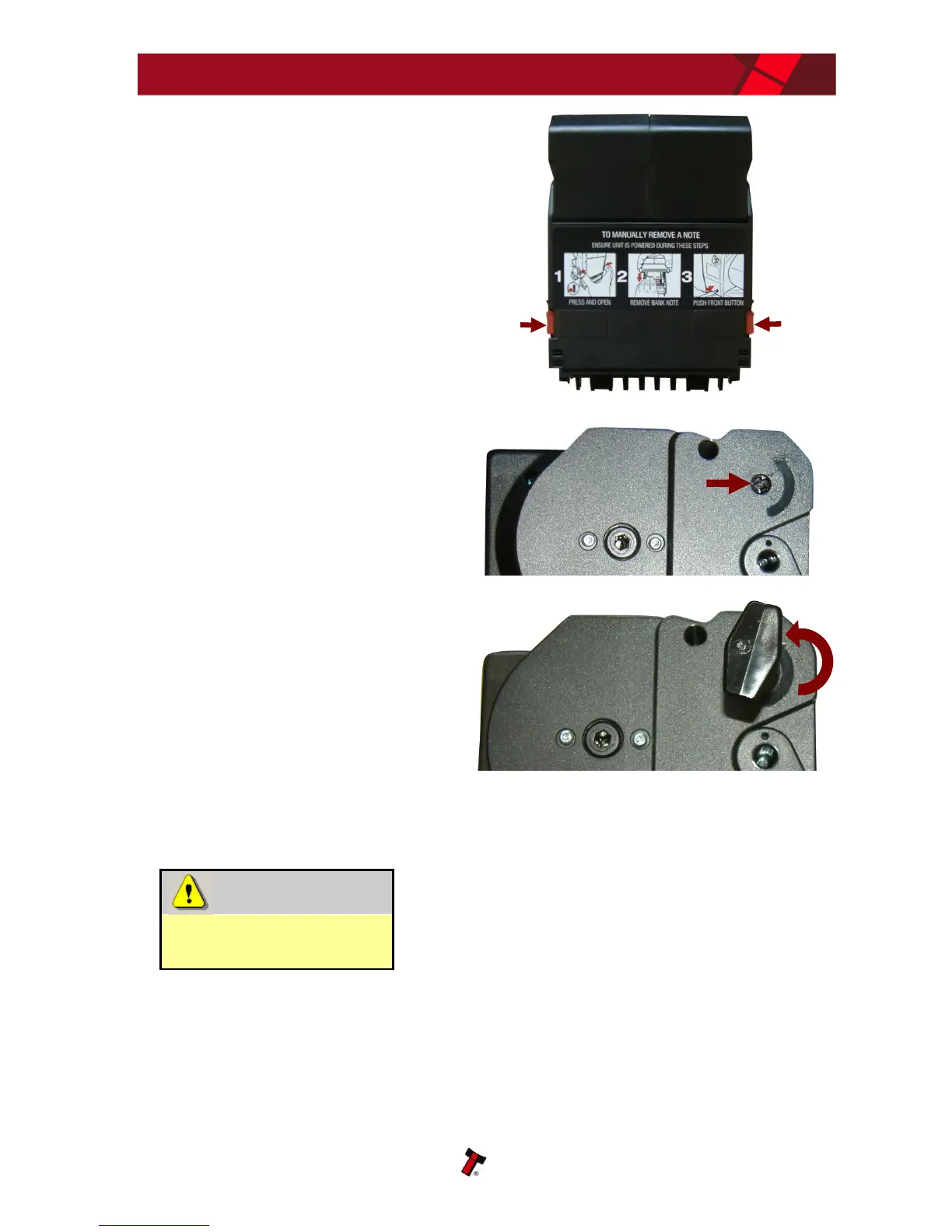
2. Open the Note Float module rear
cover by pressing in the two red
buttons, then lift the cover
3. Insert the cross head tool into the
top drive roller as shown here
4. Turn the roller with the cross point
tool ANTICLOCKWISE (as indicated
by the arrow) until all the bank notes
have been removed
After removing all the bank notes, close the rear cover firmly, place the cross point
tool back in the stowage position and refit the module onto the validator.
Do not attempt disassembly
Do not attempt to disassemble the Note Float
module or remove the side covers to try and remove
any notes inside, as the module will be damaged
beyond repair. Always follow the procedure given
above.
After removing bank notes manually, an ‘EMPTY’ command should be run when the
unit is powered back up.















 To Next Page