NV11 Manual Set – Section 3 37
Copyright © Innovative Technology Ltd 2012 GA963-2
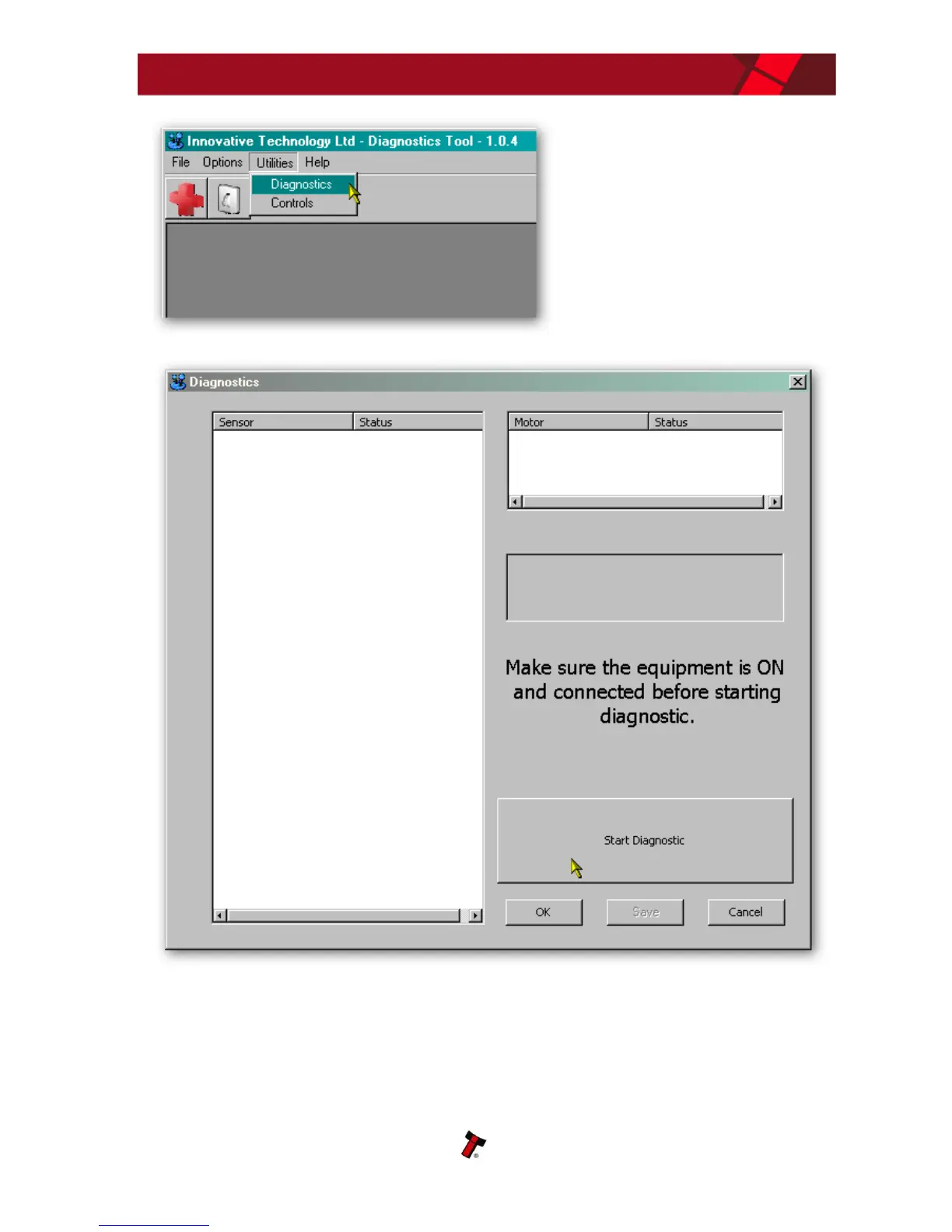
Select the ‘Diagnostics’ item from
the ‘Utilities’ menu to start the
diagnostics process (you can also
start the diagnostics by clicking
on the left hand icon below the
menu bar) - this will open the
Diagnostics screen:
Click the ‘Start Diagnostic’ button to start the diagnostic process. The software will
then prompt you to insert a special piece of green diagnostics paper (ITL part number
LB149). Insert the paper in the same way you would with a bank note – at the end of
the diagnostics test the paper will be ejected.















 To Next Page