NV11 Manual Set – Section 3 36
Copyright © Innovative Technology Ltd 2012 GA963-2
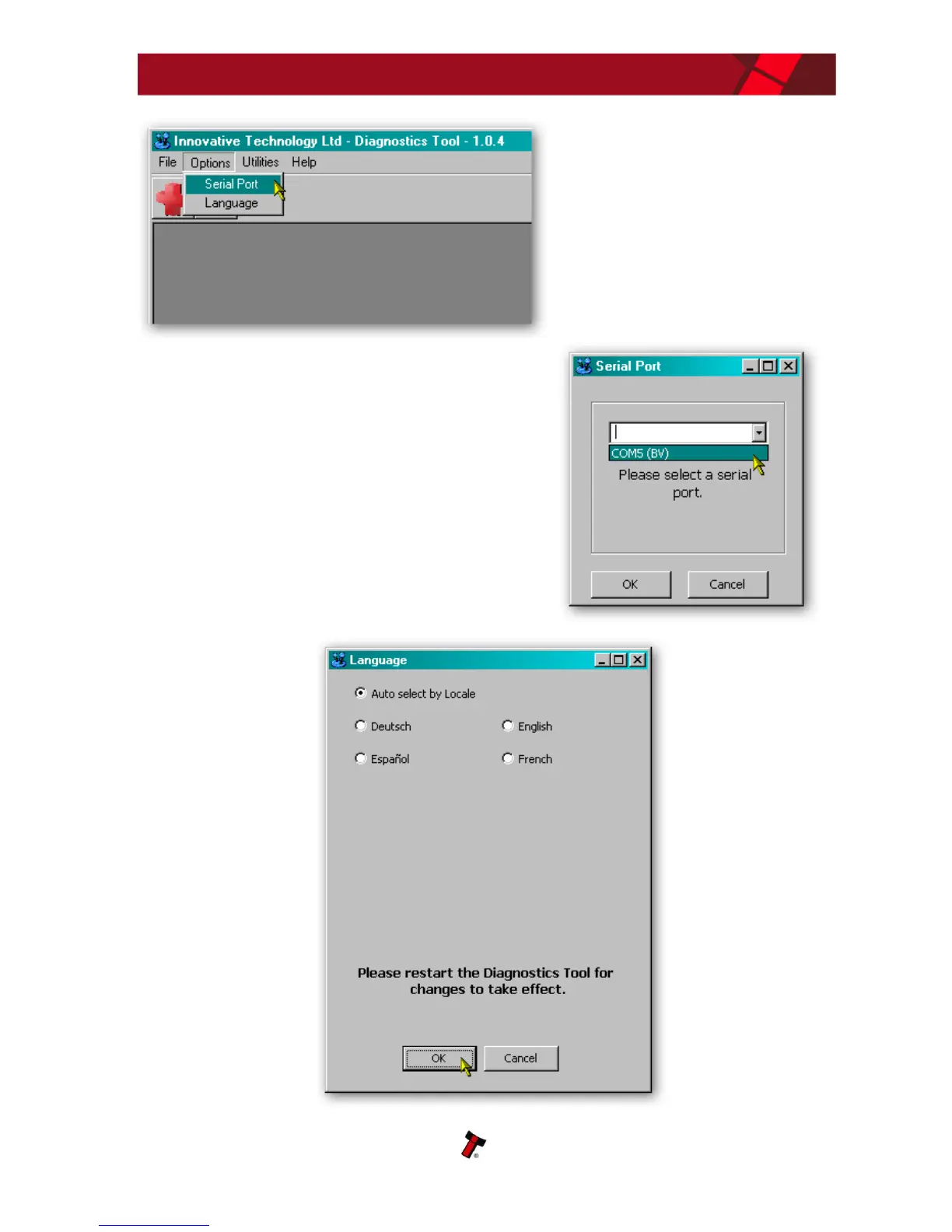
By selecting the ‘Serial Port’ item
from the ‘Options’ menu you can
define which serial port is being
used to connect to the NV11
validator. After selecting this
option, a new dialog box will open
allowing you to choose the correct
serial port.
Select the required port from the dropdown list,
and then click the ‘OK’ button to confirm your
selection. This will close the dialog box and allow
you to select another option from the menu. You
shouldn’t normally need to change the language
setting, as this is determined by the Windows
locale settings. You can if you wish select one of
four specific languages if needed, as shown
below:















 To Next Page