Advanced Operations
En-59
Note
• This procedure can also be performed on the AV controller
by using Home, the cursor buttons and Enter buttons.
• During Audyssey MultEQ
®
XT32 Room Correction and
Speaker Setup, messages, etc., that are displayed on the
TV screen will appear on the AV controller’s display.
Using the Setup Menu (Home)
1
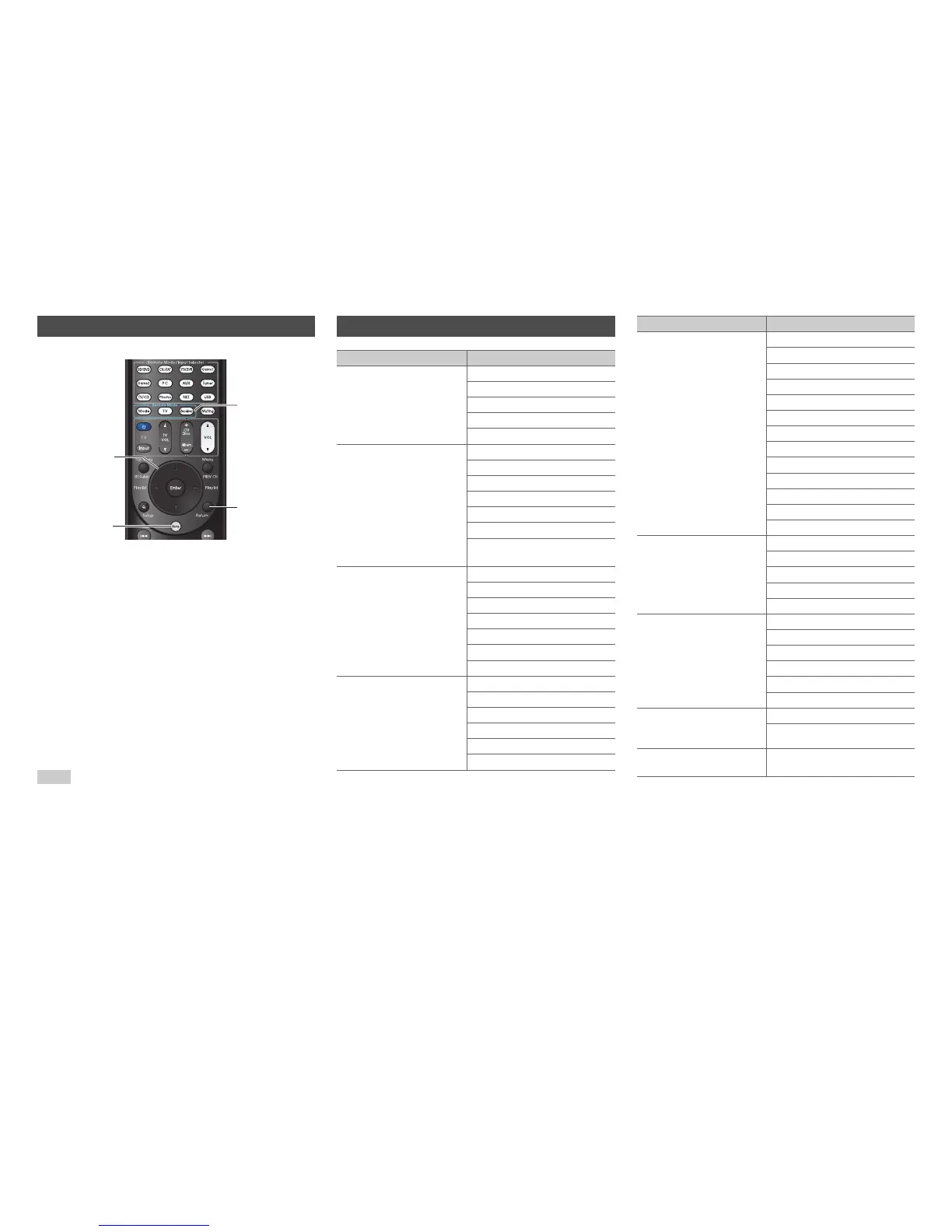
Press Receiver followed by Home.
2
Use e/r or q/w to select “Setup”, and then
press Enter.
3
Use q/w to select a main menu item, and then
press Enter.
4
Use q/w to select a sub menu item, and then
press Enter.
5
Use q/w to select a setting target, and use e/r
to change the setting.
Press Home to close the menu.
Press Return to return to the previous menu.
Home
Enter,
q/w/e/r
Return
Receiver
Setup Menu Items
Main menu item Sub menu item
1. Input/Output Assign
(➔ page 60)
Monitor Out
HDMI Input
Component Video Input
Composite Video Input
Digital Audio Input
2. Speaker Setup
(➔ page 63)
Speaker Settings
Speaker Configuration
Speaker Distance
Level Calibration
Equalizer Settings
THX Audio Setup
Digital Processing
Crossover Network
3. Audio Adjust
(➔ page 67)
Multiplex/Mono
Dolby
DTS
Audyssey DSX
Theater-Dimensional
LFE Level
Sound Program Edit
4. Source Setup
(➔ page 69)
Audyssey
IntelliVolume
A/V Sync
Name Edit
Picture Adjust
Audio Selector
5. Listening Mode Preset
(➔ page 74)
BD/DVD
CBL/SAT
STB/DVR
GAME1
GAME2
PC
AUX
TUNER
TV/CD
PHONO
NET
USB
BLUETOOTH
6. Miscellaneous
(➔ page 75)
Volume Setup
OSD Setup
12V Trigger A Setup
12V Trigger B Setup
12V Trigger C Setup
7. Hardware Setup
(➔ page 76)
Multi Zone
Tuner
HDMI
Auto Standby
Network
Initial Setup
8. Remote Controller
Setup
(➔ page 81)
Remote ID
Remote Mode Setup
9. Lock Setup
(➔ page 81)
Setup
Main menu item Sub menu item


 To Next Page