124
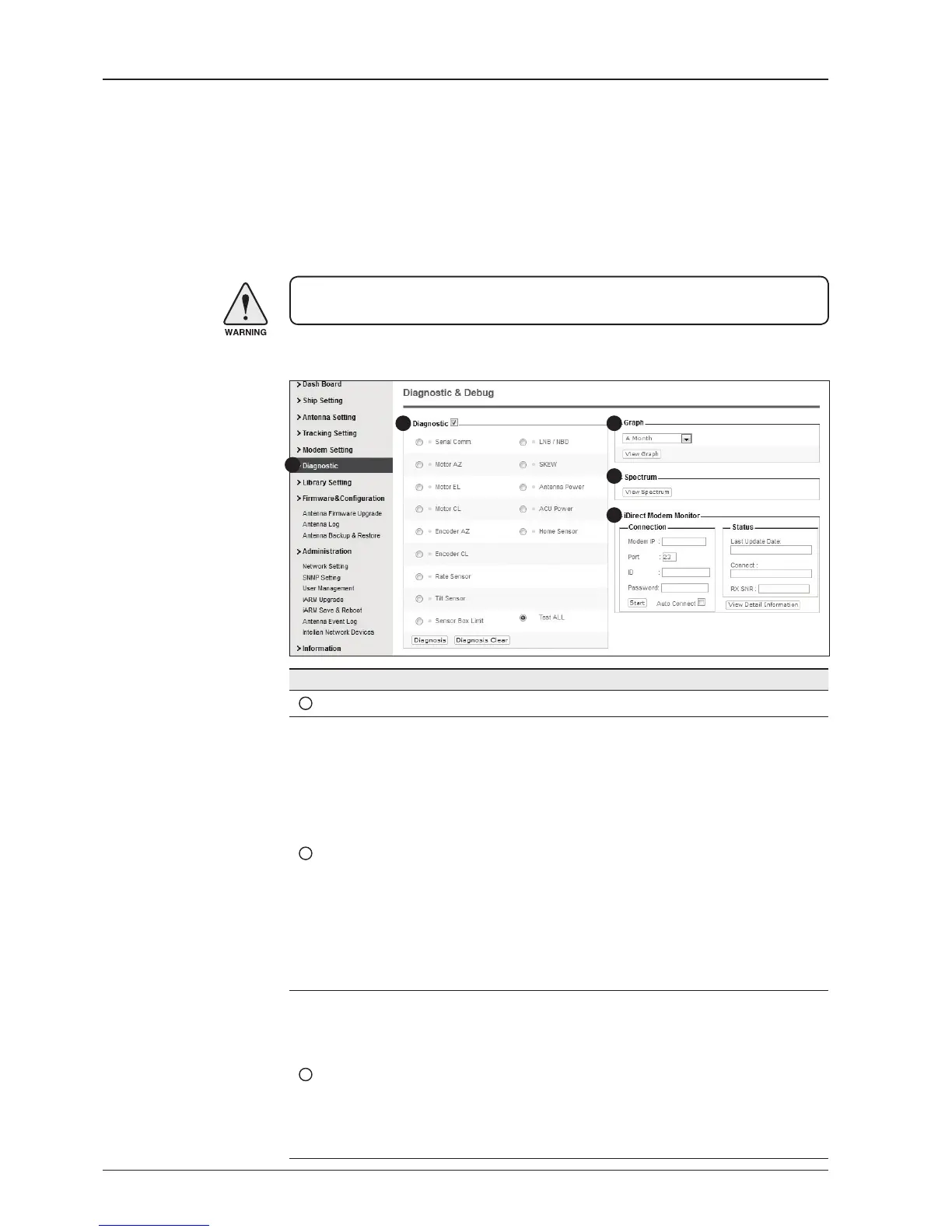
Diagnostic
No. Item Description
1
Diagnostic Execute antenna diagnostic test.
2
Diagnostic
Select to run a full diagnostic test or single diagnostic test.
- Serial Comm.: test the data communication between the
antenna and the ACU.
- Motor AZ: test the azimuth motor.
- Motor EL: test the elevation motor.
- Motor CL: test the cross-level motor.
- Encoder AZ: test the azimuth encoder.
- Encoder CL: test the cross-level encoder.
- Rate Senor: test the rate sensor.
- Tilt Sensor: test the tilt sensor.
- Sensor Box Limit: test the sensor box motor.
- LNB/NBD: test the LNB.
- SKEW: test the LNB pol motor.
- Antenna Power: test the antenna power.
- ACU Power: test the ACU power.
- Home Sensor: test the home sensor
- Test ALL: test all devices.
3
Graph
Select to view a graph of AZ Absolute, AZ Relative, EL and
Heading data of the antenna.
- A Month: display all data within a month
- A Week: display all data within a week
- A Day: display all data in a day
- Real-time: display data in real time. Press F5 button to refresh.
- Data Num: set the maximum number of graph data set to be
displayed.
- View Graph: select to view the data graph.
WARNING: Ensure to tick the checkbox before modifying the settings. Select ‘Set
Modem Conguration’ to conrm the modem settings congured.
1
2 3
4
5


 To Next Page
 Loading...











