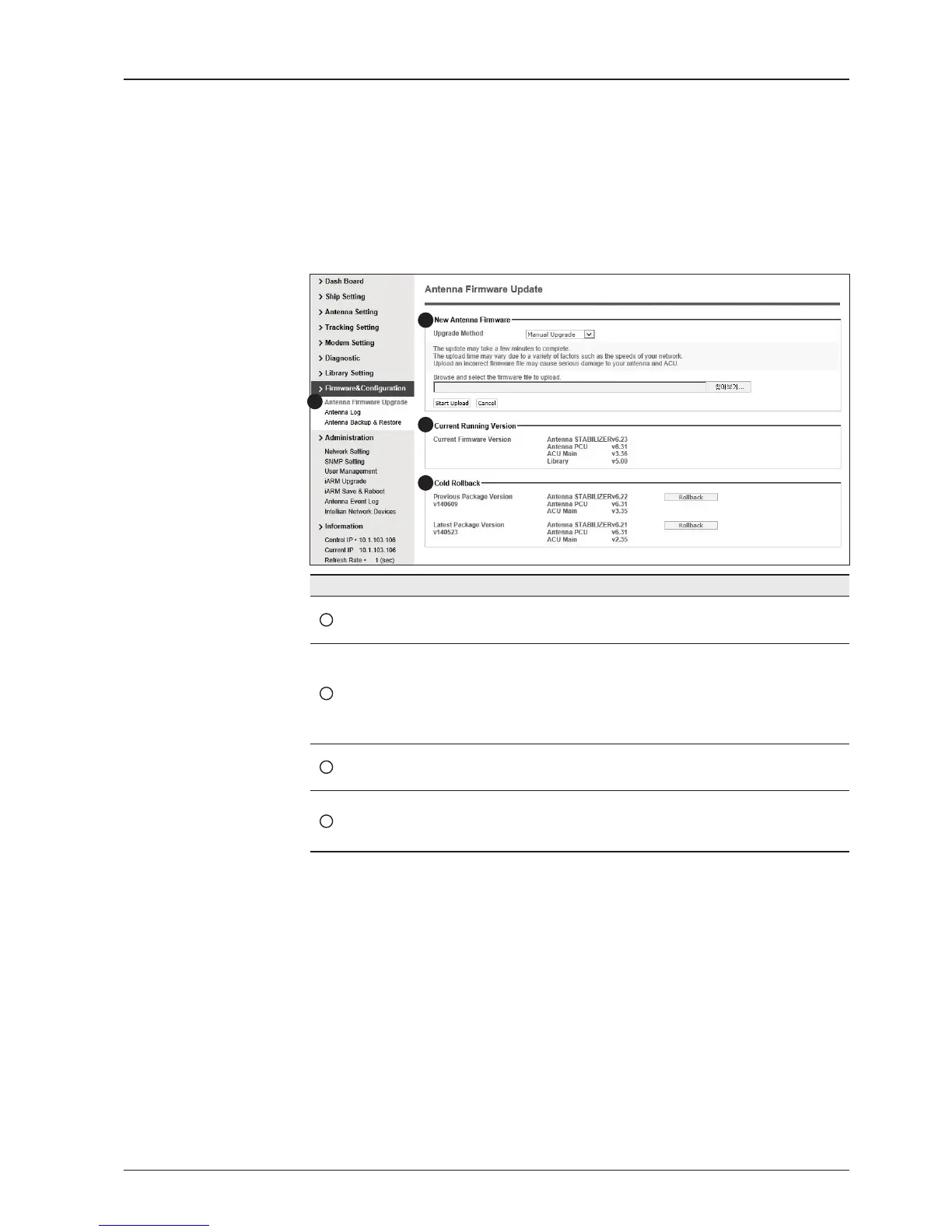
Antenna Firmware Upgrade
Firmware & Conguration
No. Item Description
1
Antenna Firmware
Upgrade
Upgrade antenna and ACU rmware version.
2
New Antenna
Firmware
Select Upgrade Method between Manual Upgrade or Auto
Upgrade. With Manual Upgrade option selected, browse and
select the rmware package le to upload and click Start
Upload button. With Auto Upgrade option selected, click
Check button to check automatically if there is new rmware
available from the server.
3
Current Running
Version
Display current rmware version (Antenna STABILIZER,
Antenna PCU, ACU main, Library)
4
Cold Rollback
Display Previous/Latest Package version and rollback
rmware to Previous or Latest version. Other functions
cannot be operated while rollback is in progress.
1
3
4
2


 To Next Page
 Loading...











