136
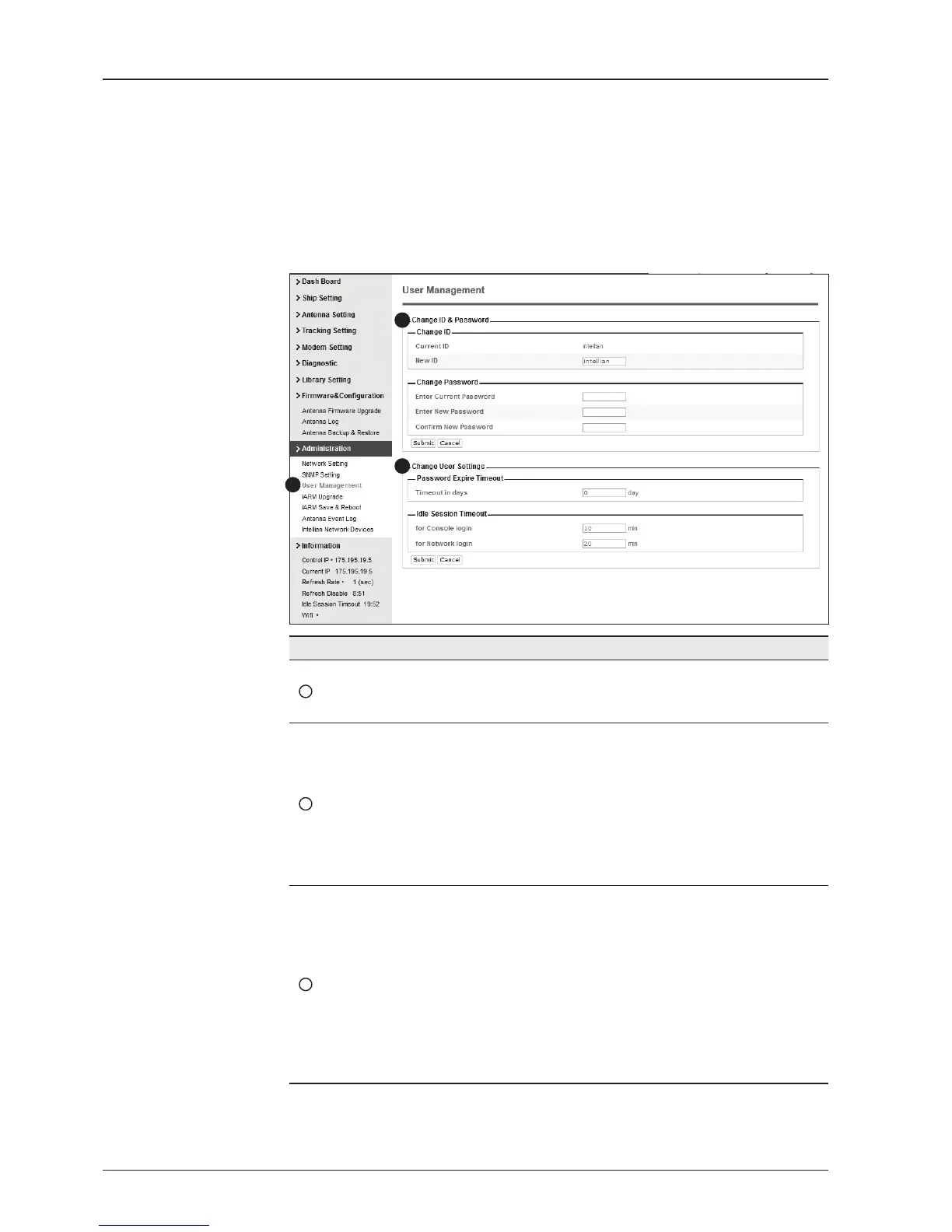
User Management
No. Item Description
1
User Management
Change login ID and Password to access the Aptus Web.
This setting can be also accessed by ‘Account’ icon on the
top menu.
2
Change ID
& Password
Change your login ID (user name) and password.
- Change ID : Enter your current login ID (user name) and
new login ID. Click the Submit button to validate the changes
that are made to the login ID.
- Change Password : Enter your current login password and
new login password. Click the Submit button to validate the
changes that are made to the login password.
3
Change
User Settings
Change User Password Expire in days and Idle session time-out.
- Password Expire Time-out : Set password expire in days.
- Idle Session Time-out : Set for Console and for Network
time-out.
1
3
2


 To Next Page
 Loading...











