D-0126440-A – 2020/08
VisualEyes™ 515/525 Instructions for Use - US Page 14
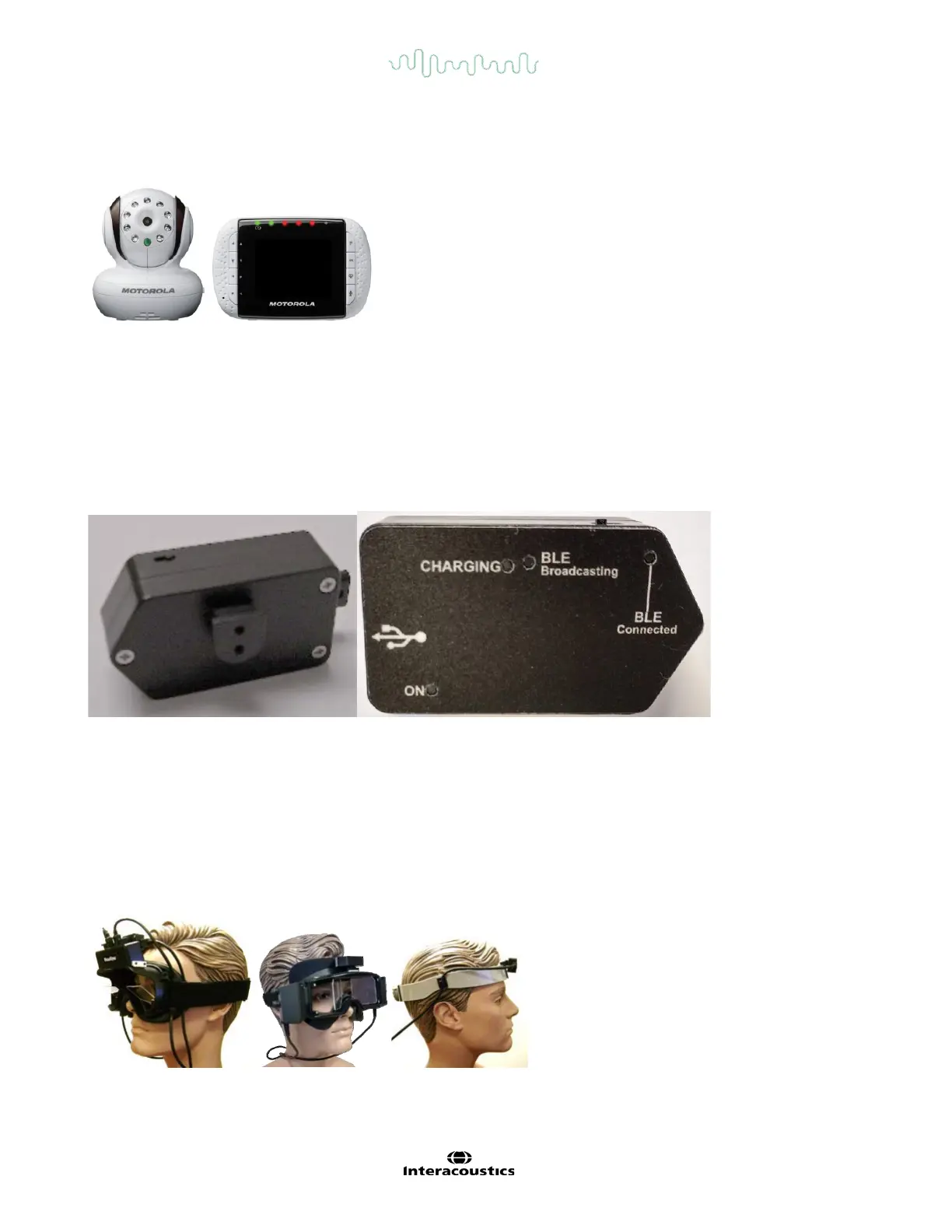
The observation camera (Figure 3.4-13) is placed inside the booth of the AT/C chairs and the monitor is placed
nearer to the operator. This enables the operator to monitor the patient inside the booth via the observation
monitor screen. The observation video is not recorded or saved in the software.
Figure 3.4-13 Observation camera and monitor screen
3.4.13 VORTEQ™ IMU
The VORTEQ™ IMU sensor (Figure 3.4-14) connects to the laptop or mid-tower computer either by USB cable
or wirelessly through Bluetooth with the accompanying Bluetooth receiver dongle. The VORTEQ™ IMU
measures head position in space, allowing the VisualEyes™ software to determine where the patient’s head is in
space, and is used in active VOR testing, dynamic visual acuity, head roll testing, advanced Dix-Hallpike and
advanced positional testing. This can be used with or without goggles depends on the test (Figure 3.4-15).
Figure 3.4-14 VORTEQ™ IMU
The inertial measurement unit (IMU) slides into the sensor mount on the top mounted or side mounted goggles.
The USB cable from the IMU should be routed along the left side of the goggles if not used wirelessly. Visual
acuity tests have the IMU placed on the DVA headband and route the USB cable along the right side of the
headband. Patients should wear eyeglasses or contact lenses for best visual acuity with the DVA headband.
To turn on the VORTEQ™ IMU, slide the power switch on top of the unit to the right. The On light will then flash
every four seconds. The Charging light will be lit when connected to USB. If using the IMU in Bluetooth mode,
the BLE Connected light will blink every four seconds when the computer has successfully connected to the
device.
Figure 3.4-15 IMU with Goggles / only with head band














 To Next Page