D-0126440-A – 2020/08
VisualEyes™ 515/525 Instructions for Use - US Page 25
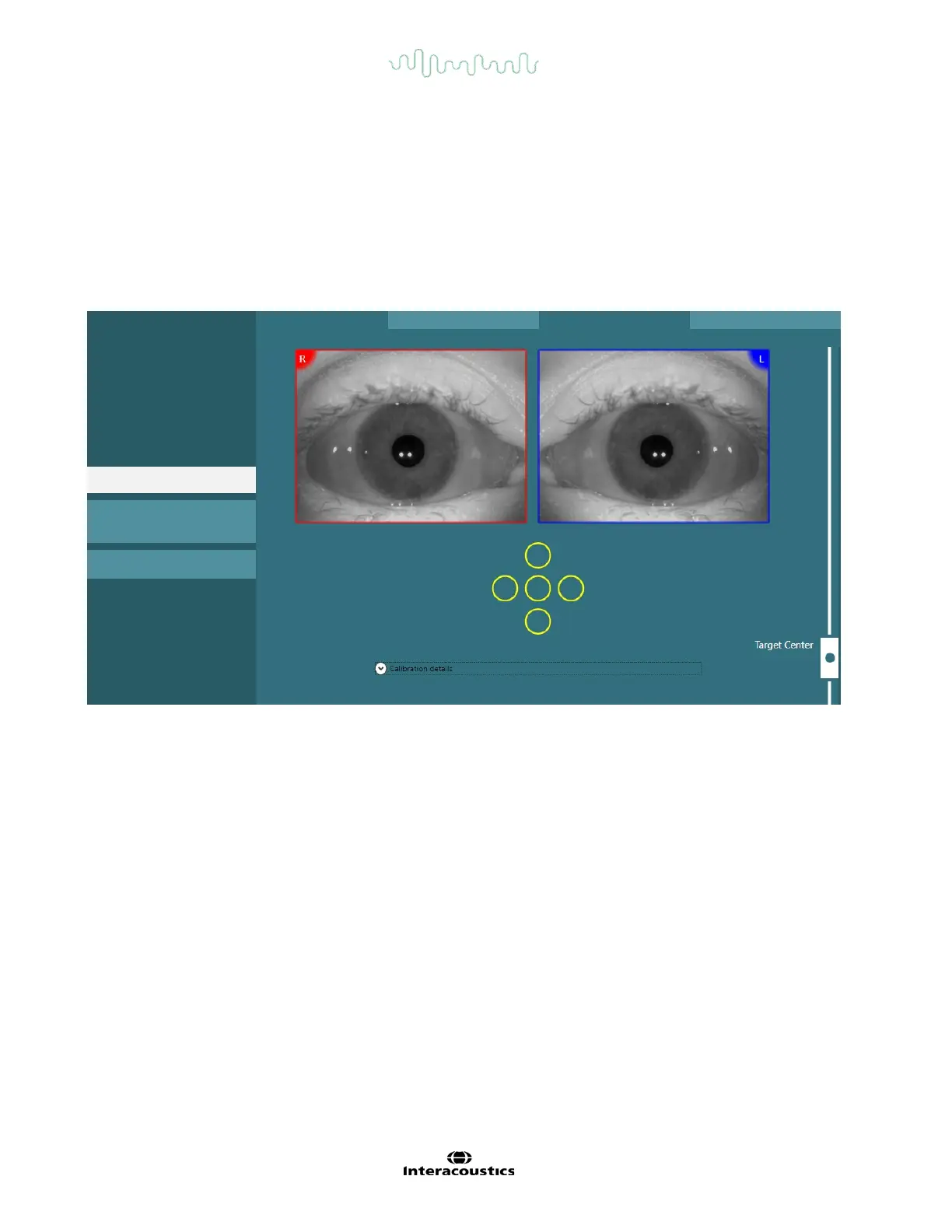
If the 5-point calibration is not achieved, the operator can use the ‘Default Calibration’ option to use the
default calibration values. These values will provide an approximate calibration scaling; however, the
accuracy of the measurements will be reduced when default calibration values are used. In general, the
operator can accept the partially achieved calibration based on the clinical interest of evaluation (e.g. if all
three horizontal calibration points are achieved, the operator can accept the calibration for vestibular tests.
For oculomotor tests, all the five points are to be calibrated). Please refer to Figure 4.6-1 for the pictorial
reference.
Standard calibration is not mandatory for tests that require a torsion calibration (e.g. Dix-Hallpike test, Ocular
Counter Roll and Lateral Head Roll) unless it becomes a first test/only test of the test battery.
Active Calibration : Default
Figure 4.6-1 Calibration menu.
4.7 Testing the patient
4.7.1 Performing tests
Tests can be started in one of three ways:
• Tap on the START button on the test screen. This option is available for all tests
• Press the foot pedal or ENTER button on the RF remote. This option is ideal for starting tests when
not at the computer. This option is also available for all tests.
• Press the switch on the side of the top mounted camera goggles. The switch is ideal for starting tests
when positioned next to the patient, such as Dix-Hallpike and Positional tests.
Tests can be aborted in the following ways:
• Holding down the side switch for three seconds on the top mounted binocular goggles
• Pressing the ESC key on the RF remote or keyboard
• Pressing the patient stop button on the bottom of the right armrest of the Nydiag 200 chair or
movable patient stop button on the Orion AT/C chairs
4.7.2 Video Frenzel
Video Frenzel is a basic test, which can record patient eye movement without any analytical assessments.
There is no time limit for eye recording in this test and there is no calibration requirement to perform this test.














 To Next Page