D-0126440-A – 2020/08
VisualEyes™ 515/525 Instructions for Use - US Page 26
4.7.3 Spontaneous nystagmus
This is a vision-denied test and the patient will look straight ahead with the goggle cover on. The operator will
be able to watch the patient’s eyes either from the computer screen or from the TV or projector screen.
When the test is started, the eye position graphs will be displayed. Nystagmus beats will be marked with
triangles displayed at the onset of the fast phase. When significant nystagmus is detected, the average slow
phase velocity (a.SPV) will be displayed in the bar graph on the right side of the eye position recordings.
When the test ends, the software will color-code the nystagmus slow phase velocities in green.
4.7.4 Dix-Hallpike / Advanced Dix-Hallpike
This is a vision denied test and the test can be performed on an examination table/reclining chair. With the
patient seated in the upright reclining chair, remove the Orion or System 2000 head support and set it aside.
Unlock the chair with the ELM button (Orion) or release the foot brake (System 2000) and rotate the chair as
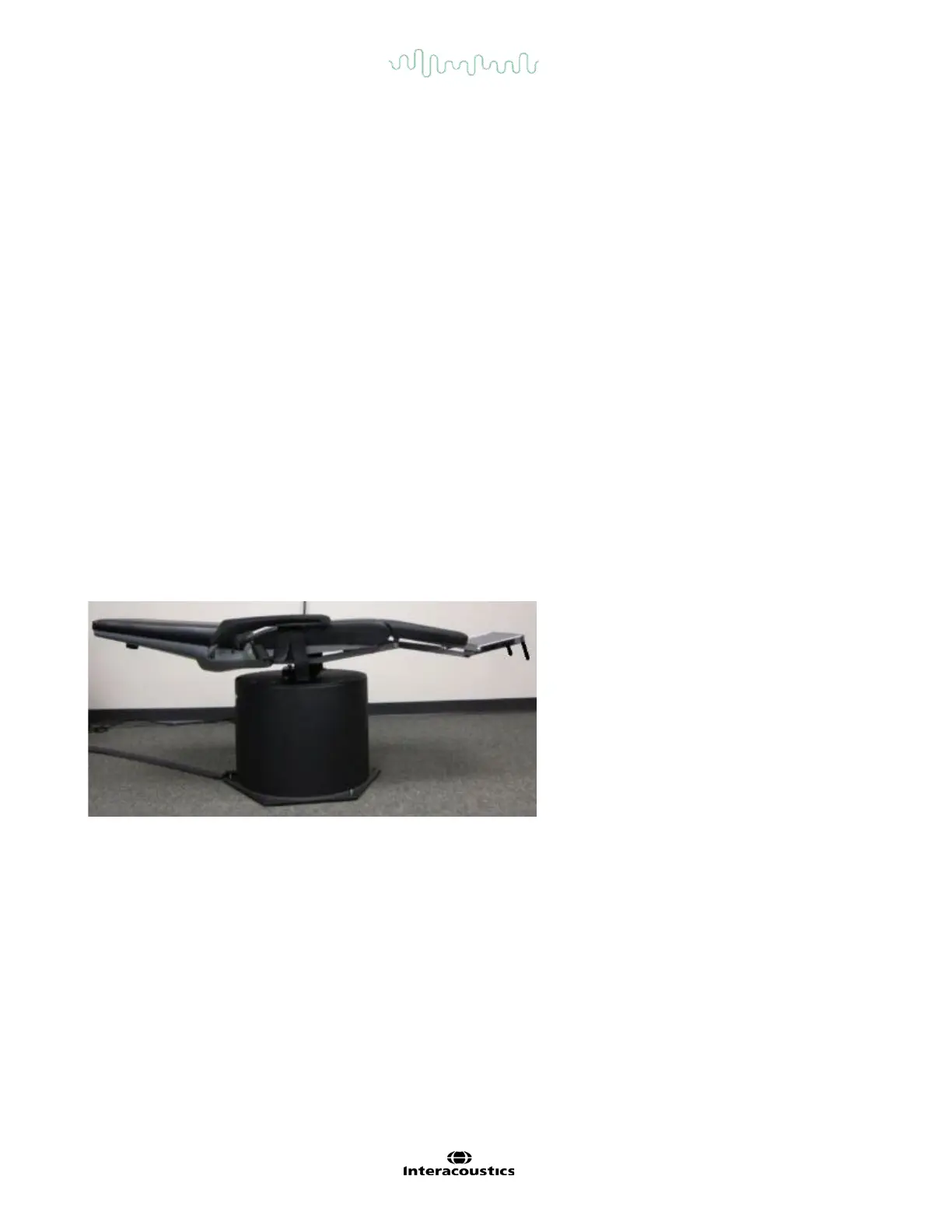
needed to allow the chair and patient to be reclined fully (refer to Figure 4.7-1). Have the patient unfasten the
seatbelt. When maneuvering the patient into the standard Dix-Hallpike body position, the head will hang past
the chair frame supported by the examiner. Position the patient (depending on patient height) so the patient’s
head will hang while supported off the end of the chair. If comfortable, keep the patient seated with feet off on
either side of the exam chair for balance. Use the recline handle to recline the chair to be supine. In the
advanced version of the test, the VORTEQ
TM
IMU attaches to the goggles and provides feedback to the
clinician to show if the patient has the head in the appropriate position and records torsion. The patient will
look straight ahead with the goggle cover on in a vision-denied condition. Lower the patient into the Dix-
Hallpike position while supporting the head and the goggles in place. Use the RF remote, foot pedal, or side
switch to start recording the eye movements. A double beep will sound when the test is scheduled to raise
the patient back up to a sitting position, however using the RF remote, foot pedal, or side switch will end the
supine portion early and play the double beep and allow the operator to finish the test earlier if desired.
Figure 4.7-1 Chair in supine position for Dix-Hallpike with head support removed (Orion and System 2000).
4.7.5 Positional
This is a vision-denied test and the test can be performed on an examination table/reclining chair. If the
reclining chair is used for the test, install the head support on the chair (Orion and System 2000). Lock the
chair with the foot brake if using the System 2000 reclining chair. If applicable, leave the hook and loop
straps (Orion and System 2000) from the head support detached from the goggles because the patient’s
head will be in different positions during this test. The seatbelt should be unfastened. While the operator
supports the weight of the chair, lower the chair and patient to a supine position (refer to Figure 4.7-2).
Proceed with each subtest, assisting the patient into each new head and body position as required. Use the
RF remote, foot pedal, or side switch to begin recording after moving the patient’s head or body into each
position. When testing is complete, have the patient return to laying on his / her back, then push down on the
chair recline lever and physically lift the chair back with the patient into an upright position.














 To Next Page