ZeroWire Installation Manual 5
Install Your ZeroWire
What You Need
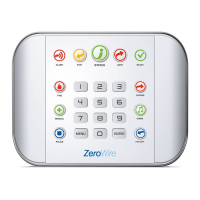
• ZeroWire and everything inside the box
• Sensors and key fobs you will add
• List of users and PIN codes you wish to add
• Wall socket for powering ZeroWire
• Small Phillips head screwdriver
• Small Flathead screwdriver
• Router supporting 802.11 b or 802.11g if using local WiFi features
• Optional – desk stand
• Optional – internal or external siren and strobe
Choose a Location
When choosing a location for your ZeroWire there are a number of appliances and areas
to avoid which could interfere with the security system.
• Choose a central location for the best reception to all wireless sensors and Z-Wave
devices
• If the ZeroWire Cellular Radio is installed select a location with sufficient signal
• Avoid TV and other electronic appliances
• Avoid microwave ovens
• Avoid wet and moist partitions such as bathrooms and toilets
• Avoid cordless telephones
• Avoid computers and wireless equipment
Install the Battery
1. Loosen the screw from a bottom of ZeroWire, this will allow the wall bracket to be
removed from the unit.



 To Next Page