99Intermec EasyCoder 501 – Service Manual Ed. 7
Chapter 12 Paper Cutter
12.4 Installation, cont.
LinerLess Cutter, cont.
• Fit the cable from the cutter unit into the DIN connector on the
printer’s front.
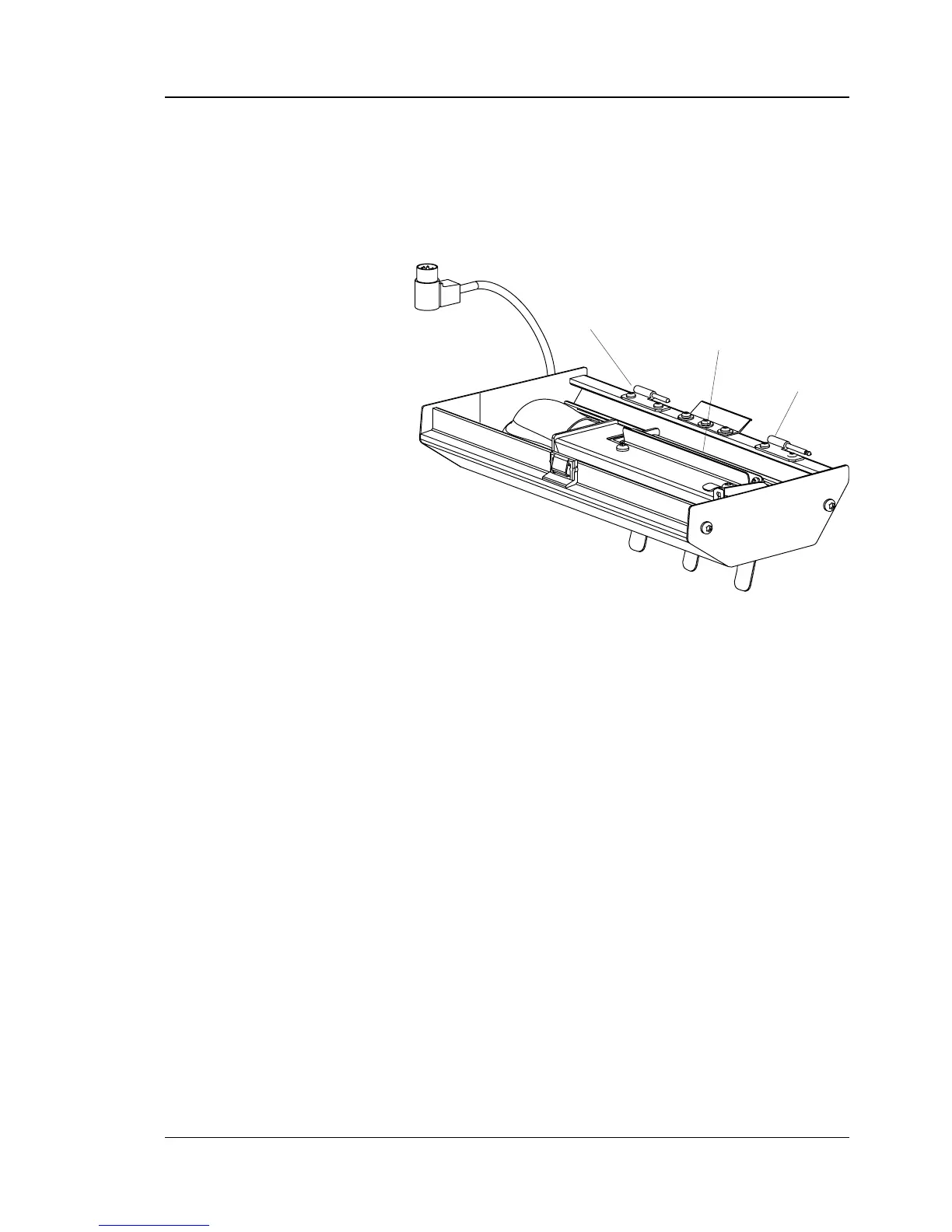
• Tilt the cutter unit upwards until it locks into place. If the cutter
does not lock properly, the hinges of the cutter unit may need to
be adjusted using a #T10 Torx screwdriver.
• Switch on power. The cutter will perform an idle cycle in order
to occupy its home position.
• Use for example the Terminal Setup in Intermec Shell or setup
strings to change the startadjust value to -294 and the stopadjust
value to +250. Setup strings should be composed like this:
SETUP "DETECTION,FEEDADJ,STARTADJ,-294"
SETUP "DETECTION,FEEDADJ,STOPADJ,250"
• Switch off the power. Tilt down the cutter and route the media
through the cutter unit between the guide plates (see illustra-
tion above). Then tilt up the cutter again and lock it in closed
position. Check that the printhead is lowered and switch on the
power.
• Fit the guide plate as described on next page.
Hinge
Hinge
Guide Plates
(insert paper between the plates)



 To Next Page