59Intermec EasyCoder 501 – Service Manual Ed. 7
Chapter 8 Print Unit
8.7 Printhead, cont.
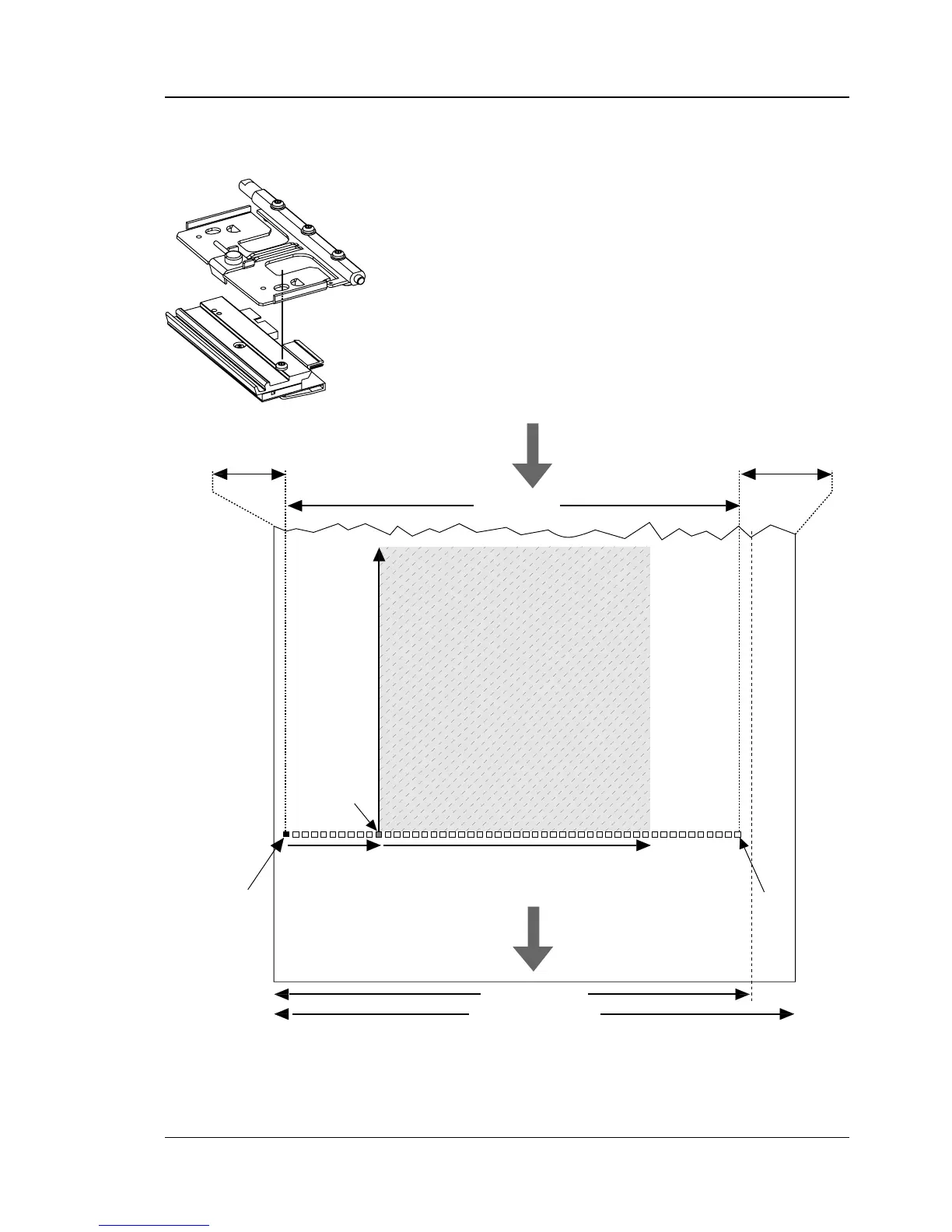
EasyCoder 501 S, 501 E, and 501 SA:
8 dots/mm (203.2 dpi) printhead in right-hand position
The 8 dots/mm printhead can be fi tted in two positions. When the
printhead is fi tted in the outer, right-hand position (see illustration),
dot No. 0 is situated 3 mm (0.12 inches) inside the inner edge of
the media. Since the maximum print width is 104 mm (4.1 inches)
and the maximum web width is 120 mm (4.7 inches), this leaves a
margin of at least 13 mm (0.51 inches) along the outer edge of the
web. If an 110 mm (4.33 inches) wide web is used, the printhead
will be centered with a 3 mm (0.12 inches) margin on each side.
Dot 0
X-start Width
Origin
Length
Dot 831
PRINT
WINDOW
PRINT
WINDOW
FEED
DIRECTION
Dot-line
on printhead
From
media supply
13 mm (0.51 in



 To Next Page