16 of 54
Version 2.4 (03/2020) Online
Translation of the original operating manual
Product information
3.2 Product description
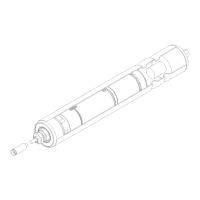
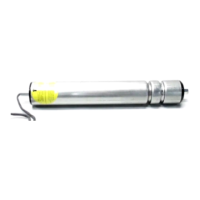
The RollerDrive EC5000 can be used in both straight and curved sections and ensures a constant conveyor speed.
Motors, motor electronics and gears are installed in the RollerDrive.
Both interface versions (analogue/CAN bus) of the RollerDrive EC5000 are available in three dierent power levels:
• 20 W
• 35 W
• 50 W
Overload protection
The EC5000 has multiple overload protection systems:
Stall timing
When the RollerDrive starts, the revolutions of the installed motor are monitored. If the motor does not reach a certain
speed within a specied time, an error signal is set.
This error signal is automatically reset after 10 seconds.
How the EC5000 AI behaves: Once the target value is reapplied, the RollerDrive attempts to start again.
How the EC5000 BI behaves: The RollerDrive is ready to be acknowledged.
Heavy running detection
If the RollerDrive rotates 50% slower than specied for a dened period, an error signal is set.
In the case of the EC5000 BI, there is another adjustable warning limit with corresponding message before shutdown
takes place.
The error signal is automatically reset after 10 seconds.
How the EC5000 AI behaves: Once the target value is reapplied, the RollerDrive attempts to start again.
How the EC5000 BI behaves: The RollerDrive is ready to be acknowledged.


 To Next Page