3 SET UP THE SPLICING SYSTEM
3-4
Belt Splicing System v.2.0
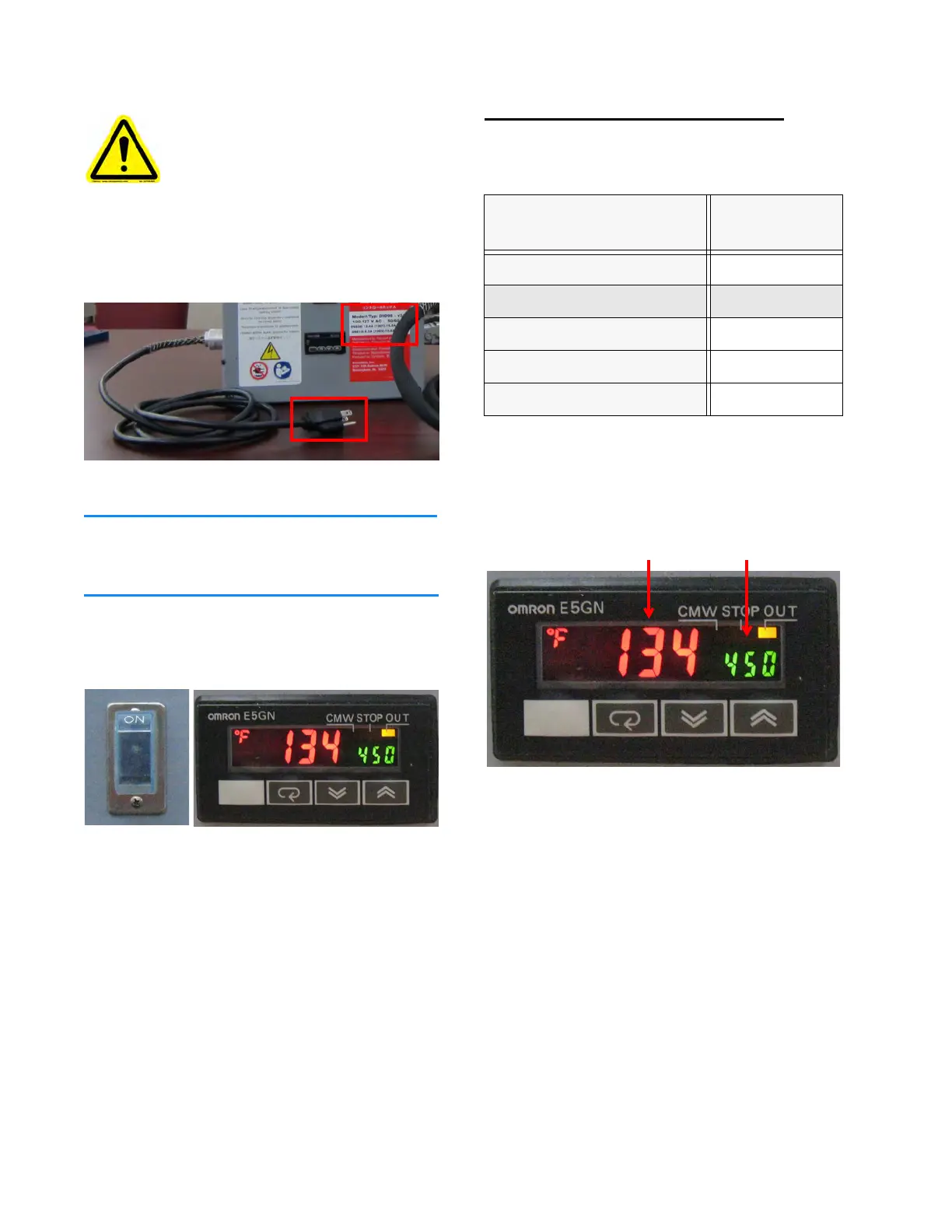
4. Plug the Temperature Control Box Electric
Cord into a facility electric outlet.
Figure 3F: Check voltage requirements
Ensure the outlet is close enough for the Heat
Wand to reach the Clamping Fixture.
5. Set the Temperature Control Box Power to
ON. The Display shows the last setpoint tem-
perature in green.
Figure 3G: Turn Power on
Adjust Temperature Setpoint
1. Choose the setpoint based on belt material.
*discontinued
2. Press ▲ or ▼ to change the setpoint if
needed.
Figure 3H: Check Control Box display
Do NOT submerge equipment or
expose it to direct spray.
Always use ground fault protection/
residual current protection when
operating in damp or wet conditions.
Belt Material Setpoint
Temp.°F/°C
Polyurethane 8x26/8x50
450° F/232° C
XT 8026*
485° F/252° C
XT 8050
475° F/246° C
Cold Use 8050
500° F/260° C
HTL 8050
500° F/260° C
current setpoint
temperature temperature


 To Next Page