64 Chapter 8: ChartView & ChartView Plus TempScan / MultiScan User's Manual
Normal Edit
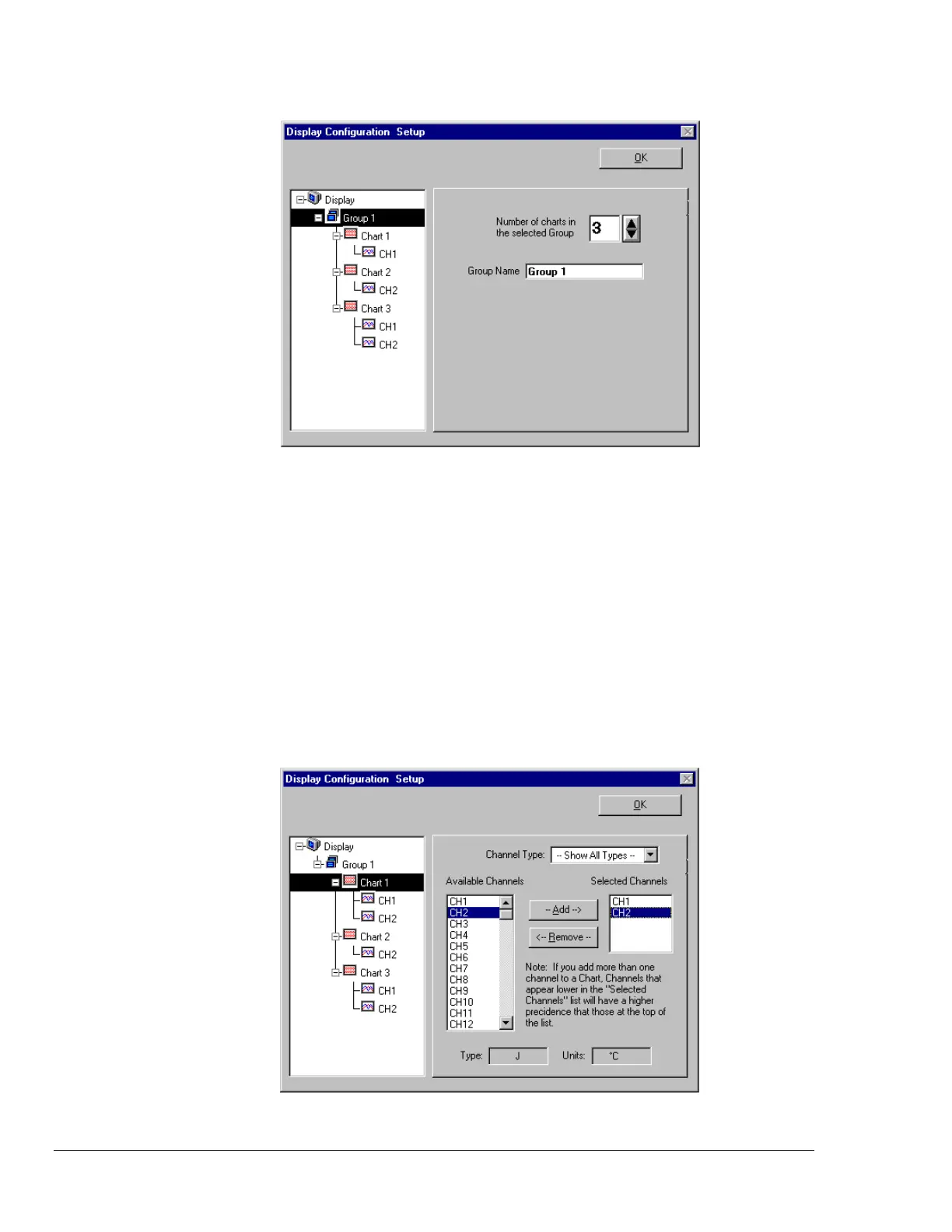
Display Configuration Setup Dialog Box with an Existing Configuration
To explain editing a configuration, we make use of an example in which assumes you want to edit
Chart 1. In the following figure, Chart 1 was highlighted by clicking on it with the mouse cursor. The
Display Configuration Setup box then changed, allowing you to see specific channel types (such as
volts only) or to “Show all Types,” as in the example. From this setup box you can add or delete charts
and channels. You can:
• hold down the Shift key and use the cursor to select several consecutive channels for addition or deletion
• hold down the Ctrl key and use the cursor to select several non-consecutive channels for addition or deletion
• double-click on an available channel to add it to the selected channels
• double-click on a selected channel to remove it from the selected channels list
Note: When a chart contains overlapping channels and the channels share values such that their
traces reside on top of each other, then the channels that are listed lower in the display list (the
most recently added channels) will obscure the channels higher in the list (those which were
added first).
Adding Channel 2 to Chart 1



 To Next Page