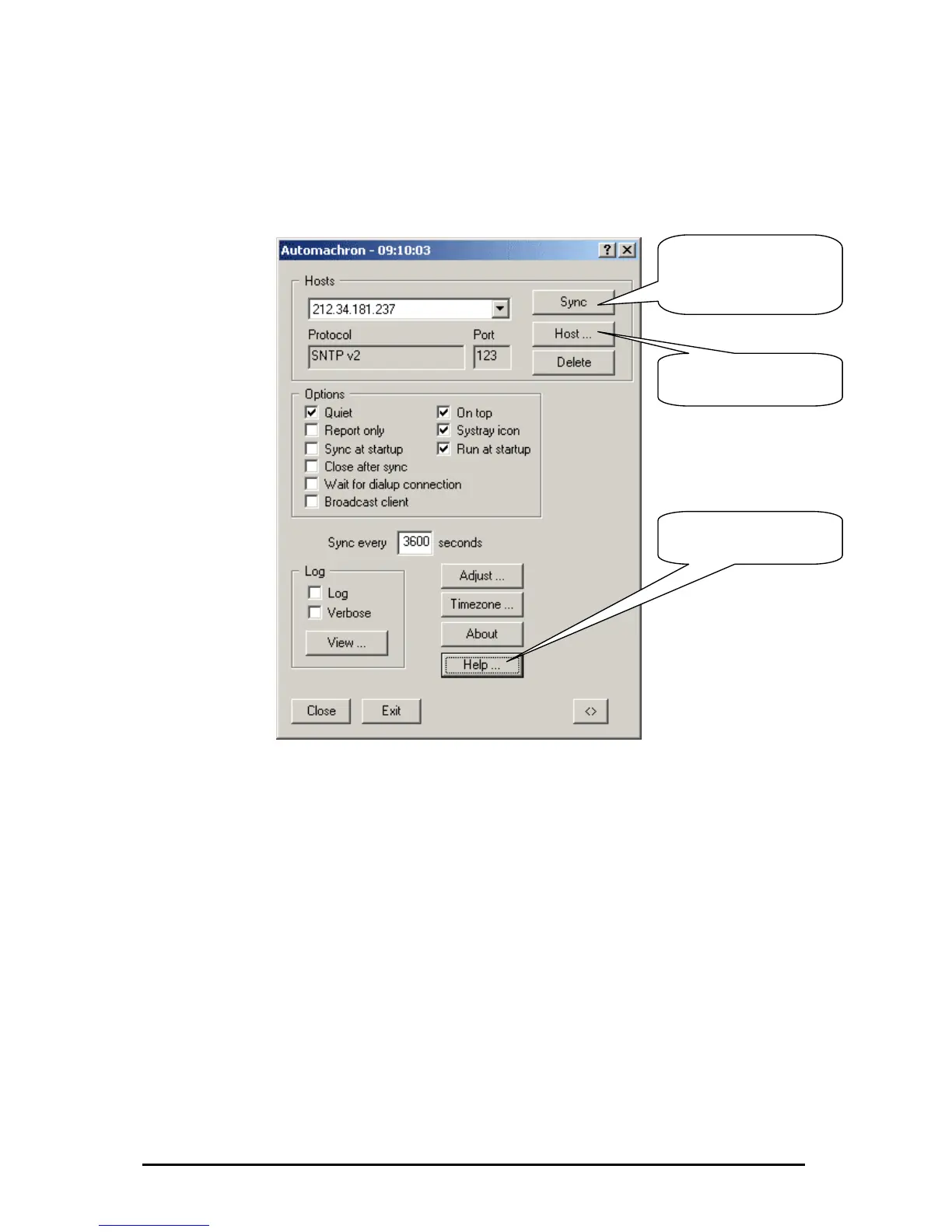
If the PC should often synchronize you must set up your PC. Fo
configurations please read the detailed manual.
r further
Achron5
-Clients like Net Time, Atomsync and Tardis
Synchronization
in the Comman
irst of all, open the command prompt with Start | Programs| Accessories |
ommand Prompt and test the connection to the NTP server (in our example the
erver IP is: 212.34.181.237) with the ping function by typing the following
ommand C:ping 212.34.181.237.
If this test completed successfully you ha
C:net time /setsntp:212.34.181.237 to se
To test the synchronization with the time
for a single synchronization. The time on
milliseconds from the timeserver.
To synchronize the PC regularly, you ca
put it into the “Task Planer” from Windows, in this case there always had to be a
connection to the timeserver.
Synchronising the time under Windows 2000
Achron 5 is freeware and in the internet available. Please consider the license
conditions of the manufacturer.
Please click here to
synchronise the time of
your computer with the
SNTP-Server.
Please click here to set
the IP-Address of the
SNTP-Server .
Click here, if you need
more help for the
confi
uration.
On the internet are other freely NTP
2005
of the time on Windows NT, Windows 2000 and Windows XP
pt / Shell d Prom
F
C
s
c
ve to enter the command
t the NTP server IP.
server you have to type C:w32tm –once
the PC deviates then only a few
n write the commands in a batch file and
Änderungen vorbehalten Stand 09.09.05
ipcas GmbH ipEther232 V11.01 Seite 102 von 150



 To Next Page