C. User Guide22
4.5.2 To configure a wireless connection
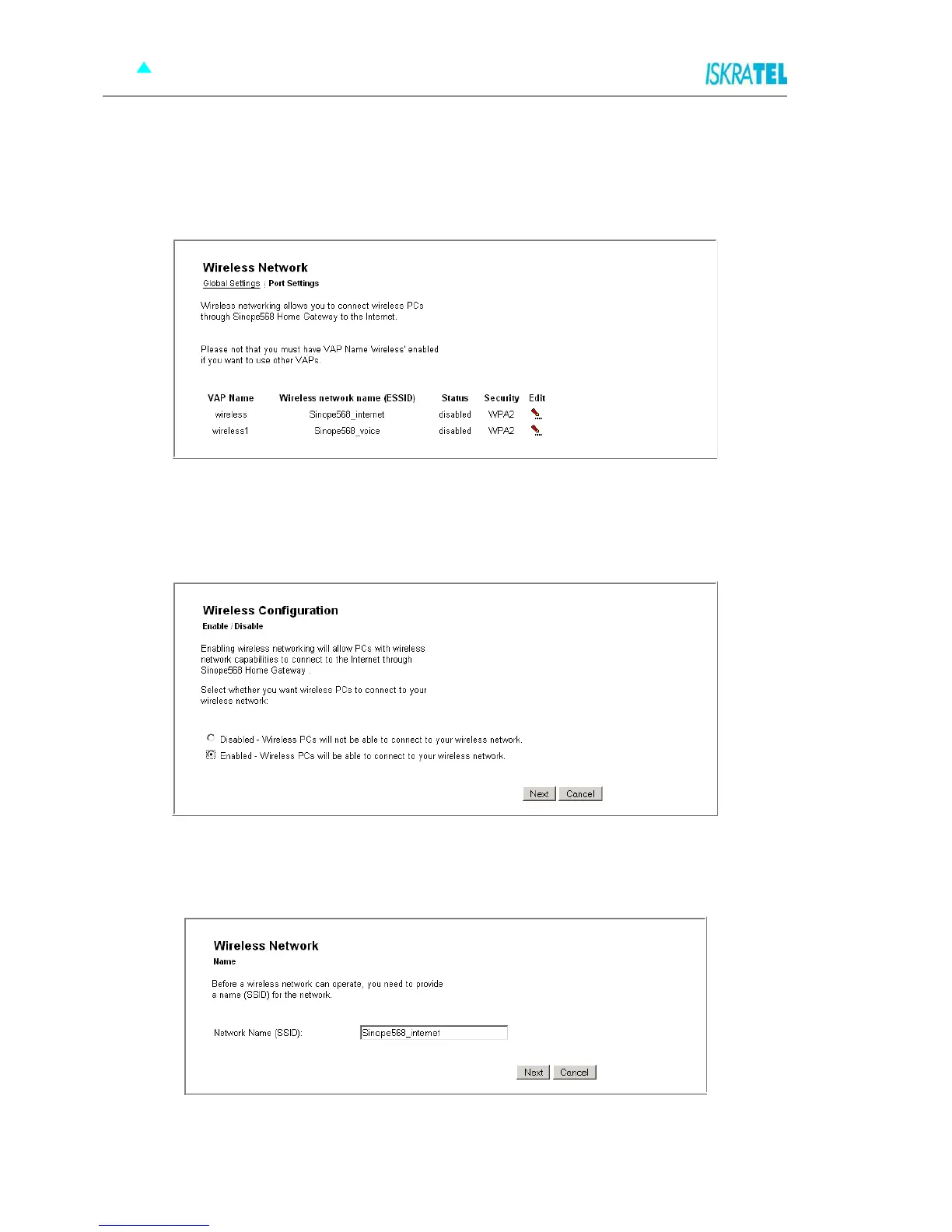
By default, wireless connection is disabled. To configure it, you must first enable wireless networking.
1. Select Configuration > Wireless Network. The following page opens.
Figure 4-14: Wireless Port settings
The preconfigured wireless network settings wireless and wireless1. You must first enable
2. Enable the connection wireless. Click the Edit link. The following page opens.
Figure 4-15: Enable/Disable Wireless network
3. Select the option Enabled and click Next. The following page opens.
Figure 4-16: Wireless Network Name
4. Provide a unique network name. Type the name in the Network Name (SSID) field.



 To Next Page