4.7.4 Port Forwarding 35
4.7.4 Port Forwarding
You can create port forwarding rules to allow certain applications to work on your computers if the Internet
connection uses NAT. NAT allows you to connect multiple computers to the Internet (or any other IP
network) using one IP address.
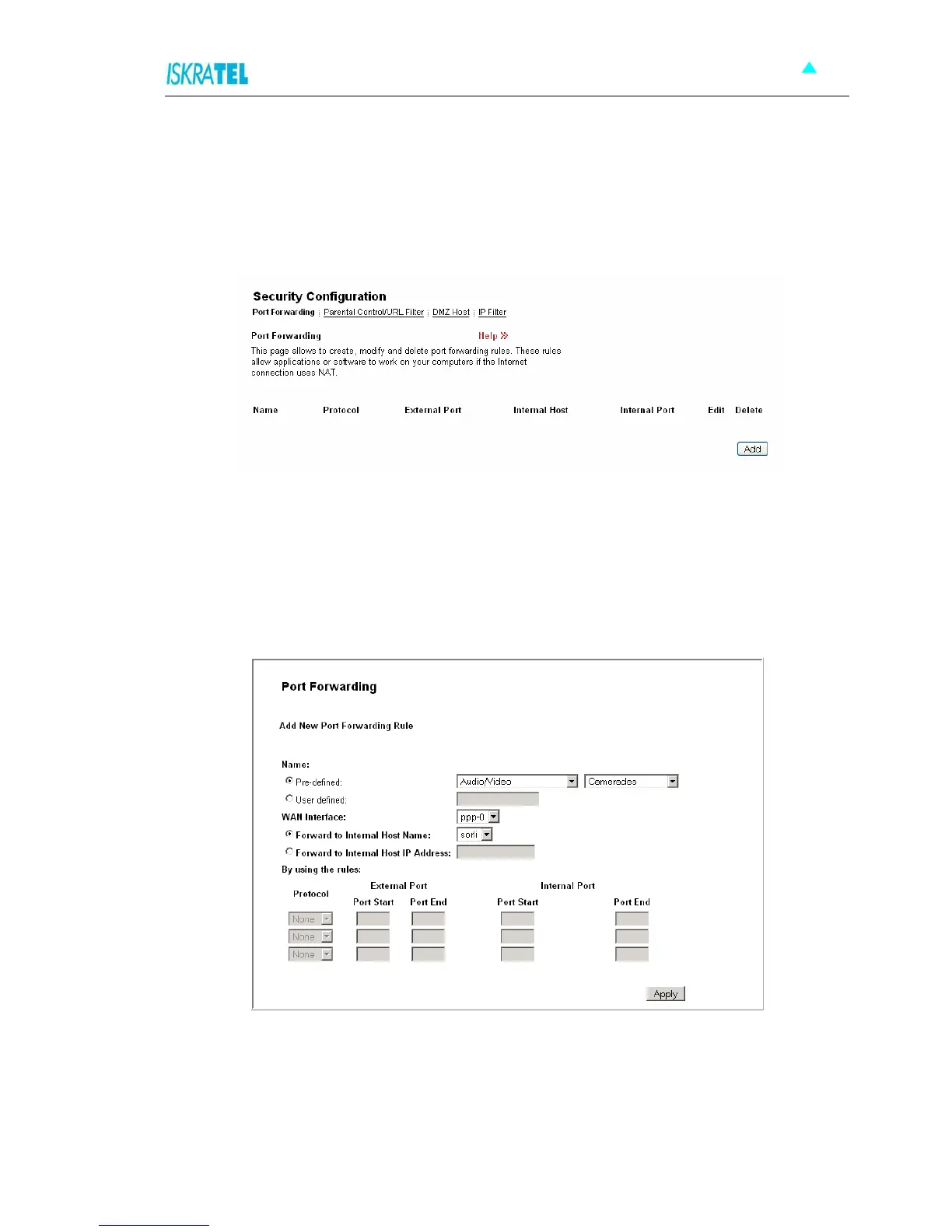
1. Select the Port Forwarding tab. The following page opens.
Figure 4-35: Port Forwarding
2. The page displays any previously created rules. You can edit or delete these rules, or add new rules.
4.7.4.1 To add a port forwarding rule
1. In the Port Forwarding page, click Add. The following page is displayed:
Figure 4-36: Add New Port Forwarding Rule
2. In the Name area, choose predefined applications (Predefined) or your applications defined by
yourself (User defined).
• Pre-defined: Select one of the predefined groups of applications and then the application.
• User defined: Type the name of your application.



 To Next Page