4.8.2 Dynamic DNS 37
4.8.2 Dynamic DNS
Dynamic DNS allows computers on the Internet to access hosts on your network using a domain name
rather than an IP address. This feature is very useful if you have been assigned a dynamic IP address form
your ISP. Dynamic DNS provides a permanent domain name for your PC even when your IP address has
changed.
In order to use this feature, you must subscribe to a dynamic DNS service. Currently supported are.
dydns.org, or tzo.com.
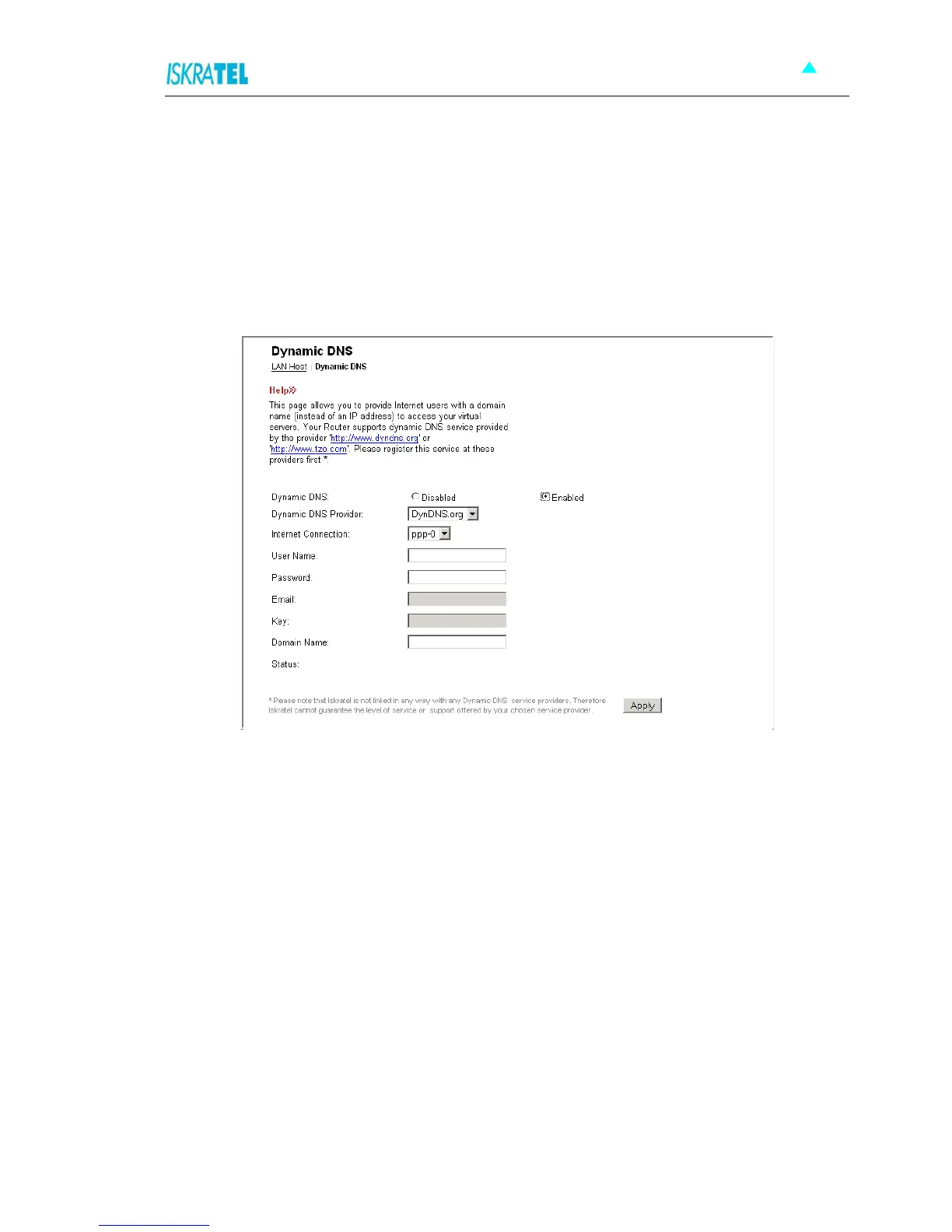
1. Select Configuration > DNS. The following page opens.
Figure 4-39: Dynamic DNS
2. To enable Dynamic DNS feature:
•Select Enabled.
• From a drop down list select the corresponding DNS Provider that you have previously subscribed
to.
• Select the type of the internet connection.
• In the User Name field, type your DNS subscription username.
• In the Password field, type the corresponding password.
• In the Domain Name field, type the domain you have registered at the this DNS provider.
3. Click Apply.



 To Next Page