C. User Guide40
4.11 Remote Access
Management Stations allow a specific host (or range of hosts) remote access to your home gateway
device without having to go through NAT and/or Firewall. This function is intended for expert users
(helpdesk, your ISP administrators,...) in order to connect to your device and configure it remotely.
To configure remote access:
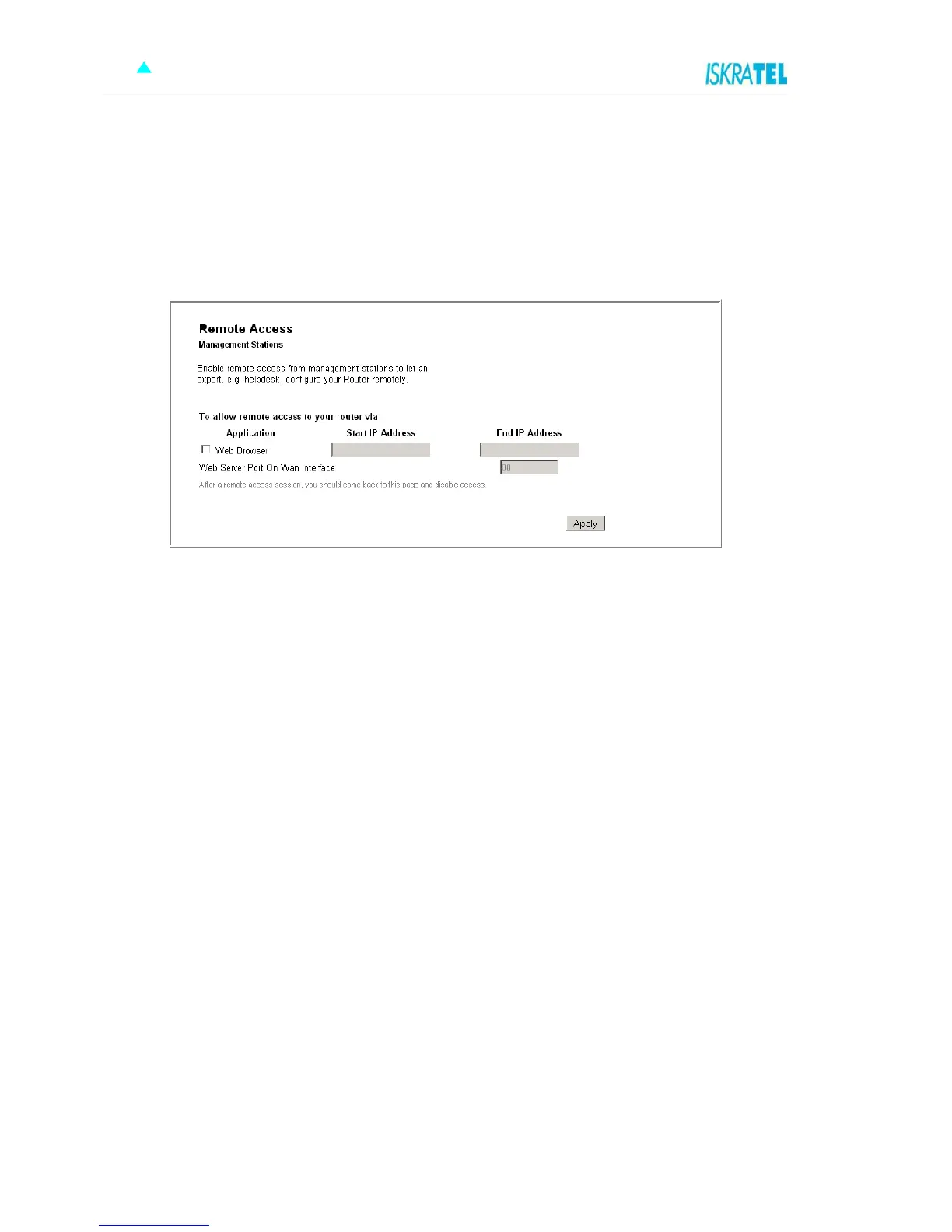
1. Select System > Remote Access. The following page opens.
Figure 4-44: Remote Access
2. Select the Web Browser option.
3. In the fields Start IP Address and End IP Address, type the host IP address or address range.
4. If necessary, change the port number (Web Server Port on Wan Interface field) - the default port is
port 80.
5. Click Apply.
4.12 Status
The status pages allow you to observe the following:
Internet Connection
Wireless Connection (list of connected wireless PCs)
Traffic Statistics
DHCP Table
ARP Table
Select a corresponding link to observe these statuses.



 To Previous Page