4.5.2.1 64/128-bit encryption 23
5. Click Next. The following page opens.
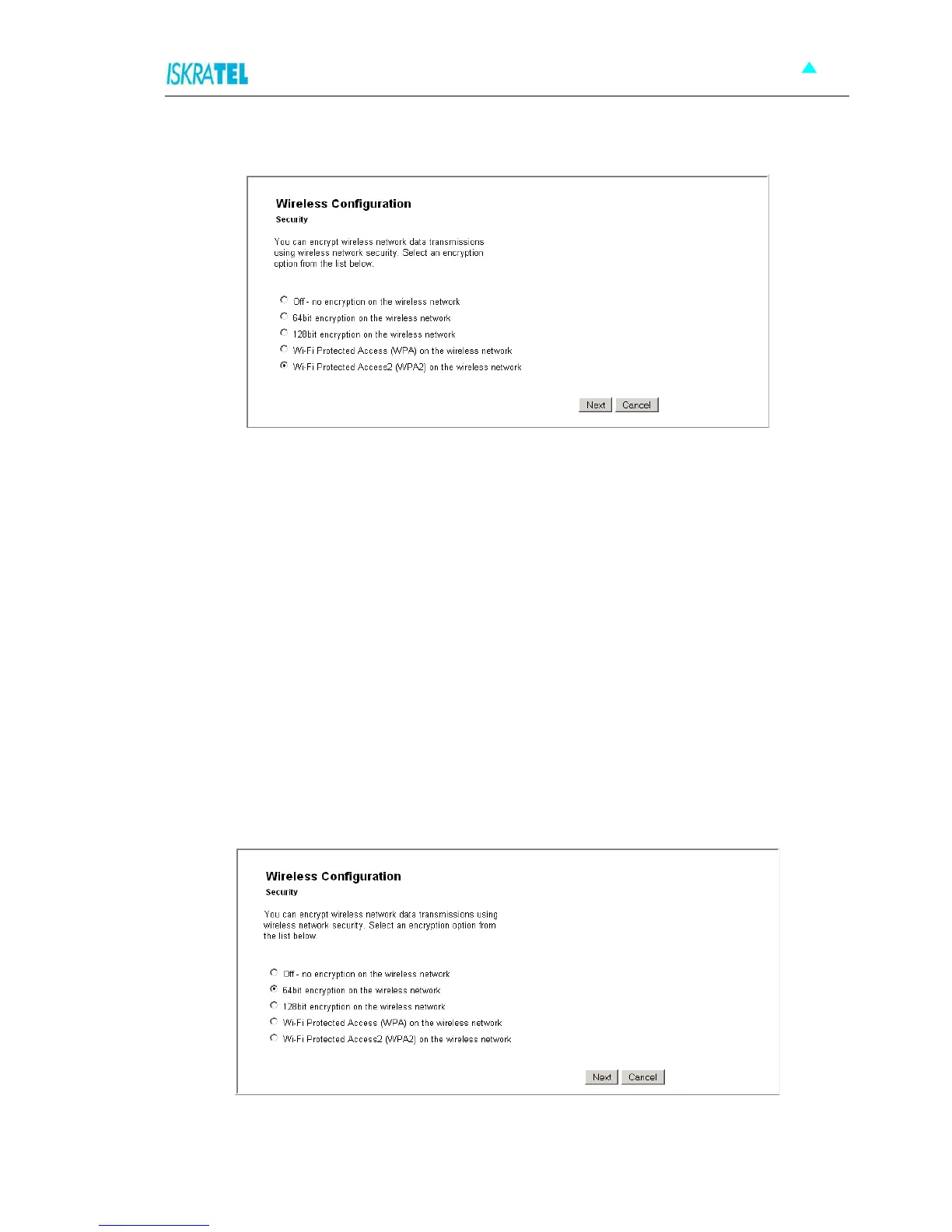
Figure 4-17: Wireless Network Encryption
6. Select encryption for wireless network data transfer. Select one of the following:
- Off - no encryption on the wireless network
- 64-bit encryption on the wireless network. A basic encryption method. You must provide a
10-character hex key.
- 128-bit encryption on the wireless network. Advanced encryption method. You must
provide a 26-character hex key.
- Wi-Fi Protected Access (WPA) on the wireless network. A reliable security method. You
must provide a password of 8 to 63 characters long.
- Wi-Fi Protected Access2 (WPA2) on the wireless network
Depending on the encryption method you have selected, follow one of the following instructions: “64/128-
bit encryption” or “Wi-Fi Protected Access WPA/WPA2”.
4.5.2.1 64/128-bit encryption
For both encryption methods, you need to configure a key. Your wireless network can be accessed only by
providing this key.
1. Select 64-bit encryption on the wireless network (or 128-bit encryption on the wireless network).
Figure 4-18: 64/a28-bit encryption



 To Next Page