C. User Guide24
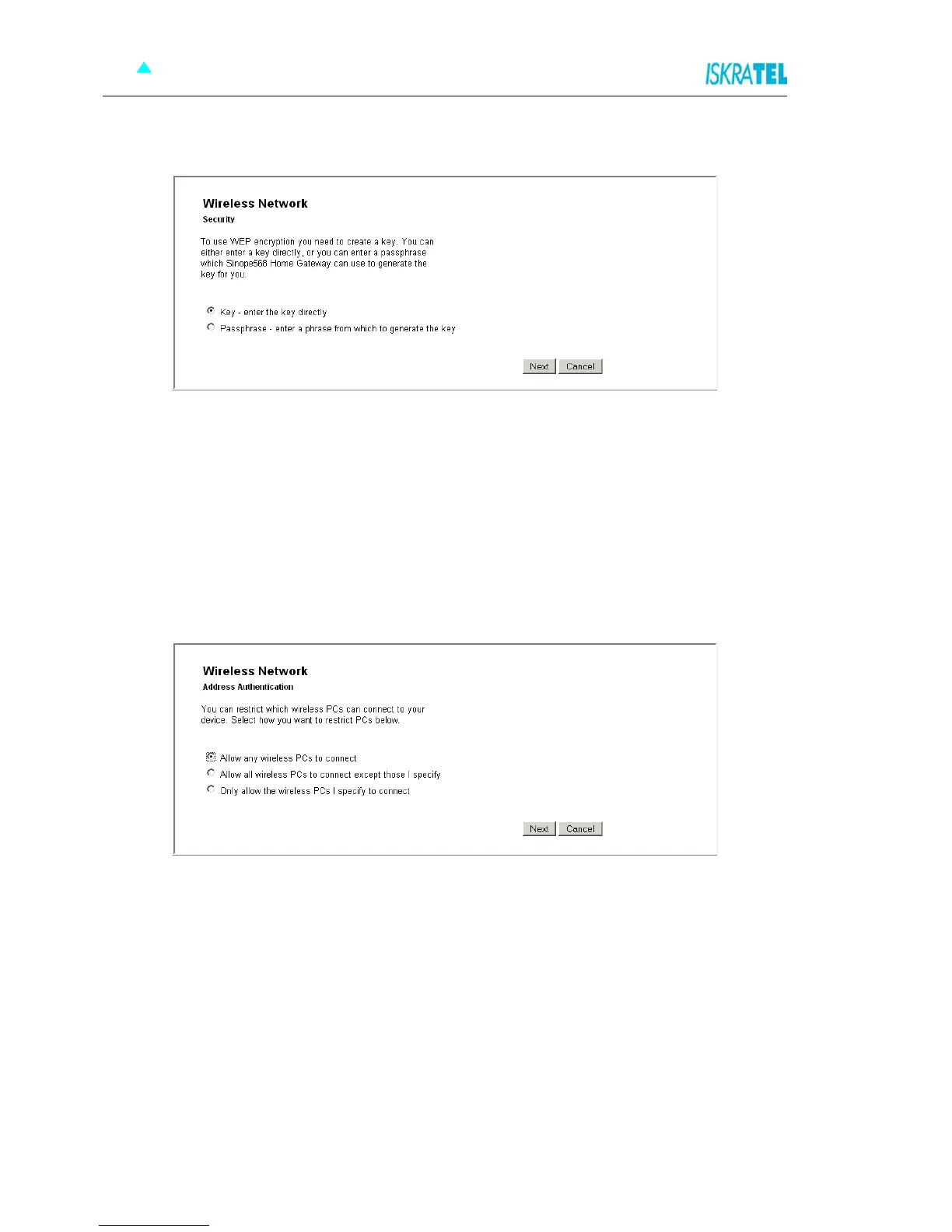
2. Click Next. The following page opens.
Figure 4-19: Key or password selection
3. Select on of the two options:
• Key
Enter a key of your choice. For a 64-bit encryption, the key must consist of 10 characters long,
(letters A to F or digits 0 to 9). For a 128-bit encryption, the key must be 26 characters long (letters
A to F or digits 0 to 9).
• Pasphrase
Select this option if you want the device to generate a key based on the passphrase that you
provide.
4. After you have provided the key, the following page opens.
Figure 4-20: Address Authentication
5. In this page select one of the following options:
• Allow any wireless PCs to connect - with this option you allow any PC to connect to your
wireless network.
• Allow all wireless PCs to connect except those I specify - with this option you specify those
PCs that will be denied access to your wireless network.
• Only allow the wireless PCs I specify to connect - with this option, you specify a list of PCs that
are allowed to connect to your wireless network.
6. If you have selected to specify a deny or allow list of PCs in the previous step, you will be prompted to
add addresses of PCs to the list.
7. Before you confirm changes that you have made, the following page is displayed.



 To Next Page