IsoPrime User’s Guide
Version 1.01 IsoPrime100 User’s Guide Page 91 of 219
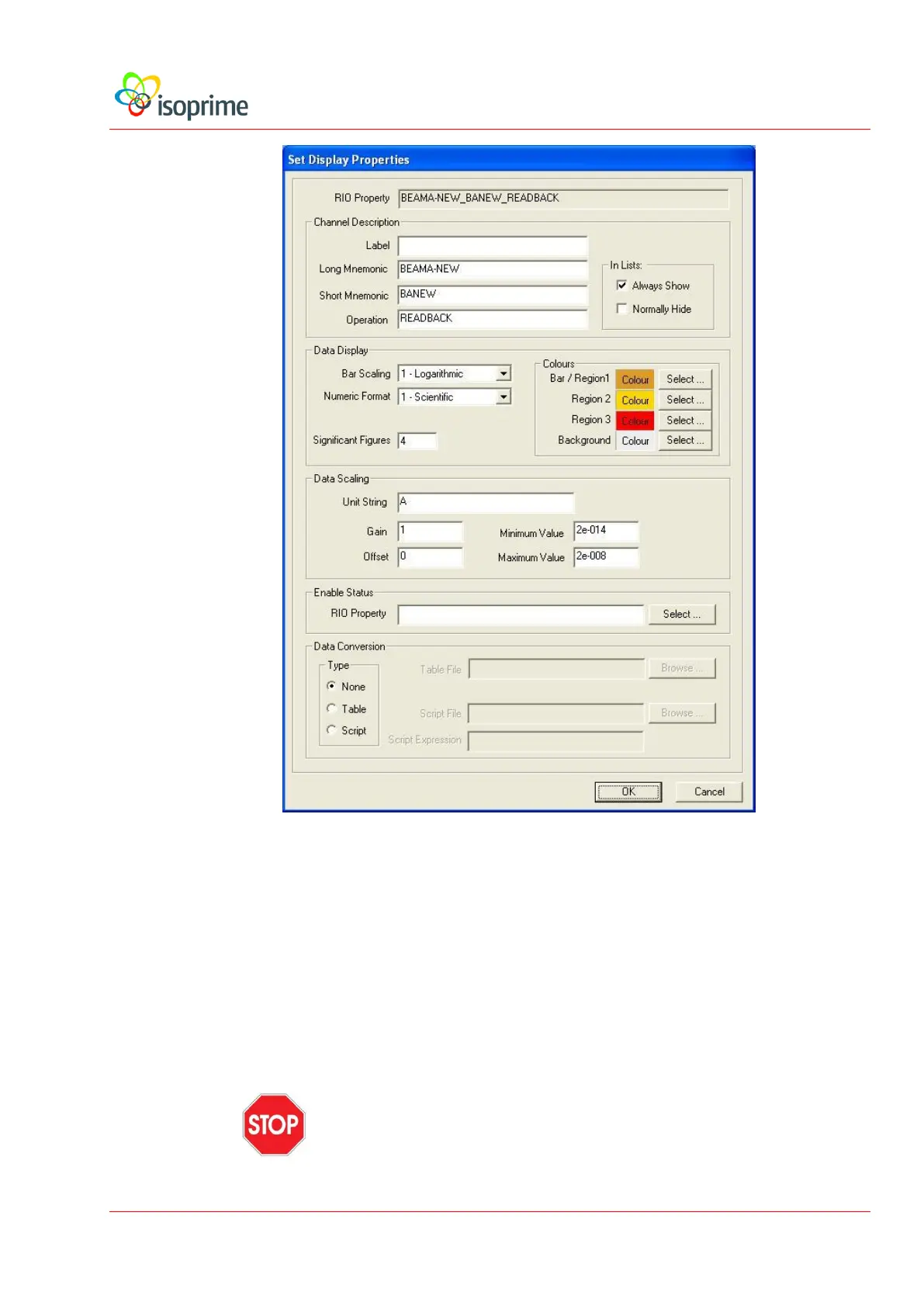
The dialog is used to set up the following parameters:
Channel Description Panel. The Label is the text that is displayed beside
the readback. The long and short Mnemonics define the username and label in
the inlet page, and the Operation defines the function in the inlet editor. The
In Lists setting is used to choose whether or not to display the information in
the RIO property lists.
Caution: do not change the settings in the channel description panel.



 To Next Page