45
IT10151 - IT12151
C
B
A
OPERATING AND MAINTENANCE HANDBOOK
Operations from platform
From the platform operating place the operator can carry out following
principle functions:
•Traction
•Steering
•Platform liing/lowering
•Emergency stop
•Platform extension
•Railing overturning
Pilot lights are described in the “Emergencies” section.
In order to work with controls on platform it is necessary to turn right
the key in the selector of ground control panel.
Make sure that the load respects the limits and is well distributed
Make sure the protection bar for the access to platform is perfectly closed
Make sure that the emergency stop red push buon on ground or platform control panel is not
pressed.
Always check the state of pilot lights ; in case they go on, please, read section “Emergencies”
All movements from platform described in the following pages depend on the correct position of
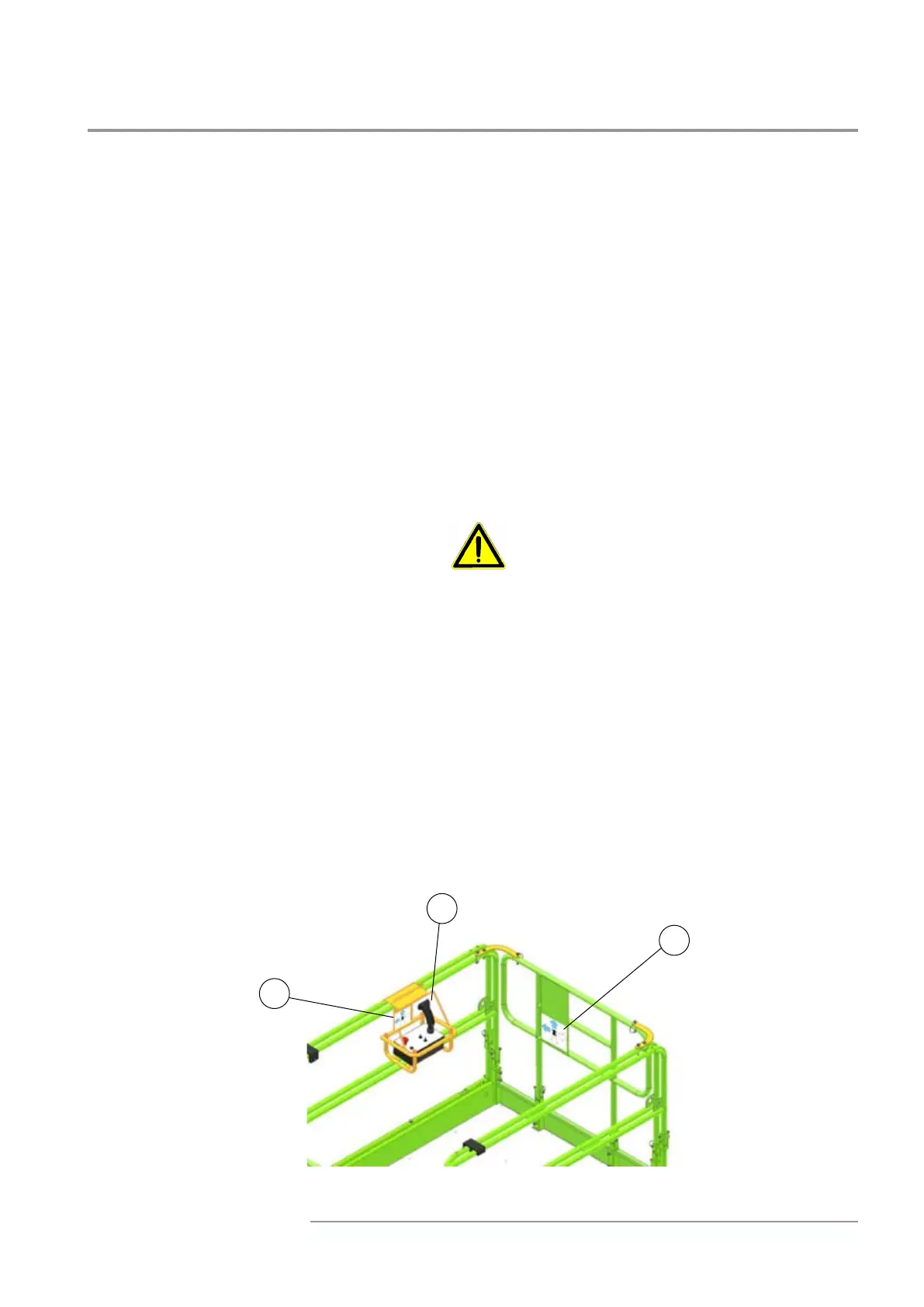
the control box (refer to “Main components”). A plate placed on the front railing signals the correct
position of control box.
If the control box is moved (A), use the coloured direction indicators on control box support (B) and
on the front side of the platform (C) in order to control the movement direction of the machine.



 To Next Page