IFC-3030 Installation Manual — P/N 52024:C 08/05/2005 35
Form-C Relays with Auxiliary Relay Module (ARM-4) Installation
3.12 Form-C Relays with Auxiliary Relay Module (ARM-4)
3.12.1 Overview
If a CRM-4RK/CRE-4 is to be incorporated into the control panel and an ARM-4 is being driven by
it, the ARM-4 should be installed at the same time. Keep the following in mind:
• Each ARM-4 must be supported by one CRM-4RK or one CRE-4.
• If using ARM-4’s for both modules, mount two ARM-4’s in separate positions.
• If mounted in FACP enclosure keep all non-power limited wiring separate from power limited
wiring.
For ease of installation, service, and wiring mount the ARM-4 module in a position on the chassis
that will not have any other module or expander board in front of it. However, you can install the
ARM-4 directly behind the CRM-4RK or CRE-4.
ARM-4 mounts in the second, third or fourth row in a CAB-4 series backbox. Locate the ARM-4
against the back of a chassis CHS-4 or CHS-4L; it must be immediately next to, above, or below
the CRM-4RK/CRE-4 due to cable length.
3.12.2 Installation
To install the Auxiliary Relay Module in the chassis:
1. Select a mounting position for the module on the chassis.
2. Install two (2) mounting stand-offs onto the studs of the chassis, at the selected location, as
shown in Figure 3.17. Tighten securely.
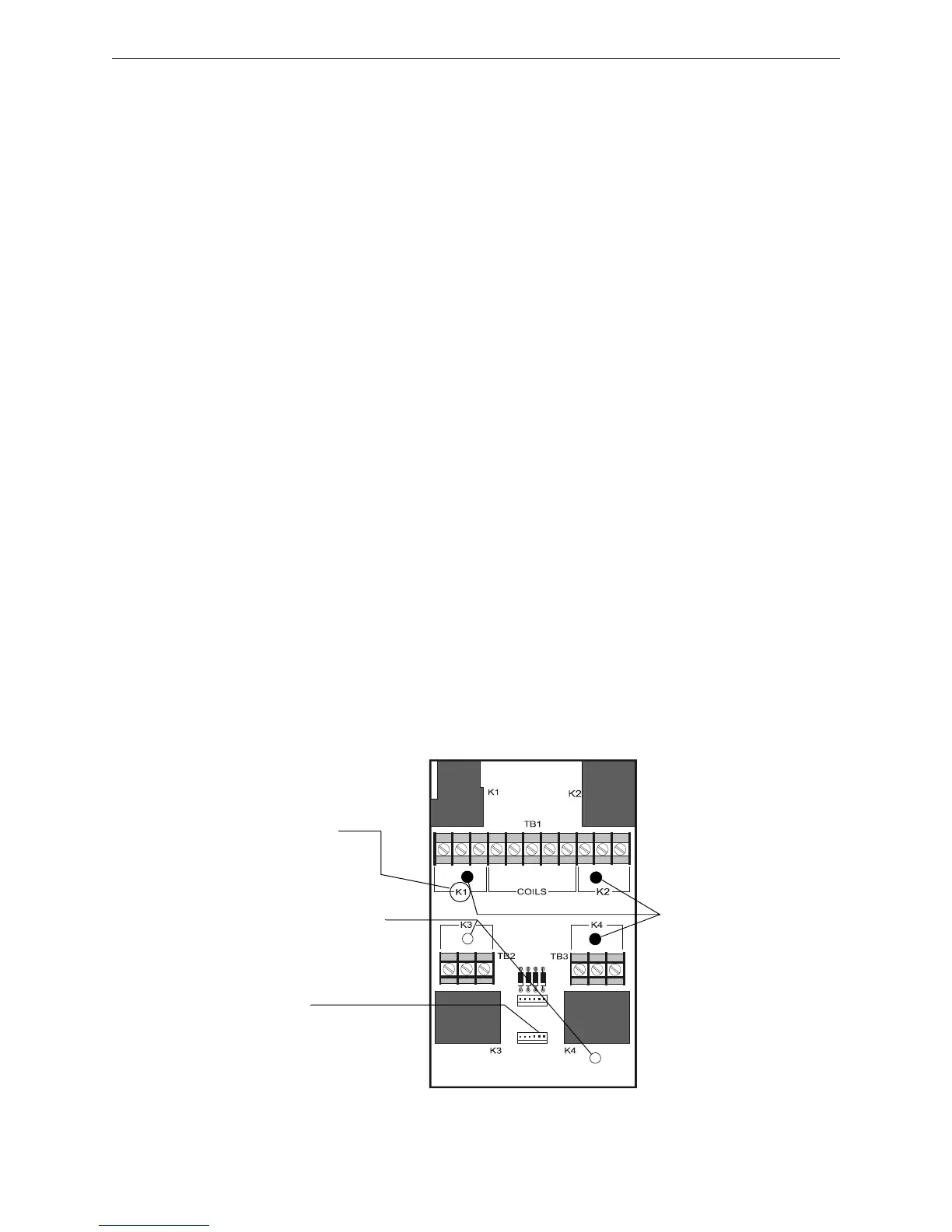
3. Install three (3) support stand-offs, with screws, onto the PC board in the locations shown in
Figure 3.17 or in the two right-hand positions on the first row. Tighten securely.
4. Position module over the stand-offs on the chassis; fasten the module to the chassis with the
two (2) retaining screws. Tighten securely.
5. Connect one end of the Cable (P/N 71092) to plug P1 on the ARM-4.
Note: The other end of the cable is connected to jumper JP5 on the CRM-4RK or CRE-4.
6. Connect all available external wiring at this time. Refer to Section 3.12.3 “Field Wiring an
Auxiliary Relay Module”.
P2
P1
NC NO C
NC NO C
NC NO C
NC NO C
Com K1 K2 K3 K4
– + + + +
ARM-4.cdr
P-1
Connection for
Cable P/N 71092
These 3 holes for
support stand-offs.
These 2 holes for
mounting stand-offs.
Terminal
Assignments
(typ. 4 places)
Figure 3.17 ARM-4 Stand-off & Terminal Locations



 To Next Page
 Loading...



