7.3 SETTINGS
ņ26
7
yyy
yyyy
7.3.1.2 Reception Port Setting (RX Port)
Set the number of the port via which signals are received from sensors.
There are two methods for receiving signals: specifying a port for each sensor, or using the automatic
recognition function without specifying ports.
Procedure 1 Hold down [RADAR MENU] key.
The Code Input Menu will appear.
2 Press [0] key.
3 Move the cursor onto the “ENT” button
in the Code Input menu, and press
[ENT] key.
The Adjust Menu will appear.
4 Press [5] key.
The COM Port Setting Menu will appear.
5 Press [4] key.
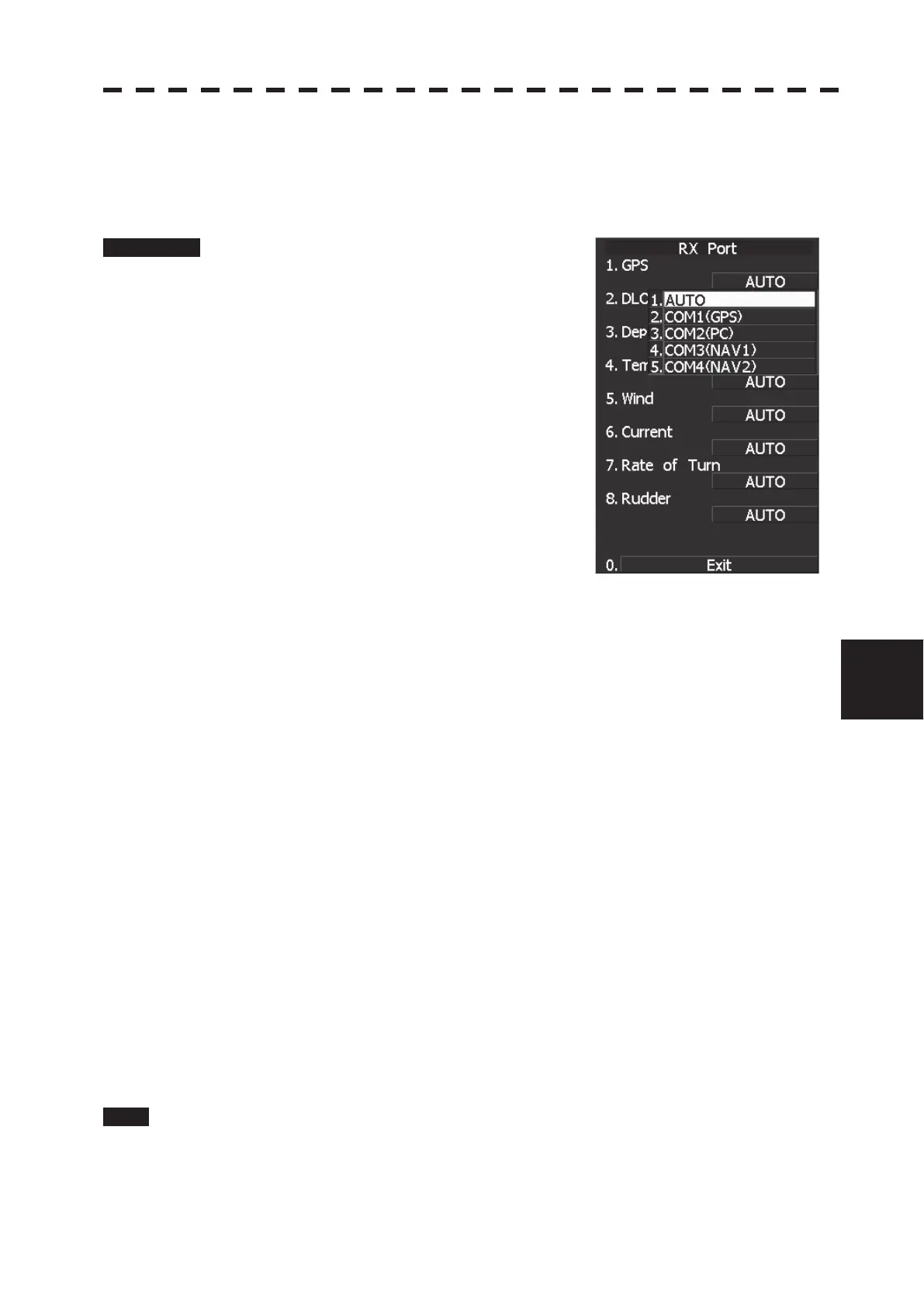
The RX Port Menu will appear.
6 Select the signal you want to set, pressing the numeric keys [1] to [6].
The Reception Port Setting Menu for each signal will appear.
Settable signals
1. GPS
2. DLOG
3. Depth
4. Temperature
5. Wind
6. Current
7. Rate of Turn
8. Rudder
7 Select which port you want to use for output.
Types of ports to be used
1. AUTO
2. COM1 (GPS)
3. COM2 (PC)
4. COM3 (NAV1)
5. COM4 (NAV2)
* For AUTO, the initial value will be selected.
Select the number of the port to be used, pressing the numeric key.
Exit 1 Press [RADAR MENU] key.
The Main Menu will reappear.


 To Next Page
 Loading...