7.3 SETTINGS
ņ32
7
yyy
yyyy
[II] Making Sector Function (Make Sector 1, 2, 3)
Procedure 1 Transmit the radar.
2 Hold down [RADAR MENU] key.
The Code Input Menu will appear.
3 Press [0] key.
4 Move the cursor onto the “ENT” button
in the Code Input menu, and press
[ENT] key.
The Adjust Menu will appear.
4 Press [4] key.
Press [6] key.
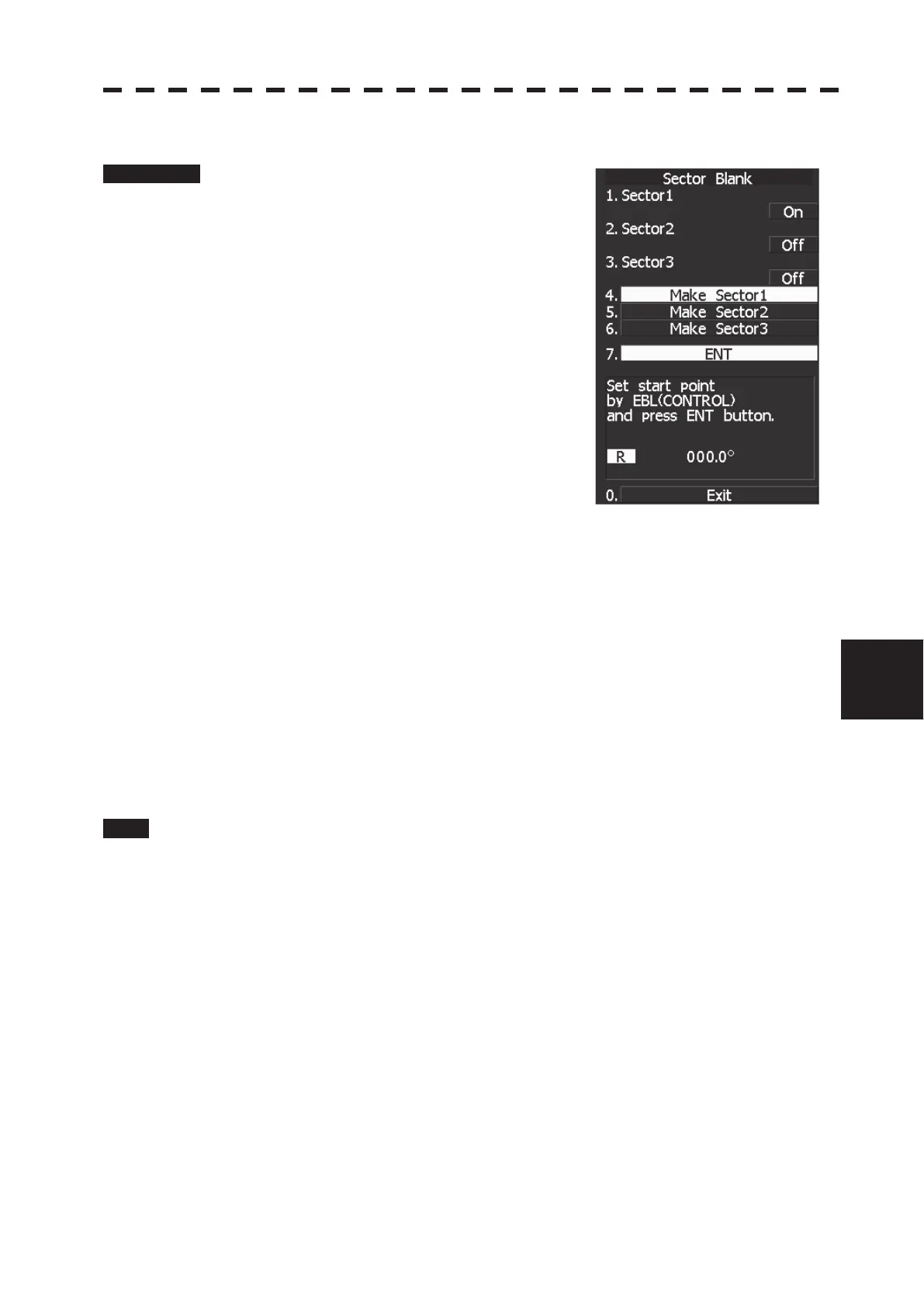
The Sector Blank Menu will appear.
5 Slect the number you want to make sector blank, pressing the numeric
keys [4] to [6].
The sector blank for the numeric key pressed will be made.
6 Set the start point of the sector blank by operating the [EBL] dial, and
then press 7 ENT.
The start angle of the sector blank will be set.
7 Set the end point of the sector blank by operating the [EBL] dial, and
then press 7 ENT.
The end angle of the sector blank will be set.
Exit 1 Press [RADAR MENU] key.
The Main Menu will reappear.


 To Next Page
 Loading...