Values: L/F 60 0 R/B 60
Throttle Trim
30
The XS3’s electronic Throttle Trim lever, located to the left
of the steering wheel, allows the center position of the
servo to move in either direction. Throttle end-point adjust-
ment values remain completely independent from the
throttle trim, unless the trim value exceeds the selected
end-point values. (For example, if the trim value is set at
40 and the end-point values at 30, Throttle Trim will over-
ride/alter the end-point value.)
thc
0
Current Value
Press the Increase and Decrease keys at the same
time to reset the throttle trim value to zero.
INCREASE
CLEAR
DECREASE
Each click will provide 0.3° of trim to the throttle servo with
a maximum of 24° allowed.
Note: Each click will not always result in a change
of the value displayed.
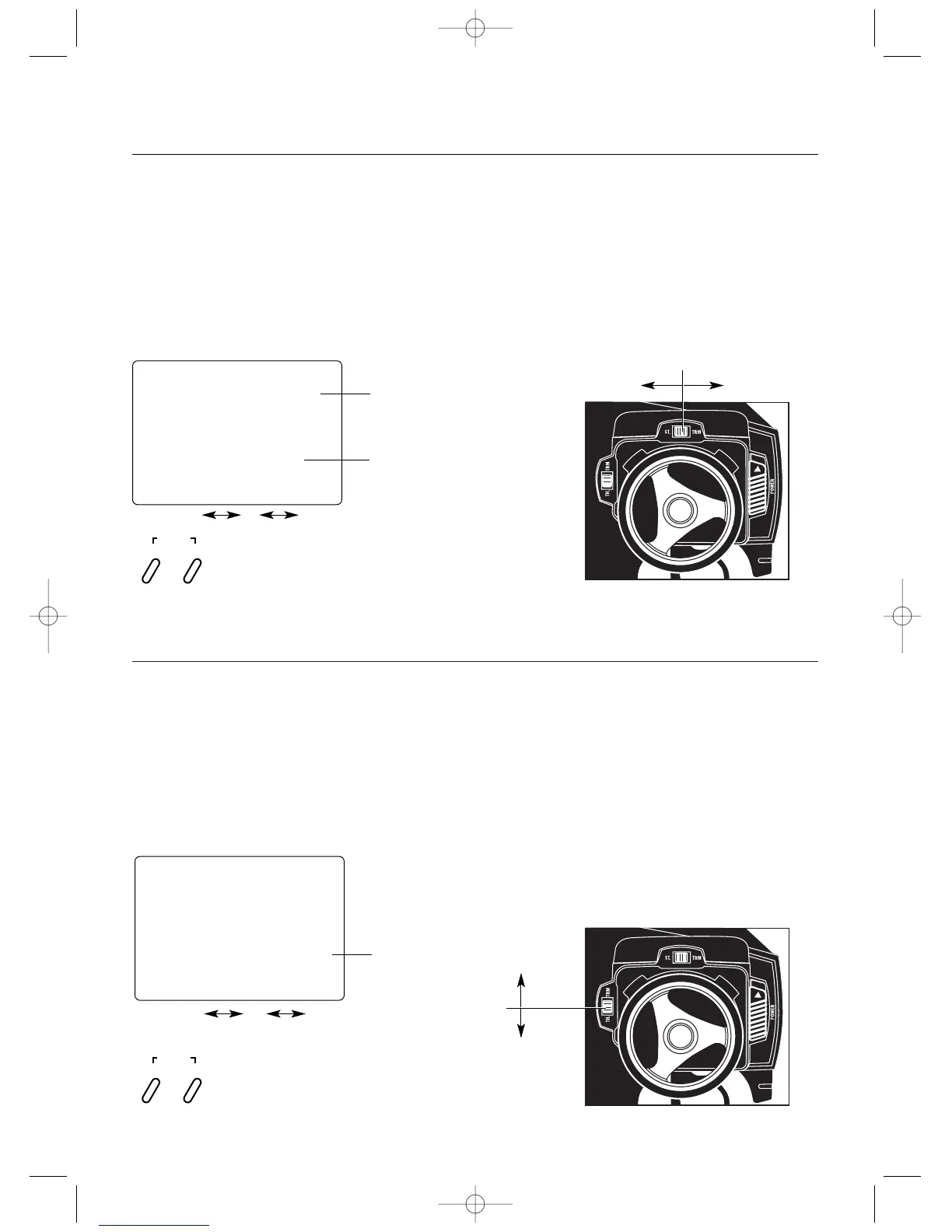
To adjust the Throttle Trim servo position, move the elec-
tronic steering trim lever either up or down. As soon as the
trim is moved, the “THC” Throttle Trim screen will appear
and will continue to be displayed unless the trim lever is
untouched for a period of two seconds. To reset the trim
value to zero, press the Increase and Decrease keys at the
same time while the “THC” screen is displayed.
Throttle Trim Location
Throttle Trim
Decrease
Increase
The XS3 electronic Steering Trim lever, located above
the steering wheel, allows the center position of the servo
to move in either direction. Steering travel end-point
adjustment values remain completely independent from the
steering trim, unless the trim value exceeds the selected
end-point values. (For example, if trim values are set at 30
and end-point values at 15, steering trim will over-ride/
alter the end-point value.) Each click will provide 0.3° of
trim to the center of the steering servo with a maximum of
12° allowed.
Values: L/F 30 0 R/B 30
Steering Trim
TRIM
Press the Increase and Decrease keys at the same
time to reset the steering trim to zero.
INCREASE
CLEAR
DECREASE
Steering Trim Location
Right Trim Left Trim
Steering Trim
Note: Each click will not always result in a change
of the value displayed.
To adjust the steering trim servo position, move the elec-
tronic Steering Trim lever left or right. As soon as the trim
is moved, the “STC” Steering Trim screen will be displayed
unless the trim lever is untouched for two seconds. To reset
the trim value to 0, press the Increase and Decrease keys at
the same time while the “STC” screen is displayed.
stc
0
Steering Trim
Screen
Current Value



 To Next Page