– 102 –
8-8. How to set up the functions
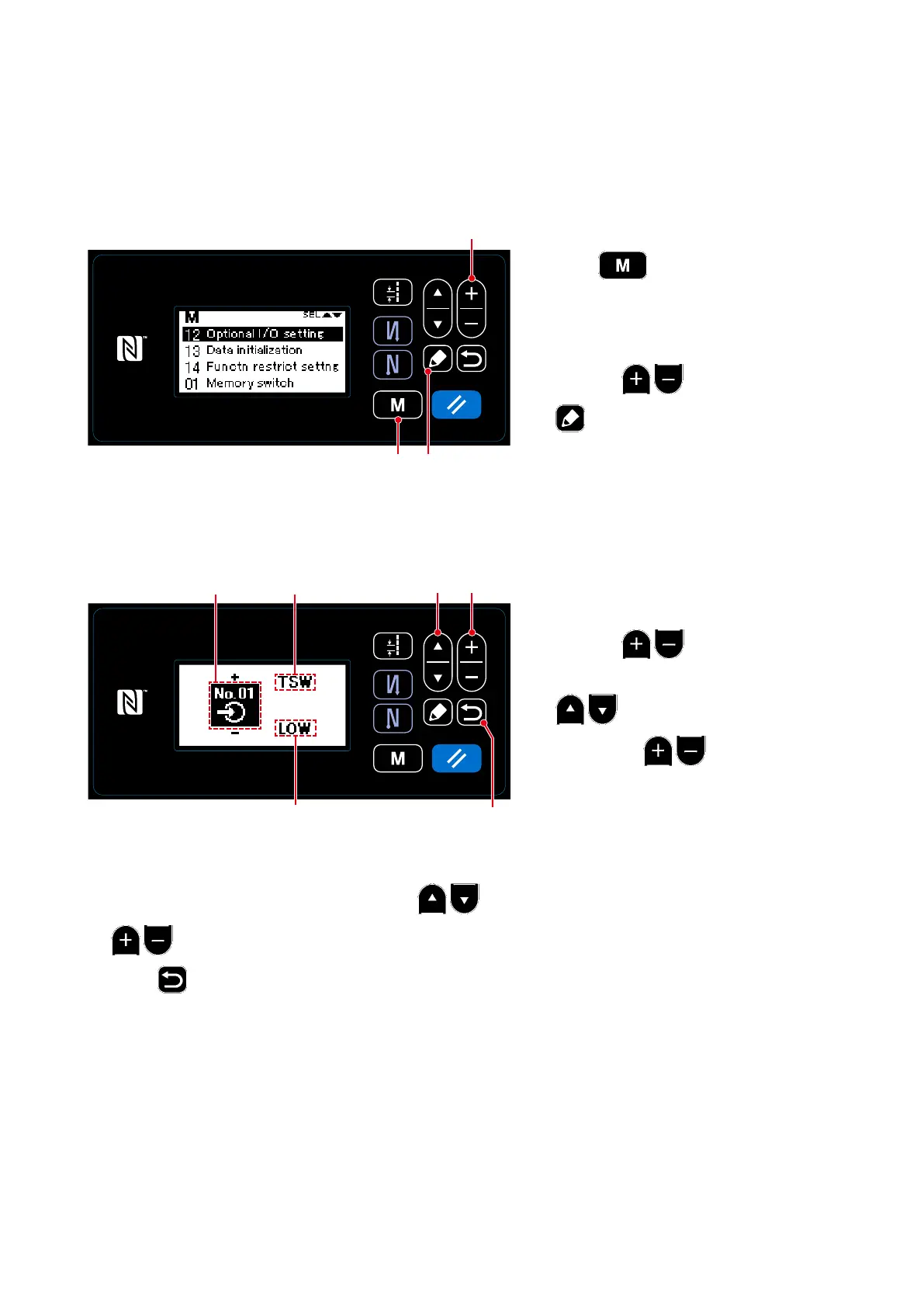
8-8-1. How to change over to the function setting mode
①
Selecting the optional input/output setting function
1. Keep
❾
held pressed for six
seconds on the sewing screen to dis-
play the mode screen.
2. Select "12 Optional I/O setting" by
pressing
❷
. Then, press
❺
to display the optional input/
output setting screen.
<Mode screen>
❺
②
Setting the optional input/output
1. Select the input/output port No.
A
by
pressing
❷
.
2. Select the function
B
by pressing
❶
. Then, set up the function
by pressing
❷
. (Refer to
"8-
8-2. List of function settings" p.103
for the selectable functions.)
❾
(1) Setting the optional input/output
<Setting the optional input/output screen>
❶ ❷
❻
3. Select the HIGH/LOW level
C
by pressing
❶
. Then, set the HIGH/LOW level by pressing
❷
.
4. Press
❻
to conrm the data and return the current screen to the mode screen.
❷
BA
C



 To Next Page
 Loading...







