– 81 –
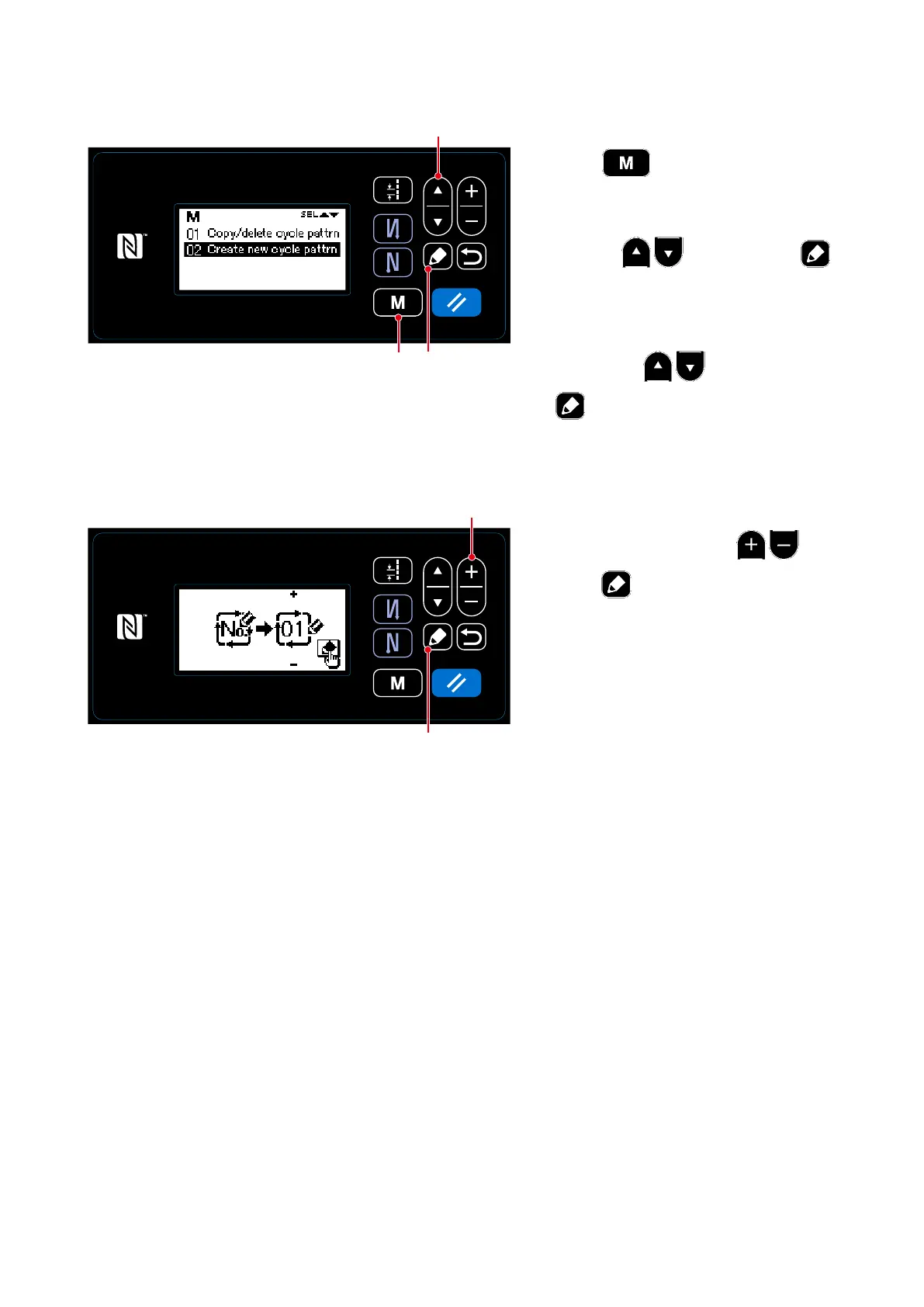
8-2-2. Creating a new cycle pattern
①
Selecting the new cycle pattern creating function
1.
Press
❾
on the sewing screen
to display the mode screen.
2.
Select "04 Cycle management" by
pressing
❶
Then, press
❺
to display the cycle pattern man-
agement screen.
3.
Select "02 Create new cycle pattrn"
by pressing
❶
. Then, press
❺
to display the new cycle pat-
tern creation screen.
<Cycle pattern management screen>
❺
<New cycle pattern creation No. selection screen>
②
Selecting a cycle pattern number
1. Select No. 1 by pressing
❷
.
2. Press
❺
to conrm the data and
return the current screen to the cycle
pattern management screen.
❷
❺
❶
❾



 To Next Page
 Loading...







