4-1. Explanation of the sewing screen (when selecting a sewing pattern)
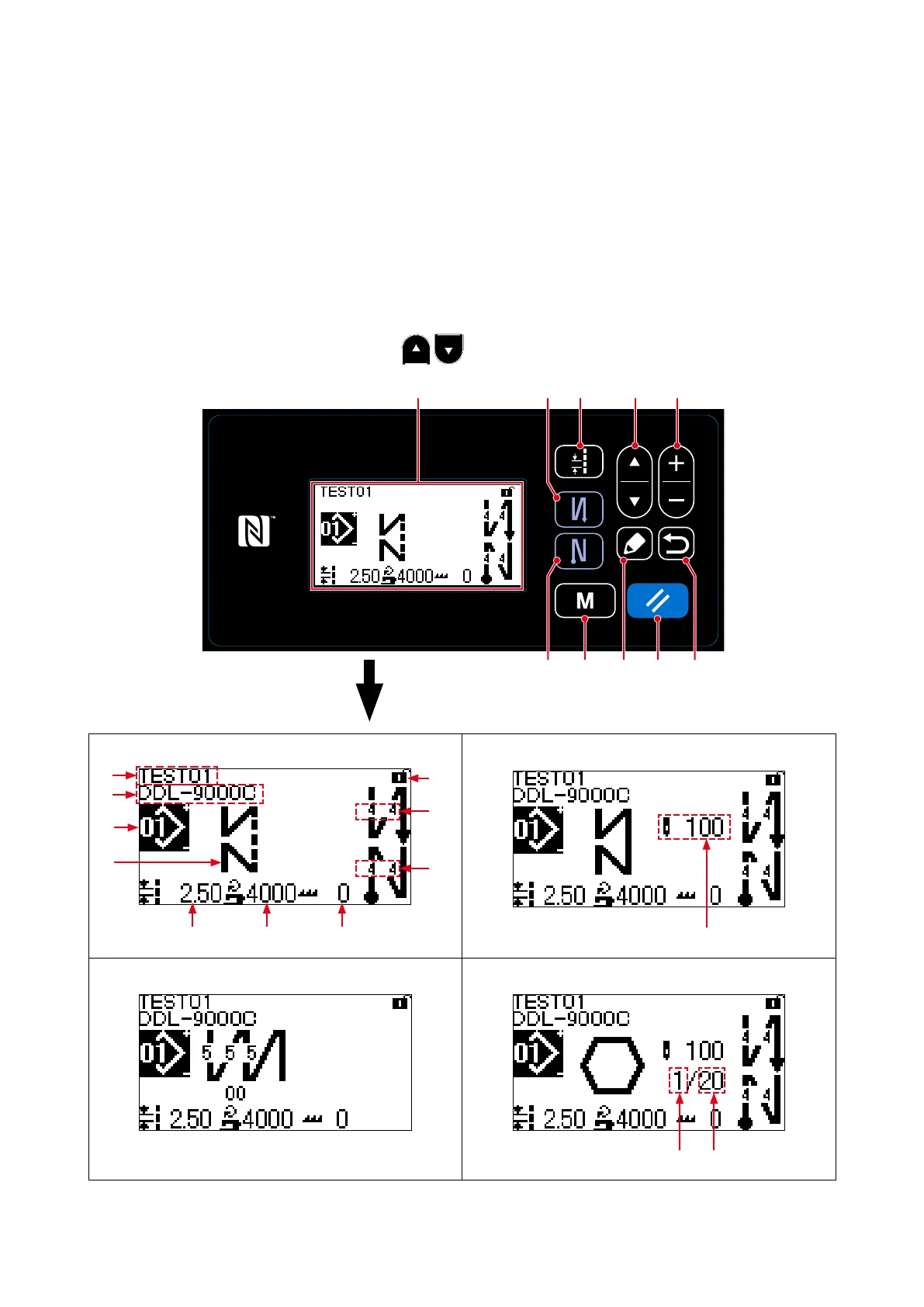
On the sewing screen, the shape and set values of the currently-sewn sewing pattern are displayed.
The display and button operation differ according to the selected sewing pattern.
Note that the sewing screen shows two different displays, i.e., the sewing pattern display and the count-
er display.
Refer to "4-3. Counter function" p. 43 for the description of the counter display.
(1) Sewing screen (when selecting a sewing pattern)
A sewing pattern can be selected with
❶
. Four different stitch shapes are available as
shown below.
Free stitching pattern
E
A
B
D
C
M
G H I
F
Constant-dimension sewing pattern
J
Multi-layer stitching pattern Polygonal-shape stitching pattern
K L
❻❹
❸
❾ ❽❺
❶ ❷❼
4. HOW TO USE THE OPERATION PANEL
<Sewing screen>
– 27 –



 To Next Page
 Loading...







