– 82 –
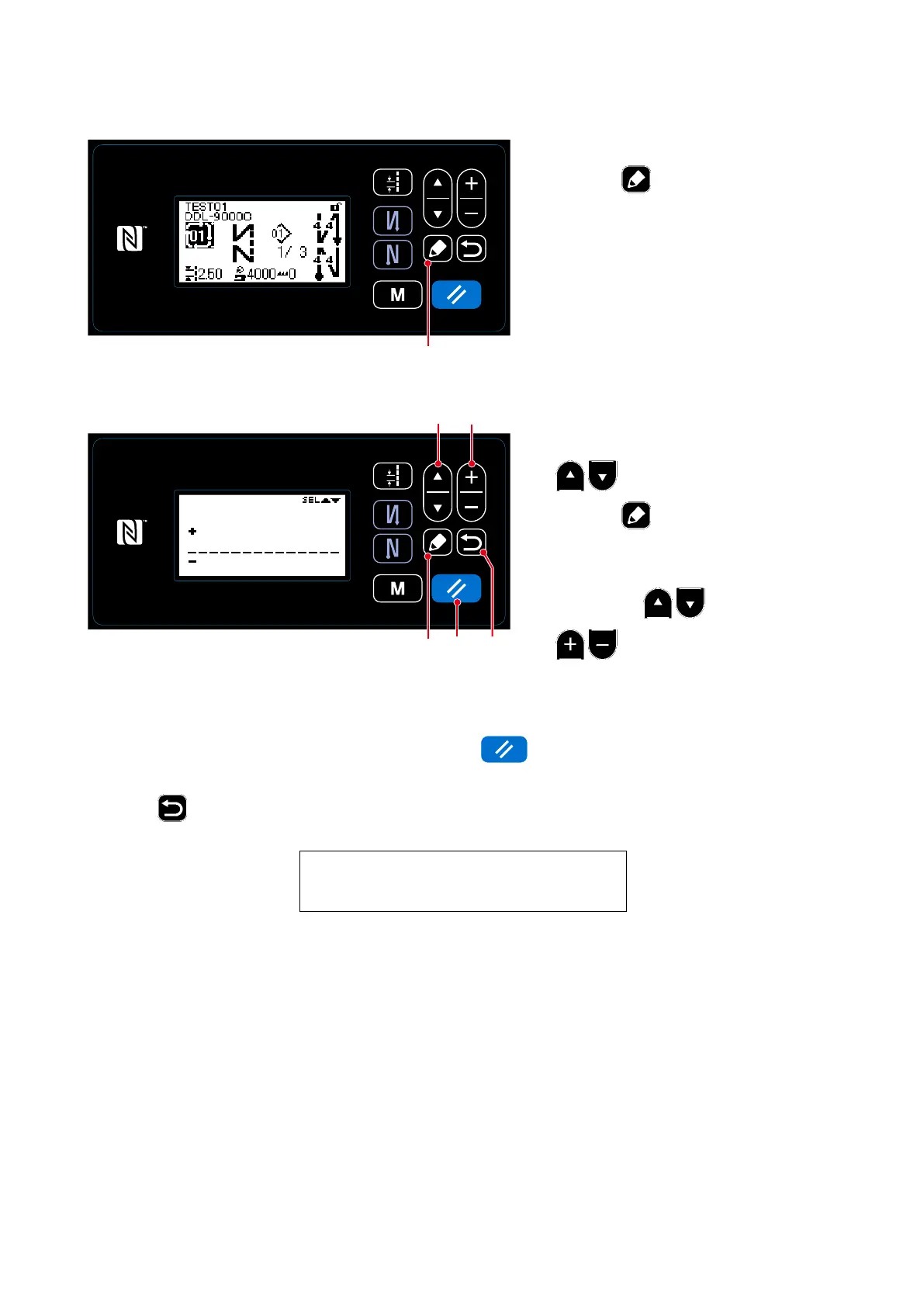
<Sewing screen(Cycle pattern)>
①
Displaying the cycle pattern edit screen
The cycle pattern edit screen is displayed
by pressing
❺
on the sewing screen
which appears when the cycle pattern is
selected.
<Comment input screen>
1. Select a comment by pressing
❶
. Select a comment by
pressing
❺
to display the com-
ment input screen.
2. Select what number of character to edit
by pressing
❶
. Then, press
❷
to input a new character.
The "+/−" is displayed at the top and
bottom of the selected character.)
8-2-3. Editing the cycle patterns
3. The selected character can be deleted by pressing
❽
. All characters can be deleted by
keeping it held pressed for one second.
4. Press
❻
to conrm the data and return the current screen to the cycle pattern edit screen.
Character can be input
A-Z, 0-9, ., +, ‒, /, #, (Space) and (Break)
②
Editing the comment for a cycle pattern
❽ ❻
❶
❺
❷
❺



 To Next Page
 Loading...







