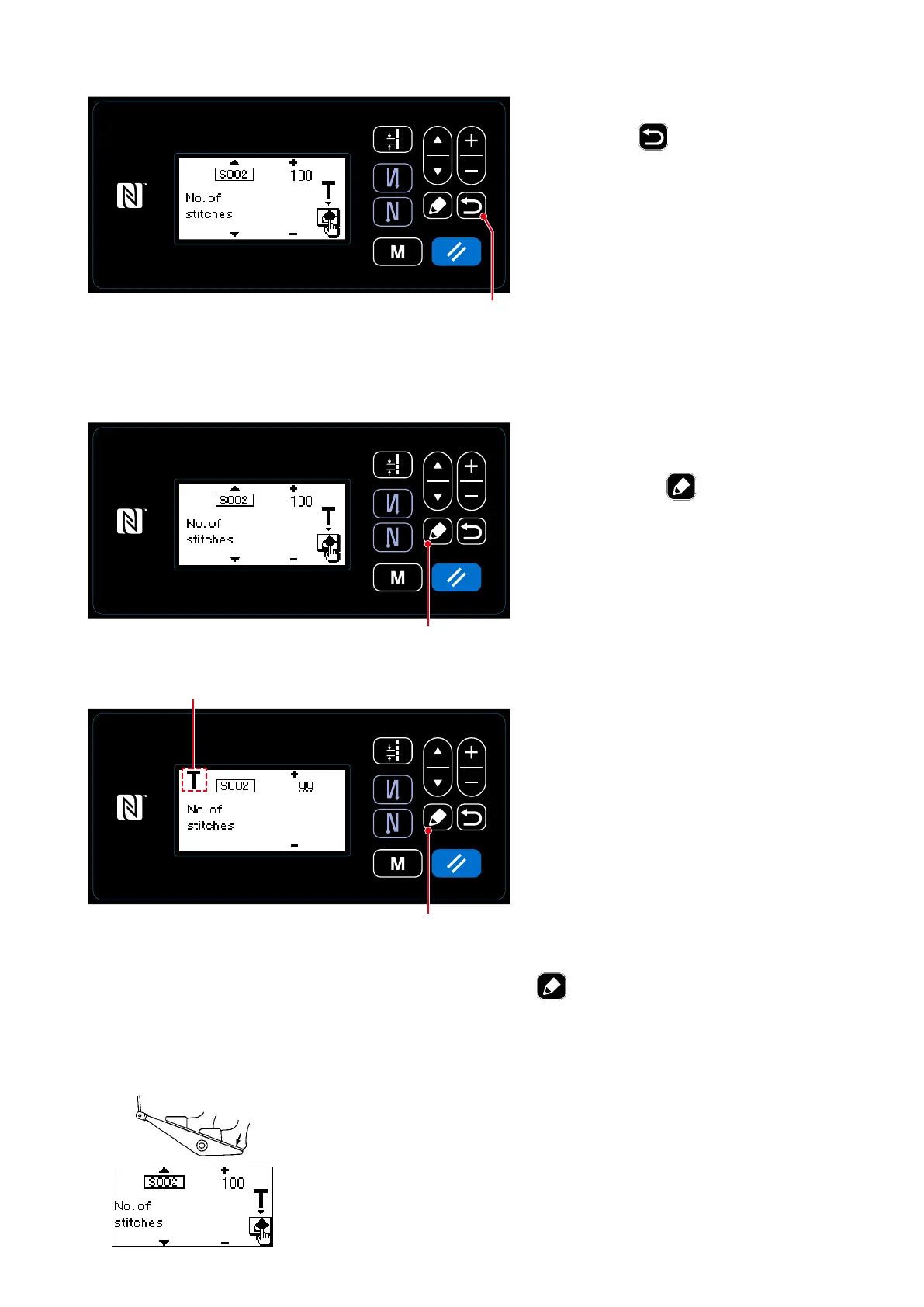
<Sewing pattern edit screen>
③
Conrming the data entered under the teaching mode
Conrm the data entered under the teach-
ing mode with
❻
.
Then, the screen returns to the sewing
pattern edit screen.
①
Displaying the teaching screen
When S002 Stitch number setting func-
tion is selected on the sewing pattern
edit screen, press
❺
to display the
teaching screen.
②
Starting teaching
Pictograph
A
is displayed on the screen
to show that the operation panel is placed
in the teaching mode.
<Number of stitches entry screen>
(2) How to set (polygonal-shape stitching)
<Teaching screen>
1. In the case of starting the teaching by operation on the operation panel
After the completion of sewing steps (the last stitch), press
❺
. Then, the data entered for the
current step under the teaching mode is conrmed and the screen is changed to the teaching screen
for the next step. If no further step to be registered is present, this operation will be disabled.
2. In the case of starting the teaching using the pedal
After the completion of sewing steps (the last stitch), depress the back part
of pedal. Then, the data entered for the current step under the teaching
mode is conrmed and the screen is changed to the teaching screen for
the next step.
If no further step to be registered is present, this operation will be disabled.
❻
❺
❺
A
– 39 –



 To Next Page
 Loading...







