56
⑨
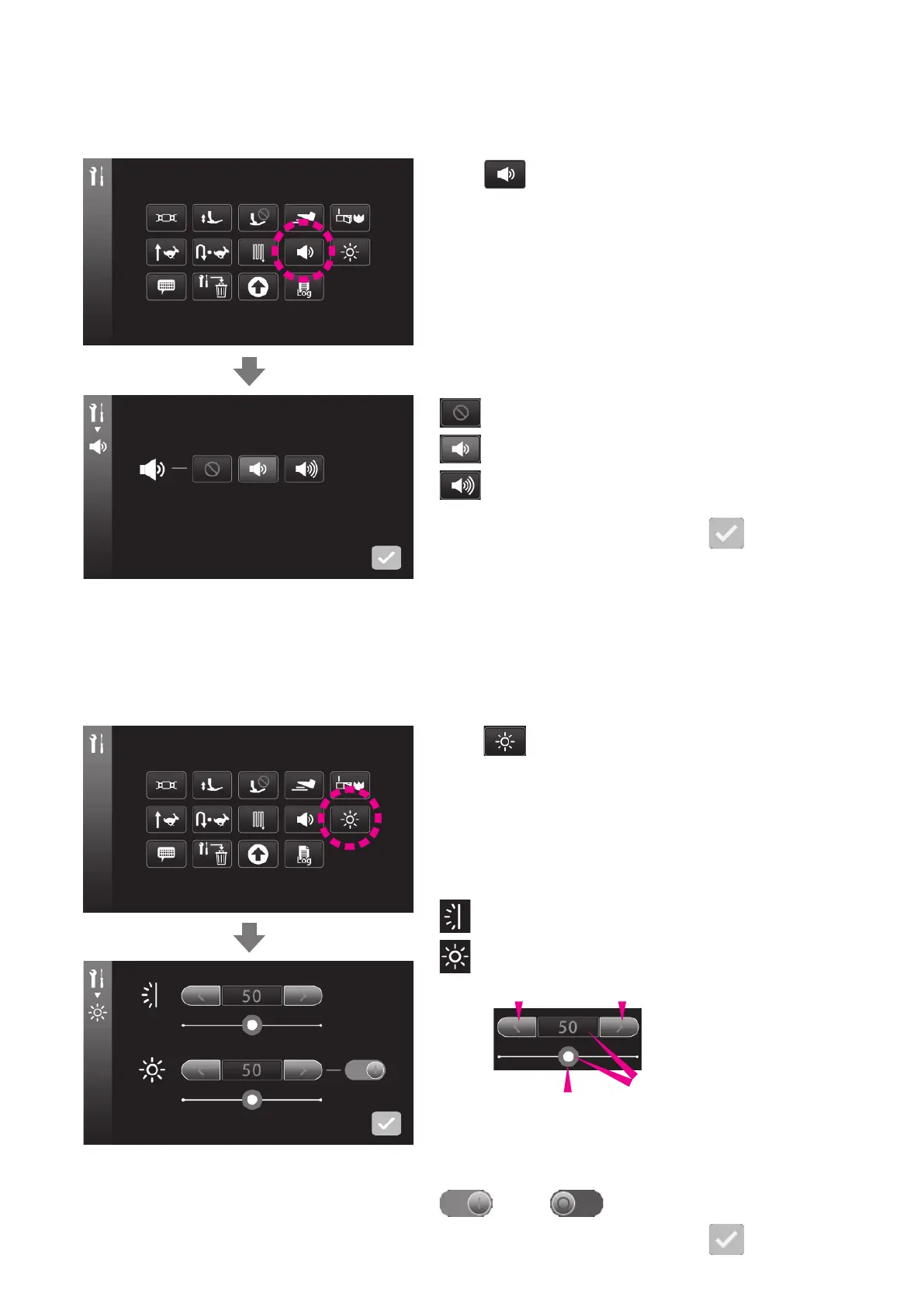
Buzzer volume setting
You can change the volume of buzzer when pressing the icons on touch panel.
* Initial value has been factory-set to “Loud”.
Press .
: Mute
: Low
: Loud
The set value is conrmed by pressing
.
⑩
Brightness adjustment
Press .
: Brightness of the touch panel
: Brightness of the sewing area
The lighting for the sewing area can be turned OFF.
: ON : OFF
The set value is conrmed by pressing
.
Brightness of the touch panel screen and that of the sewing area are adjustable.
Setting range: 0 - 100
* Initial value has been factory-set to “50”.
Darkened Brightened
The brightness will be returned
to its initial value by pressing
the blue frame.
The brightness can also
be adjusted by sliding the
slide bar to the right or left.


 To Next Page
 Loading...