81
6.3.8. Change of seam width of buttonhole
Refer to page 108 for details.
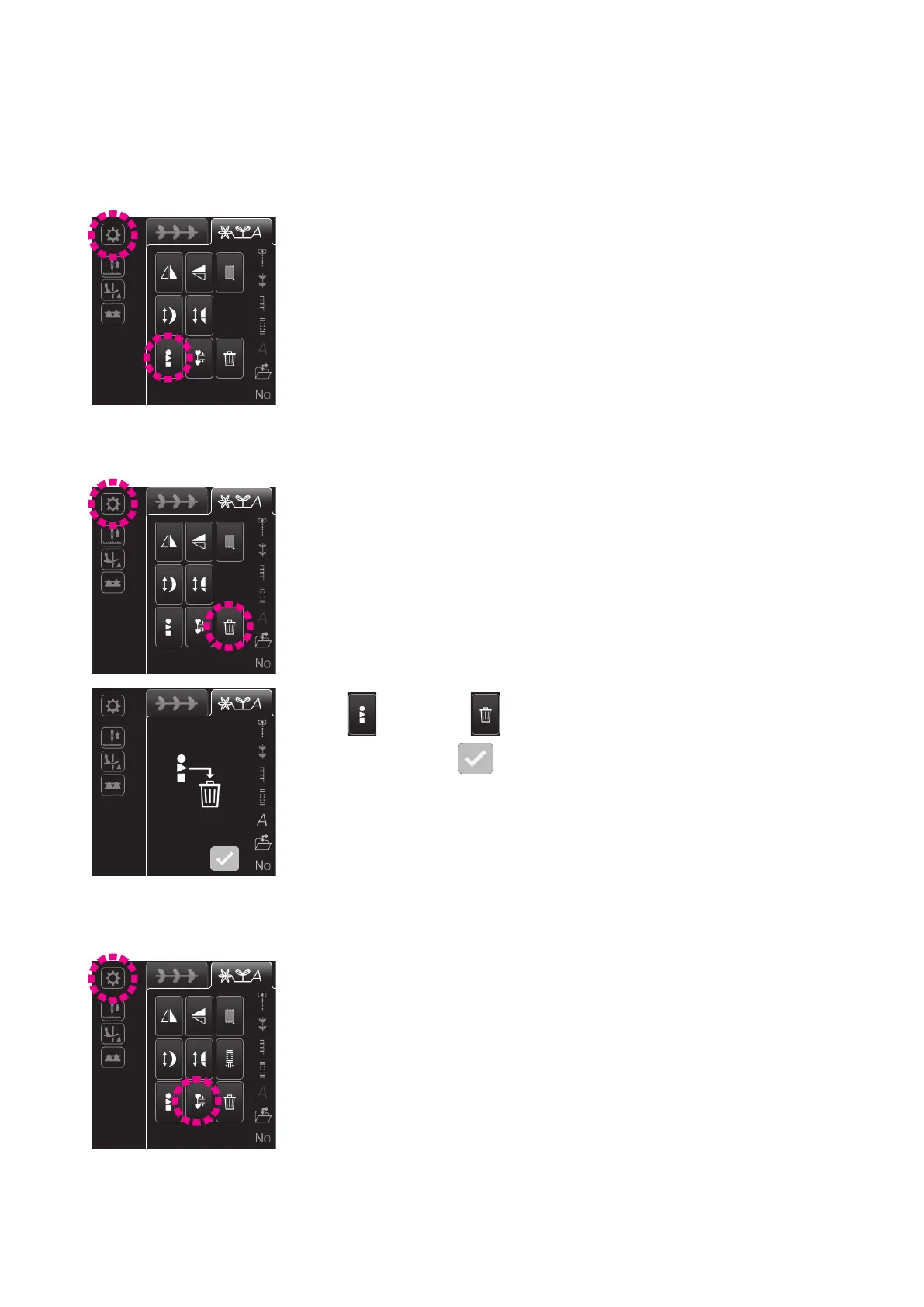
Press this icon when you want to collectively select all of the combined patterns.
6.3.5. Selecting the combined patterns collectively
Press this icon when you want to delete the combined patterns.
6.3.6. Deletion
Press . Then, press . Now, all of the combined patterns can be collective-
ly deleted by pressing
.
Press this icon to decrease the interval between patterns.
To return the interval between patterns to the standard one, press this icon again.
In the standard setting, lock stitch is set at the end of the pattern. If you decrease
the stitching interval, the lock stitch will be omitted.
6.3.7. Setting the interval between patterns
6.3.4. Changing the tapering size
Refer to page 102 for details.


 To Next Page
 Loading...