War.i.g i.dicatio.s
INDICATIONS FUNCTION
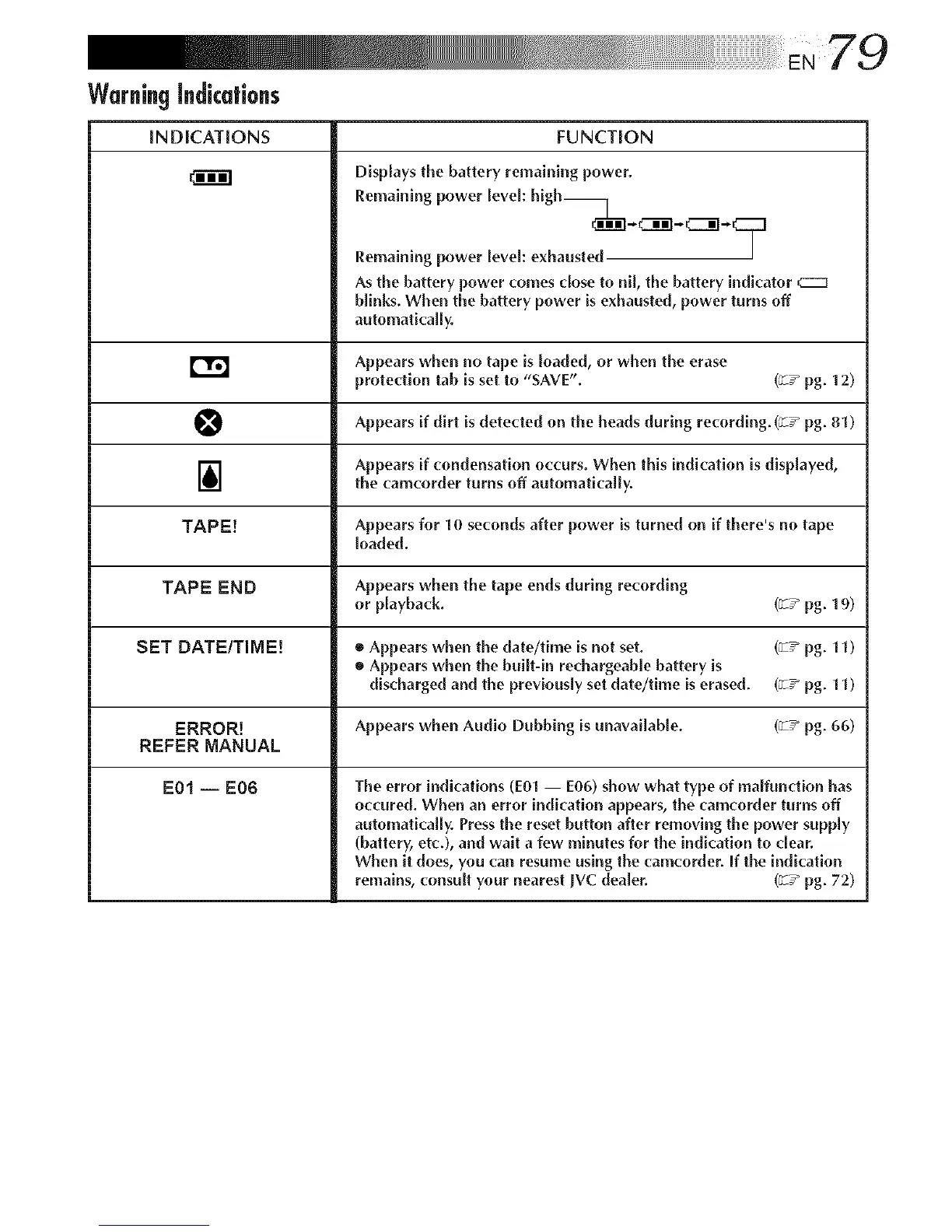
Displays the battery remaining power.
Remaining power level: high__
_[XNC_i]- CZ3i]-*
Remaining power [eveh exhausted |
As the battery power comes dose to nil, the battery indi('ator
blinks. When the battery power is exhausted, power turns off
automatically.
Appears when no tape is loaded, or when the erase
protection tab is set to "SAVE". (_:T_pg. t 2)
O Appears on during recording. (_:T_ pg. )
if dirt is detected the heads 81
1_ Appears if condensation occurs. When this indication is displayed,
the camcorder turns off automatically.
TAPE[ Appears for 10 seconds after power is turned on if there's no tape
loaded.
TAPE END Appears when the tape ends during recording
or playback. (v-z_pg. 19)
SET DATE/TIME| ® Appears when the date/time is not set. (v-:" pg. 11)
• Appears when the built-in rechargeab[e battery is
discharged and the previously set date/time is erased. (v-T" pg. 11)
ERROR! Appears when Audio Dubbing is unavailable. (_:T_ pg. 66)
REFER MANUAL
E01 -- E06 The error indications (E0i -- E06) show what type of maifundion has
occured. When an error indi('ation appears, the camcorder turns off
automati(:aliy. Pressthe reset button after removing the power supply
(battery, etc.), and wait a few minutes for the indication to clear.
When it does, you can resume using the ('amcorder. if the indication
remains, consult your nearest JVC dealer. (v-z_pg. 72)



 To Next Page